
Gamer with limited desk space
Wants to keep room for a mouse and flight controls, so compares the monitor’s overall dimensions and stand depth rather than just the screen size. MSI and LG publish dimensions for specific models.


First, measure the available width and depth of your desk, including the space needed for your controls. The 23.8-inch Full HD models we looked at take up less room than the 27-inch QHD and 34-inch ultrawide models. Then decide whether you’d prefer more pixels for cockpit details or a wider aspect ratio. Also check that your PC, connection and game can handle your chosen resolution and refresh rate.
Wants to keep room for a mouse and flight controls, so compares the monitor’s overall dimensions and stand depth rather than just the screen size. MSI and LG publish dimensions for specific models.
Prioritises more pixels for instruments and text, provided a 27-inch QHD screen and the required PC output will fit their setup. LG lists the 27GS75Q-B as a QHD model.
Wants a wider view and can make enough desk space available; also checks whether their game supports the desired aspect ratio. LG and Samsung describe specific 34-inch ultrawide models.
Choose this option: if having room for your screen, mouse and controls is your priority.
The trade-off: Full HD has fewer pixels than QHD. Check that your PC can deliver the desired refresh rate through your chosen connection.
Choose this option: if you want more pixels for cockpit details and a screen measuring 613,5 mm wide and 253,7 mm deep with its stand will fit your desk, like the LG 27GS75Q-B we looked at.
The trade-off: check that your PC can run games well at 2560 × 1440 and that the larger overall dimensions will fit.
Choose this option: if a wider cockpit view is your main priority, your game supports the aspect ratio and your desk has enough space.
The trade-off: the LG 34GP63AP-B we looked at measures 809 mm wide and 312 mm deep with its stand. Also check how well your PC performs at 3440 × 1440.
| What to consider | What should you check? | Who is this important for? |
|---|---|---|
| Will the monitor fit alongside your controls? | Measure the available width and depth, then compare them with the dimensions including the stand. MSI lists the G244F E2 at 541,9 × 231,9 mm; LG lists the 27GS75Q-B at 613,5 × 253,7 mm and the 34GP63AP-B at 809 × 312 mm. | If I want to fit both a screen and flight controls on a small desk, the overall dimensions matter. Around 36% of consumers say space is their main consideration. |
| Will cockpit details be easy to read? | Compare the resolution and screen size, and check how your game scales text. The models we looked at include 23.8-inch Full HD and 27-inch QHD (2560 × 1440). | If I want to make out instruments and text clearly, I consider both the available pixels and how they look in my game. Around 29% of consumers prioritise detail. |
| Is the refresh rate right for my PC? | Check the resolution and Hz supported by each connection, along with your PC’s output and settings. MSI lists up to 180 Hz for the G244F E2 through the DisplayPort and HDMI modes specified. | If I’m looking for a setup where the PC, connection and refresh rate work well together, I check those specifications as a whole. Around 21% of consumers prioritise motion performance. |
| Is ultrawide worth the extra space? | Check whether your game supports the desired aspect ratio and whether you have enough desk width. The LG 34GP63AP-B has a 21:9 aspect ratio and measures 809 mm wide with its stand. | If I want a wider cockpit, I weigh that up against the space available and game support. Around 14% of consumers prioritise cockpit width. |
The stand and overall dimensions also determine whether the monitor will fit alongside your mouse and flight controls.
Measure the available space and compare it with the dimensions including the stand. If you’re considering a monitor arm, check the mount, weight capacity and whether your desk edge is suitable.
Specifications may depend on particular settings or conditions. LG lists 180 Hz as the stated maximum for the 27GS75Q-B, with 200 Hz as an overclocking option.
Compare the conditions attached to the specifications and check the resolution, connection and settings of your own setup.
A Joybuy page we found for the Samsung Odyssey G5 LC34G55TWWPXEN listed both 165 Hz and 144 Hz, and the product was no longer available.
Use the exact model code and manufacturer information for technical comparisons, and check the specific version and sales information separately.
The ASUS and Joybuy pages we looked at list different manufacturer’s warranty periods. The Netherlands Authority for Consumers and Markets explains that the seller is responsible for the statutory guarantee on a faulty consumer product.
Check which manufacturer’s warranty terms apply to the version on offer and keep the seller’s information.
The G244F E2 is a compact Full HD example for comparing stand depth and overall dimensions.
The TUF Gaming VG249Q3A is a 23.8-inch Full HD model for comparison within the compact category.
The UltraGear models we looked at show the difference between 27-inch QHD and 34-inch ultrawide.
The Odyssey G5 LC34G55TWWPXEN is an example of a curved 34-inch ultrawide monitor.
The 24G4X is another 23.8-inch IPS example in the compact category.
This selection includes compact Full HD monitors and 27-inch QHD models. Check that each model’s dimensions, PC output and display features suit your setup.
 No image available
Could suit a compact gaming setup; measure the stand and available desk space before choosing.
The product name lists 24 inches, Full HD 1080p, 144 Hz, Adaptive Sync, HDMI and DisplayPort.
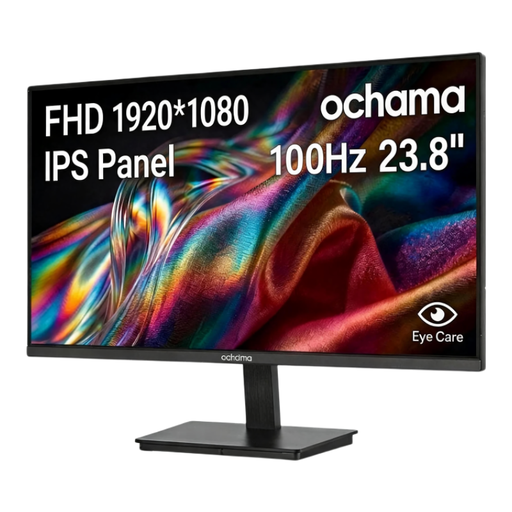 No image available
The 23.8-inch size could suit a compact desk setup; check the dimensions of the complete monitor before buying.
The product information lists 1080p Full HD and 100 Hz.
 No image available
A 23.8-inch Full HD model to consider if you’re looking for a compact gaming monitor. Measure the stand too, and check the connection on your PC.
ASUS lists 1920 × 1080, up to 180 Hz and FreeSync Premium for this model.
 No image available
Could suit anyone looking for QHD on a 27-inch screen with enough desk space for it; check the dimensions and PC output for your setup.
The product name lists QHD, 180 Hz and OLED.
 No image available
Could suit anyone looking to compare QHD on a 27-inch screen with a more compact Full HD size; check your PC output and available space.
The product name lists 2560 × 1440, 180 Hz and FreeSync Premium.
Measure the available width and depth after placing your mouse and controls. Compare these measurements with the monitor’s dimensions including the stand, rather than just the panel size in inches. Among the examples we looked at, stand depth ranges from 231,9 mm for the MSI G244F E2 to 312 mm for the LG 34GP63AP-B.
Use a connection that supports the desired resolution and refresh rate, then select that display mode in your computer’s settings. MSI lists up to 180 Hz at Full HD for the G244F E2 through the DisplayPort and HDMI modes specified. Also check what your own PC can output.
For the version you’re considering, compare the EU energy label or the EPREL product information for electronic displays. If a consumer product is faulty, the seller is responsible for the statutory guarantee under the rules explained by the Netherlands Authority for Consumers and Markets; a manufacturer’s warranty period doesn’t replace this right.
Electrical and electronic equipment must comply with the applicable EU conformity rules, including CE marking where required. Check the version and product information for the specific item on offer. For example, ASUS publishes an EU declaration of conformity for the VG249Q3A; this doesn’t automatically confirm that every product listed under a similar title is the same model.
For a distance purchase by a consumer in the Netherlands, there is generally a statutory 14-day cooling-off period after delivery. ACM ConsuWijzer also explains the conditions and exceptions, so check the seller’s returns information too.