
Player with limited desk space
Wants the screen and stand to fit without dominating the workspace. Compare the full dimensions with the space available; MSI and LG Netherlands, for example, publish dimensions including the stand for specific models.


For a small desk, a 23.8-inch Full HD monitor is a compact choice. A 27-inch QHD screen is worth considering if you have enough space and your PC or console supports the desired output. For dark scenes, measurements of the exact model are more useful than manufacturer claims alone. Also check which resolution and refresh rate the connection you plan to use can support.
Wants the screen and stand to fit without dominating the workspace. Compare the full dimensions with the space available; MSI and LG Netherlands, for example, publish dimensions including the stand for specific models.
Wants landscapes and small details on screen to look sharp, provided the chosen QHD resolution suits the available space and connected gaming device.
Prioritises contrast and visibility in dark games, weighing these against the panel's characteristics and their own needs. RTINGS discusses contrast as a factor in image quality in dark rooms.
First, measure the space for the screen and stand. Then compare the resolution and connections with your gaming device, and check measurements of the exact model for dark scenes.
| What to consider | What should you check? | Who is this most relevant to? |
|---|---|---|
| Desk space | Compare the monitor's width and depth with the stand against the space available; if you are using an arm, check the VESA size too. | If my desk has limited space, I want to know whether the screen and stand will fit. Around 36% of consumers say saving space is their top priority. |
| Sharpness and resolution | Compare Full HD at around 23.8 inches with QHD at 27 inches, and check that your device supports the chosen output. | For landscapes and small in-game text, I want enough detail without choosing a resolution my setup cannot handle. Around 29% of consumers prioritise sharpness above all else. |
| Dark scenes | Look for independent contrast measurements of the exact model; treat manufacturer figures as specifications, not directly comparable test results. | In dark interiors, I want to take contrast into account but also know how the specific model was tested. Around 21% of consumers put dark scenes first. |
| Connection and picture mode | Check the resolution and refresh rate for each input, cable and gaming device. | If my choice depends on my console or PC, I want to know in advance which mode is available through my connection. Around 14% of consumers prioritise compatibility above all else. |
Monitors with a similar screen size can still take up different amounts of width or depth once you include the stand.
Measure the space available and compare it with the dimensions of the exact model, including the stand.
The picture mode you can use may vary by port and also depends on the connected device and game.
Check the resolution and refresh rate for each HDMI or DisplayPort connection before choosing a screen or cable.
A stated contrast ratio is not the same as an independent measurement of that model's picture performance.
For dark scenes, look for a review of the exact model. If you regularly display static images for long periods, also consider the risk of burn-in with OLED.
The 24M2N3200A/00 is an example of a 23.8-inch Full HD Fast IPS gaming monitor.
The G244F E2 is a 23.8-inch Full HD Rapid IPS model.
The G2725D is an example of a 27-inch QHD Fast IPS gaming monitor.
The 24GS60F-B and 24GQ50F-B illustrate the differences between specific compact IPS and VA models.
This selection focuses on compact Full HD gaming monitors measuring around 23.6 to 24 inches. One model also lists a VA panel and a stated contrast ratio.
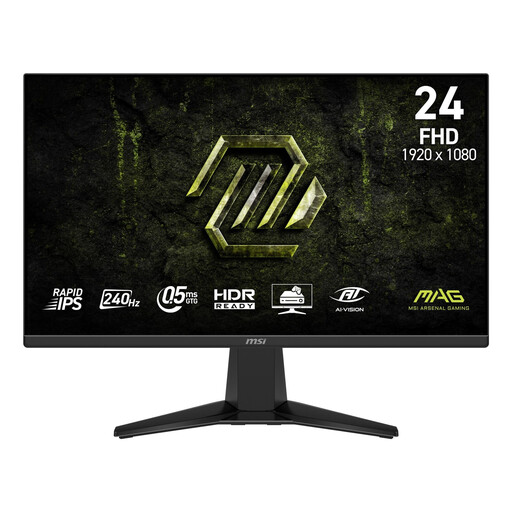 No image available
A compact Full HD option if the screen size and refresh rate suit your desk and gaming device.
The product information lists Rapid IPS, 240 Hz and Adaptive-Sync.
 No image available
A compact Full HD option to consider if the stated refresh rate suits the way you use it.
The product information lists IPS, FreeSync Premium and 200 Hz. For 200 Hz, the description specifies DisplayPort 1.2; check which HDMI mode your source device can support.
 No image available
This size could suit a compact workspace; check the stand's dimensions before you decide.
The product information lists an IPS panel, 175 Hz and FreeSync.
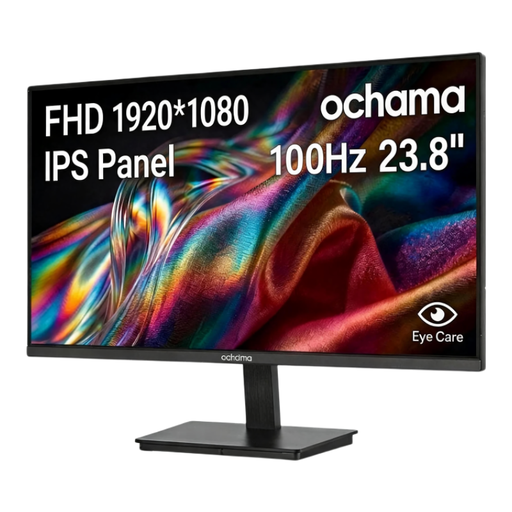 No image available
A 23.8-inch Full HD screen to compare if you are looking for a compact monitor.
The product information lists 100 Hz and a narrow bezel on three sides.
 No image available
A compact option to consider if dark scenes matter to you and the stand fits your desk.
The product information lists a VA panel, a stated contrast ratio of 3000:1 and 240 Hz. These are product specifications, not independent measurements. The dimensions with the stand are 537.9 × 196.9 × 409.2 mm.
Check the HDMI specifications for the exact model and test your preferred output on your console. Sony describes a test for 1440p at 60 or 120 Hz on the PS5, along with a separate setting for 120Hz output; the available mode also depends on the monitor and game.
Measure the available width and depth, then compare these with the monitor's dimensions including the stand. Only use a monitor arm if its mounting size matches the monitor's; MSI, for example, lists 75 × 75 mm for the G244F E2.
Compare the energy label and product information sheet for the exact monitor. The European Commission uses an A to G scale for electronic displays and also provides separate label information for HDR use.
For a standard online purchase, you generally have a statutory 14-day cooling-off period from delivery, subject to exceptions explained by ACM ConsuWijzer. The seller must also put right, free of charge, any product that does not deliver what you could reasonably expect under normal use, under the statutory guarantee. Any manufacturer's warranty does not replace this right.