First measure the space available for the screen, stand and input devices: screen size alone won’t tell you whether a monitor will fit on your desk. A compact 24-inch screen is a sensible choice if space is your priority. Choose a 27-inch QHD monitor if you have room for a larger screen and want more detail, or consider OLED if deep blacks in dark scenes matter more to you. If you’re considering OLED, also think about the lighting in your room and check the warranty terms for the exact model.
Which monitor option is right for you?
Gamer with limited desk space
You want to know whether the screen and stand will fit without taking over your workspace. Compare the monitor’s external dimensions, including the stand, with the space available. The screen size alone won’t tell you how much desk space it needs.
Explorer of dark game worlds
You care about deep blacks in dark scenes and are weighing up OLED against the lighting in your room and the terms of use for the specific model.
Fan of detailed cockpits
You want to see maps, instruments and the game world in detail, provided a 27-inch QHD monitor will actually fit on your desk.
What should you consider when choosing?
Start by checking the space available for the stand, screen and input devices. Then compare the picture quality and how the monitor connects to your gaming device.
Compact 24-inch LCD
Choose this option if: a smaller monitor is your priority because you have limited space to work with.
Trade-off: Full HD has fewer pixels than QHD. Be sure to check the stand dimensions for the exact model, too.
27-inch QHD LCD
Choose this option if: your desk can accommodate a larger screen and you want more detail without needing OLED.
Trade-off: a 27-inch model takes up more desk space. An HDR rating alone won’t tell you how good the picture quality is on a specific LCD model.
27-inch QHD OLED
Choose this option if: deep blacks in dark scenes matter to you and you have room for the larger screen.
Trade-off: according to the independent review, blacks on the Gigabyte model discussed can look greyer in bright surroundings, and text may look less sharp than on many other monitors.
| What to consider |
What should you check? |
Who is this important for? |
| Desk space |
Measure the available width and depth, then compare them with the monitor’s external dimensions, including the stand. Gigabyte lists the MO27Q2A as measuring 610,3 × 499 × 190 mm (w × h × d, with stand). |
If I need space for both the screen and input devices, I want to know how much room the stand takes up. Around 36% of consumers say desk space is their main concern when buying. |
| Black levels |
Compare reviews of the exact model and take the lighting in your room into account. The Tweakers review on NU.nl describes differences between the OLED and LCD models discussed. |
If dark scenes matter a lot to me, I pay attention to black levels and the effect of ambient light. Around 29% of consumers put dark scenes at the top of their list. |
| Detail and readability |
Compare the resolution of the screen size you’re considering: the Philips 24M2N3200A/01 is 23,8 inches and Full HD; the AOC Q27G4ZR is 27 inches and 2560 × 1440. Also check your viewing distance and screen position. |
If I want to see maps and cockpit instruments clearly, I weigh up the extra detail against the space a larger screen takes up. Around 21% of consumers prioritise detail and readability. |
| Refresh rate and connections |
Check the outputs on your PC or console, the monitor’s inputs and which mode is available over that connection. AOC lists the Q27G4ZR at 240 Hz as standard and 260 Hz when overclocked. |
If I want to match the monitor to my gaming device, I check which refresh rate and connection my setup supports. Around 14% of consumers make smooth motion and connectivity their top priority. |
Common buying mistakes
-
Measuring only the screen size
The screen size won’t tell you how much desk depth the stand needs. Gigabyte lists the MO27Q2A as 190 mm deep with the stand.
Measure the space available for the stand, screen and input devices, then compare it with the external dimensions of the exact model.
A stand that takes up too much room can crowd your workspace, so an alternative mounting option may be worth considering.
-
Assuming an HDR logo guarantees impressive dark scenes
The independent Tweakers review on NU.nl reports that the AOC Q27G4ZR discussed offers less contrast and less convincing HDR than the OLED model reviewed.
Compare reviews of the exact models and take the lighting in your room into account.
-
Mistaking the overclocked refresh rate for the standard setting
AOC lists the Q27G4ZR at 240 Hz as standard and 260 Hz when overclocked.
Check which settings are supported by your gaming device, connection and configuration.
-
Confusing an extended warranty with your statutory rights
ACM ConsuWijzer distinguishes between statutory rights and a manufacturer’s or seller’s warranty.
Check exactly what any additional service covers and what rights you have when dealing with the seller.
Relevant brands and models
Philips Evnia
The Philips Evnia 24M2N3200A/01 is a 23,8-inch Full HD model for anyone considering a smaller screen.
- Philips lists a Fast IPS panel and a maximum refresh rate of 180 Hz for this model.
- Full HD has fewer pixels than the QHD models discussed. Check the stand dimensions for the version you’re considering.
AOC
The AOC Q27G4ZR is a 27-inch QHD Fast IPS model for a desk with room for a larger screen.
- AOC lists 240 Hz as standard and 260 Hz when overclocked.
- The Tweakers review on NU.nl compares this LCD model with the OLED model discussed, reporting less contrast and less convincing HDR.
Gigabyte
The Gigabyte MO27Q2A is a 27-inch QHD QD-OLED model for anyone who values deep blacks in dark scenes.
- Gigabyte lists the external dimensions of this model, including the stand, as 610,3 × 499 × 190 mm (w × h × d).
- The Tweakers review on NU.nl notes that blacks can look greyer in bright surroundings and text less sharp than on many other monitors.
Dell Alienware
The Alienware AW2725D is a 27-inch QHD QD-OLED model to compare with other options in this category.
- Dell lists a maximum refresh rate of 280 Hz for the AW2725D.
- This specification isn’t an independent comparison with the Gigabyte MO27Q2A. Check the dimensions and warranty for the version you choose.
ASUS ROG
The ASUS ROG Strix XG27ACMG is a 27-inch QHD Fast IPS model with USB-C as a possible connection option.
- ASUS explicitly lists 270 Hz as an overclocked setting.
- Measure the stand and check that the connection you need will work with your setup.
Joybuy picks for this use case
This selection of Joybuy products includes compact Full HD monitors and 27-inch QHD models for anyone looking for more screen detail.
 No image available
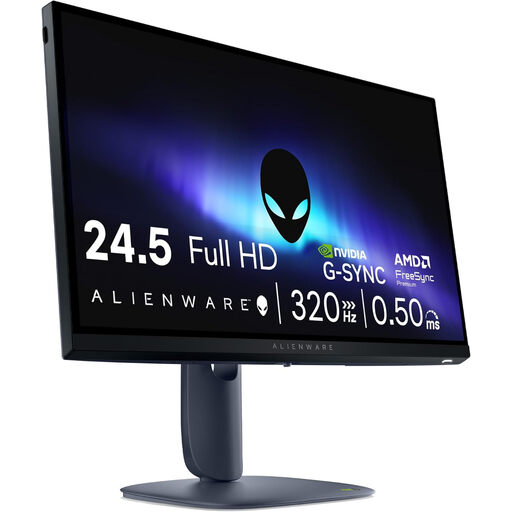
Alienware AW2525HM, 24,5-inch, Full HD, 320 Hz
The 24,5-inch size suits anyone prioritising a more compact screen. Be sure to measure the space needed for the stand, too.
The product name lists 1920 × 1080 pixels, Full HD, LCD and 320 Hz.
Joybuy
 No image available
TITAN ARMY C24A1H R1500, 23,6-inch, FHD, 240 Hz, EU Version
This 23,6-inch model is a compact option to compare if desk space matters. Check the external dimensions, including the stand.
The product information lists a VA panel, FHD, 16:9 and 240 Hz.
Joybuy
 No image available
Samsung LS27FG500SUXEN, 27-inch, Quad HD, OLED, 180 Hz
This 27-inch OLED option needs more room than a compact screen. Measure the space available for the monitor and stand before you choose.
The product name lists Quad HD and 180 Hz.
Joybuy
 No image available
AOC Q27G42XNE, 27-inch, Quad HD, 180 Hz
This 27-inch model is an option if you want more screen detail and have enough room for a larger monitor.
The product name lists 2560 × 1440, 180 Hz, FreeSync Premium, HDR10, two HDMI 2.0 ports and one DisplayPort 1.4 port.
Joybuy
 No image available
MSI MAG 271QP X28, 27-inch, WQHD, OLED, 280 Hz
This 27-inch OLED option is for anyone considering a larger screen and OLED picture quality. Check that the monitor, including the stand, will fit on your desk.
The product information lists 2560 × 1440 and QD-OLED.
Joybuy
Frequently asked questions
Is 27 inches automatically too large for a small desk?
No, it depends on the space available and the dimensions of the stand. Measure the width and depth, then compare them with the external dimensions of the exact model. For example, Gigabyte lists the MO27Q2A as measuring 610,3 × 499 × 190 mm with the stand.
Should I always choose an HDR monitor for dark scenes?
No, an HDR rating alone won’t tell you how dark scenes look on a specific model. The Tweakers review on NU.nl reports that the HDR performance of the AOC Q27G4ZR discussed was less convincing than that of the OLED model reviewed. Compare reviews of the exact monitors instead.
What should I check when setting up and using a monitor over time?
Check the stand, screen position, lighting and connections in your setup. The Dutch Arboportaal lists readability, reflections and screen height as things to consider when working with a screen. However, its workplace guidance doesn’t automatically apply to gaming at home.
Does my Dutch statutory guarantee end after two years of the manufacturer’s warranty?
No, statutory rights are separate from a manufacturer’s or seller’s warranty. ACM ConsuWijzer explains that the seller is responsible for providing an appropriate solution free of charge if a product doesn’t perform as you could reasonably expect under normal use. There isn’t one fixed statutory warranty period of exactly two years for every monitor.
Can I return a monitor bought online if it turns out to be the wrong size?
For online purchases from a business, you generally have 14 days from delivery to change your mind, according to ACM ConsuWijzer. Check the applicable exceptions and returns policy before you order.
Which product regulations are relevant when buying in the Netherlands?
Electrical and electronic equipment is subject to applicable EU product rules. According to Your Europe, CE marking is only required when the relevant harmonised rules say it is. Check the product information for the specific version rather than making assumptions based on the brand name.


