Joybuy products
These Joybuy products range from compact screens to 27-inch gaming monitors. Compare the size and stated refresh rate with your desk space, PC and preferred setup.
 No image available
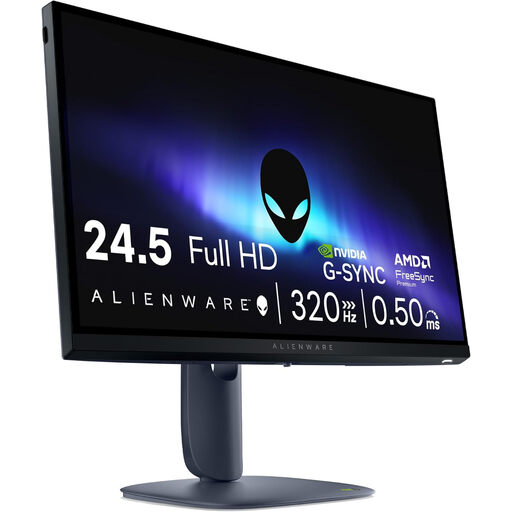
Alienware AW2525HM, 24.5-inch Full HD
An option to compare if you’re looking for a 24.5-inch screen with height adjustment for your setup.
Dell lists a 320 Hz refresh rate and 110 mm of height adjustment for the AW2525HM. The product name specifies 1920 × 1080 pixels and Full HD.
Joybuy
 No image available
TITAN ARMY C24A1H, EU version
With a stated screen size of 23.6 inches, this is a relatively compact option to consider for your available desk space.
The product name specifies a VA panel, FHD and 240 Hz.
Joybuy
 No image available
TECLAST V16H portable 16-inch monitor
Its stated 16-inch size makes this a compact portable option; check that it suits the screen size you want to use when practising.
The product name specifies 144 Hz, FHD IPS, a 16:10 aspect ratio, FreeSync, two USB-C ports, Mini HDMI and a built-in stand.
Joybuy
 No image available
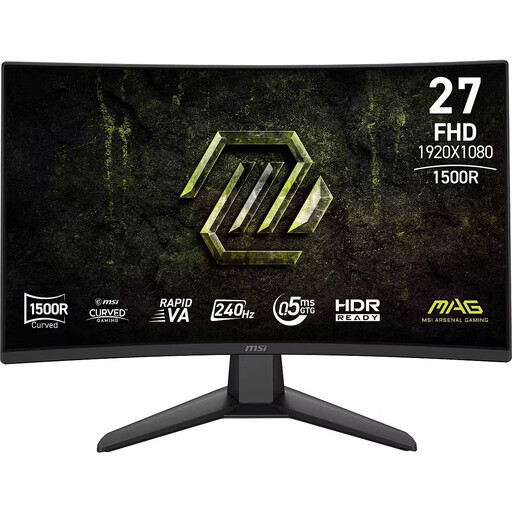
MSI MAG 274CF X24, 27-inch curved
Compare this monitor with the space available: at 27 inches, it’s larger than the compact 23.8- to 24.5-inch screens covered in this guide.
The product name specifies FHD, Rapid VA, 240 Hz, 0.5 ms and Adaptive-Sync.
Joybuy
 No image available
LG UltraGear 27GX704A-B.AEU, 27-inch OLED
At 27 inches, this model is larger than the compact 23.8- to 24.5-inch screen sizes; measure your desk before considering this option.
The product name specifies QHD (2560 × 1440), 240 Hz, DisplayHDR 400 True Black, G-SYNC Compatible, FreeSync Premium Pro, two HDMI 2.1 ports and one DisplayPort 1.4.
Joybuy
Frequently asked questions
How can you check whether a gaming monitor will fit on your desk?
Measure not only the space for the panel, but also the depth needed for the stand and room for your keyboard and mouse. Compare the manufacturer’s dimensions including the stand, and check how much height adjustment the exact model offers; monitors with the same screen size don’t necessarily have the same stand footprint.
Why doesn’t the maximum refresh rate appear in the settings?
Check the input, cable, resolution and selected mode you’re using. ASUS lists 380 Hz as an overclock mode via DisplayPort and up to 240 Hz via HDMI for the XG259QNS; don’t assume these figures apply to other models without checking.
What can you do if your monitor is faulty, and is an extra warranty required?
In the Netherlands, you’re entitled to a product that works as it should, and the seller must provide a solution if it’s faulty. According to the Dutch government, there’s no fixed statutory warranty period of two years; check what additional cover an optional warranty package provides.
Can you return a monitor bought online?
According to the Dutch government, for many distance purchases by consumers, you have a 14-day cooling-off period. Check whether your purchase is covered and read the seller’s returns information.
Does a gaming monitor need an energy label?
The European Commission classifies computer monitors as electronic displays covered by energy labelling rules. The label uses a scale from A to G; for a specific model, check the product information or its listing in EPREL.


