
Gamer with limited desk space
You want room for the screen and stand without giving up valuable desk space. Compare the model’s overall dimensions, including the stand, before choosing a larger screen.


First, measure the available width and depth, including the monitor stand, then decide how much space you need for maps and menus. A 24-inch Full HD monitor is the more compact option; 27-inch QHD gives you more pixels for the interface if the screen and viewing distance work for you. Choose ultrawide only if the extra width will fit on your desk, and check how your game displays the aspect ratio.
You want room for the screen and stand without giving up valuable desk space. Compare the model’s overall dimensions, including the stand, before choosing a larger screen.
You want to see and read map details, text and panels clearly. Consider resolution alongside screen size, viewing distance and your game’s settings.
You want to position the screen comfortably for long sessions and other computer tasks. Consider adjustability, reflections and the space you need for your keyboard and mouse.
A good fit if: desk space is your priority and you can read in-game text comfortably at your viewing distance. AOC lists the 24G4X as having a 23.8-inch screen with a resolution of 1920 × 1080.
Trade-off: this option has fewer pixels than the QHD models mentioned; check the stand’s full dimensions too.
A good fit if: a larger screen, including its stand, will fit on your desk and you want more pixels for maps and the interface. LG lists the 27GS75Q-B as QHD, with 2560 × 1440 pixels.
Trade-off: the larger screen takes up more space; extra pixels alone don’t guarantee more legible text.
A good fit if: you want more horizontal space and have room for both the screen and stand on your desk. LG lists the 34U601B-B as a 21:9 screen with 3440 × 1440 pixels.
Trade-off: the wider setup needs more desk space; check how your specific game displays maps and the interface in 21:9.
| What to consider | What should you check? | Who is this important for? |
|---|---|---|
| Will the screen and stand fit? | Measure the available width and depth, then compare them with the screen’s overall dimensions, including the stand. If you’re using a monitor arm, check the mounting requirements too. | If my desk has limited space, I want to know whether the screen and stand will fit without sacrificing my work surface. Around 36% of consumers say desk fit is their top priority. |
| Are maps and text legible? | View your own game at the intended screen size and viewing distance, and check any scaling settings. Don’t compare pixel counts alone. | If I read lots of map labels and menus, I want to be able to make them out clearly from my usual viewing distance. Around 29% of consumers prioritise legibility. |
| Can you position the screen? | Compare the height and tilt adjustment on the exact model. LG lists height adjustment for the 27GS75Q-B; ASUS says the supplied stand for the VG27AQ3A has no height adjustment. | For long sessions, I want to set the screen at a comfortable height and minimise distracting reflections. Around 21% of consumers say positioning is their top priority. |
| Are the refresh rate and connection right for you? | Check the model’s input specifications, your PC’s output and the cable. ASUS lists different refresh-rate ranges for HDMI and DisplayPort on the VG27AQ3A. | If motion performance is my main priority, I want to know which refresh rate my PC can deliver through the input I choose. Around 14% of consumers prioritise refresh rate and connectivity. |
The stand takes up space too, and overall width varies between standard 16:9 and ultrawide setups.
Measure the space available and compare it with the exact model’s full dimensions before you buy.
If you choose a monitor arm, check the mounting requirements and make sure it will work with your desk. An arm may require an extra accessory and a different setup.
More pixels don’t automatically make text or small symbols in your game easier to read. Paradox describes how Crusader Kings III switches between the map, menus and pop-ups; legibility still depends on how the game is displayed and its settings.
Assess your own game at the intended screen size and viewing distance, and check which scaling settings are available.
The available refresh rate can vary by input. A manufacturer’s stated response time isn’t an independent measure of how the monitor performs in your game.
Check the specifications for your preferred input first, then weigh speed against fit and legibility.
AOC’s models mentioned here offer both a compact Full HD option and a 27-inch QHD option.
The LG models mentioned here illustrate a 27-inch QHD option and a wider 34-inch ultrawide option.
The TUF Gaming VG27AQ3A is a 27-inch QHD model, with dimensions and input specifications published by ASUS.
The G274QPF E2 is a 27-inch QHD model with a stand that MSI says is adjustable.
These Joybuy products suit compact 24-inch Full HD and larger 27-inch QHD setups for maps and menus.
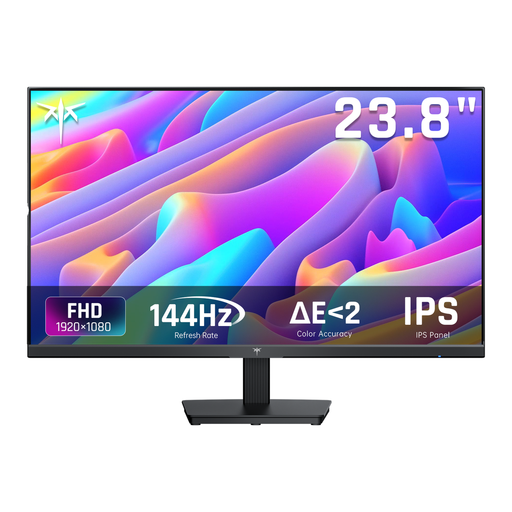 No image available
The 24-inch Full HD version suits anyone looking for a more compact screen; check that the stand will fit in your available desk space.
The product title lists 1080p Full HD, IPS and 144 Hz. According to the product description, the screen has HDMI, DisplayPort and tilt adjustment.
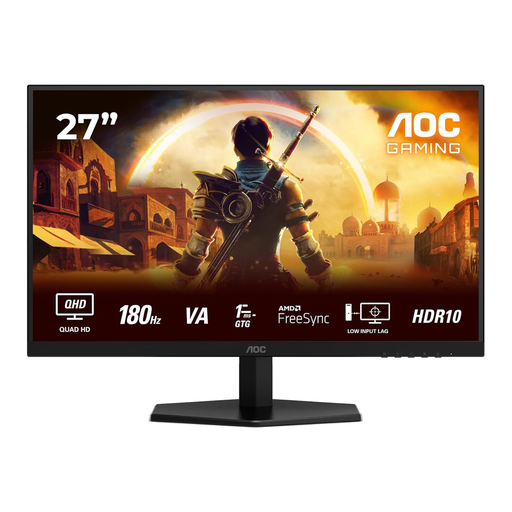 No image available
This 27-inch QHD option is for anyone who wants more pixels for maps and menus and has enough space for the larger screen.
The product title lists 2560 × 1440, 180 Hz, two HDMI 2.0 ports and one DisplayPort 1.4 port.
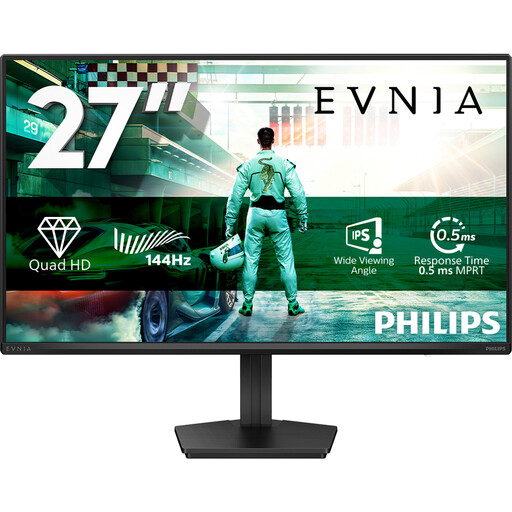 No image available
A 27-inch QHD option for anyone looking for more pixels for the game interface and with enough desk space.
The product title lists QHD, IPS, 144 Hz, DisplayPort 1.4 and HDMI 2.0.
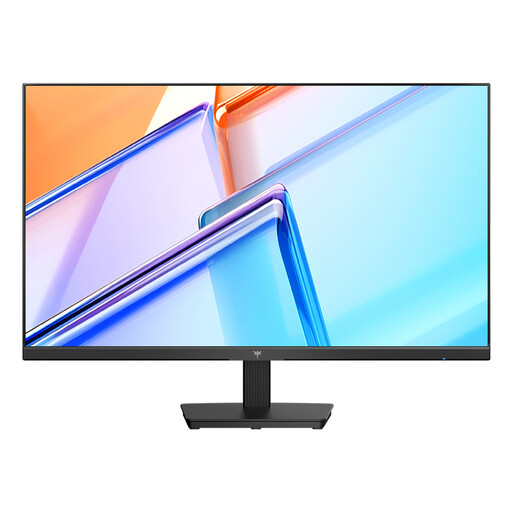 No image available
This 27-inch QHD option suits anyone who wants more pixels for maps and menus; compare the screen and stand dimensions with the space available.
The product title lists 2560 × 1440, 120 Hz, an IPS panel, HDMI, DisplayPort and VESA mounting.
 No image available
A 27-inch QHD model for anyone looking for more pixels for the game interface and with room for a larger screen.
The product title lists 2560 × 1440. The product description mentions height, tilt and swivel adjustment; check that these features suit your setup.
Position the screen so you can read small text without leaning forward, and minimise distracting reflections. Then adjust the brightness and any scaling settings in your game. Arboportaal discusses legibility and posture when working with screens, but doesn’t provide game settings for specific models.
Not always; it depends on the model and input. ASUS specifies a range of up to 144 Hz via HDMI and up to 180 Hz via DisplayPort for the VG27AQ3A. For the screen you choose, check your PC’s output and cable too.
Compare the EU energy label and model information for screens that suit your needs in terms of size and use. According to the European Commission, computer monitors are covered by the energy labels for electronic displays.
For a faulty product, the seller must offer a solution, according to the Dutch government; the Netherlands has no set statutory warranty period of exactly two years. Online purchases from a business are also often covered by a 14-day cooling-off period. Check which terms apply to your purchase.