What should you look for when choosing?
First, measure the space available for the screen and stand. Then decide whether readability, motion handling or an adjustable position matters most to you.
| What to consider |
What to look for when buying |
Who is this important for? |
| Space for the screen and controls |
Measure the available width and depth, the stand and the space needed for your keyboard and mouse. BenQ lists a total depth of 252 mm for the EX240 with its stand; this measurement doesn’t apply to other models. |
If I want to leave enough room for my mouse and keyboard, I measure the whole setup rather than just the screen. Around 36% of consumers put desk space at the top of their list of buying concerns. |
| Readability of in-game information |
Look at your own game’s interface from your usual viewing distance, and consider resolution and screen size together. |
When I want to keep track of teammates and in-game information, I check whether the interface is easy for me to read. Around 29% of consumers put having a clear overview at the top of their list of buying concerns. |
| Smooth motion |
Check which display modes the monitor supports through your chosen connection, and whether your PC or console can output them. Compare response times only when they use the same measurement method. |
If I want to follow fast movement smoothly, I also check what my own equipment can output. Around 21% of consumers make motion handling their main buying concern. |
| Adjustable screen position |
Compare the adjustment options, dimensions with the stand and, if relevant, the VESA size. If you’re using a monitor arm, check that the arm and desk mount will fit. |
If I need to position the screen at a particular height, adjustability matters more to me than other features. Around 14% of consumers put an adjustable screen position first. |
Brands to consider
These examples cover the product ranges and specifications mentioned. They aren’t independent tests of the brands and don’t tell you anything about availability.
AOC
AOC lists a 23.8-inch Full HD Fast IPS panel and a refresh rate of up to 180 Hz for the 24G4X.
- The listed dimensions and refresh rate give you clear points to compare.
- Check the stand dimensions and connection for your setup; the specifications listed aren’t an independent measure of gaming performance.
BenQ
According to its European data sheet, the MOBIUZ EX240 combines a 23.8-inch Full HD IPS panel with 100 mm of height adjustment.
- Height adjustment may be useful if you want to position the screen at a different level.
- The data sheet lists a total depth of 252 mm with the stand. BenQ also warns that specifications may vary by region, so check the version you’re looking at.
ASUS
ASUS lists a 23.8-inch Full HD Fast IPS panel and a refresh rate of up to 180 Hz for the TUF Gaming VG249Q3A.
- ASUS also lists FreeSync Premium as a product specification.
- According to ASUS, the included stand tilts but doesn’t adjust in height. Check whether its fixed height suits your desk.
LG
The Dutch product specifications for the UltraGear 24GS60F-B list a 23.8-inch Full HD IPS monitor with a refresh rate of up to 180 Hz.
- LG lists compatibility with G-SYNC and FreeSync.
- According to LG, the stand only tilts. Also check that your equipment and settings are compatible with the listed features.
Joybuy products
These Joybuy products are compact Full HD monitors that could suit a gaming setup. Compare the screen size and listed refresh rate with your desk space and the modes supported by your equipment.
 No image available
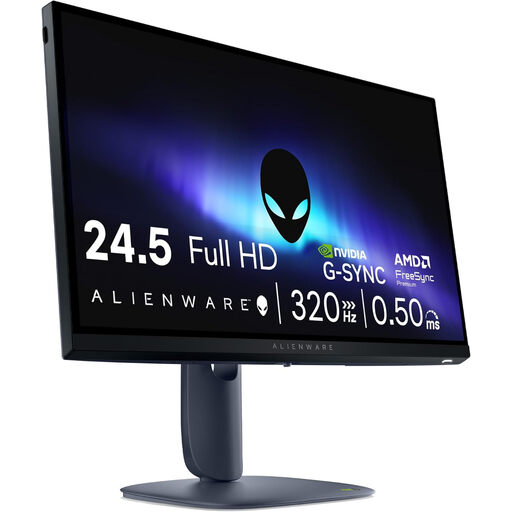
Alienware AW2525HM, 24.5-inch Full HD
The 24.5-inch Full HD size could suit a compact gaming setup. Remember to measure the stand and the space left for your controls too.
Screen size: 24.5 inches. Resolution: 1920 × 1080 pixels, Full HD.
Joybuy
 No image available
Dell SE2425HG, 24 inches, 200 Hz
This 24-inch Full HD monitor could suit a compact gaming setup. Check which display mode your equipment supports through your chosen connection.
Screen size: 24 inches. Listed refresh rate: 200 Hz. The product information specifies 200 Hz over DisplayPort 1.2; the HDMI mode available depends on the source.
Joybuy
 No image available
TITAN ARMY C24A1H, EU Version
The 23.6-inch screen size could suit a desk with limited space. Measure the stand and check which connection supports the mode you want.
Screen size: 23.6 inches. Panel type: VA. Resolution: Full HD. Listed refresh rate: 240 Hz. Aspect ratio: 16:9. The product information says an HDMI cable is included for 1080p at 240 Hz; a DisplayPort cable isn’t included.
Joybuy
 No image available
Acer SA242YH1, 24-inch Full HD
This 24-inch Full HD monitor could be an option if its size and listed refresh rate suit your game and equipment.
Listed refresh rate: 100 Hz. Listed response time: 1 ms. The product information says a charger isn’t included as standard, so check whether you already have one.
Joybuy
 No image available
Philips 24E2N1100LB/00, 24 inches
The 24-inch size could suit a compact setup. Compare the listed refresh rate with the modes supported by your PC or console.
Resolution: Full HD. Panel type: VA. Listed refresh rate: 100 Hz.
Joybuy
Frequently asked questions
Will a 24-inch monitor automatically fit on a small desk?
No. Screen size doesn’t tell you how much room the stand takes up. Measure the space needed for your keyboard and mouse too. BenQ lists a total depth of 252 mm for the EX240 with its stand; this measurement doesn’t apply to other models.
How do I set the listed refresh rate?
First, check which display modes the monitor supports through your chosen connection and whether your PC or console can output them. Then select the appropriate resolution and refresh rate on your device. A 180 Hz rating doesn’t mean every source will use that mode.
What should I check before using a monitor arm?
Check the VESA size and the arm’s weight capacity, and make sure your desk can accommodate the mount. VESA support on the monitor alone doesn’t confirm that the whole setup is suitable; follow the instructions for the exact model too.
What are my rights if I buy online or receive a faulty product?
According to ACM ConsuWijzer, for a typical online consumer purchase, the cancellation period ends 14 days after the product is delivered; legal exceptions may apply. Your statutory rights are separate from the manufacturer’s warranty. If a product doesn’t meet what you could reasonably expect under normal use, the seller is responsible for providing an appropriate solution. There is no fixed general time limit for statutory guarantees in the Netherlands.
Do Dutch workplace health and safety rules require a height-adjustable monitor for private gaming?
The workplace rules described by Arboportaal apply to employers and employees doing screen-based work; they don’t create a general requirement for equipment used for private gaming. Adjustability can still be a useful buying criterion if it’s otherwise difficult to position the screen properly. If you also use the space for work, assess the rules that apply to your work situation separately.


