What should you look for?
First, measure the space available for the screen and your controls. Then check whether your system can deliver the screen mode you want and which picture features matter most for how you use it.
| What to consider |
What should you check? |
Who should pay particular attention? |
| Desk space |
Measure the width and depth; compare the dimensions including the stand, and leave room for your controls. |
If I want to see the whole play area and use my keyboard or controller on the same desk, the complete setup needs to fit. Around 33% of consumers give the available space and controls top priority. |
| Motion and delay |
Where available, compare independent measurements of motion handling and input lag; check whether response-time claims refer to GtG, GnG or MPRT. |
For a rhythm game, I want to follow fast-moving notes clearly without mistaking a single response-time figure for overall delay. Around 33% of consumers prioritise motion response. |
| Game and connection |
Check what your PC or console can output, and which resolution and Hz the game supports through your chosen HDMI or DisplayPort connection. |
If I want to make the most of a high refresh rate, my game, device and connection must actually support that screen mode. Around 17% of consumers start by checking system compatibility. |
| Picture and sound |
Compare the panel and viewing angle you need; also check whether built-in speakers or an audio connection will suit your setup. |
If I use the same desk for other tasks and don’t have room for separate speakers, picture and audio setup matter too. Around 17% of consumers give this combination top priority. |
Gaming monitors at Joybuy
This Joybuy selection focuses on compact Full HD gaming monitors for small desks. Compare the stands and connections, and choose a refresh rate your system can support.
 No image available
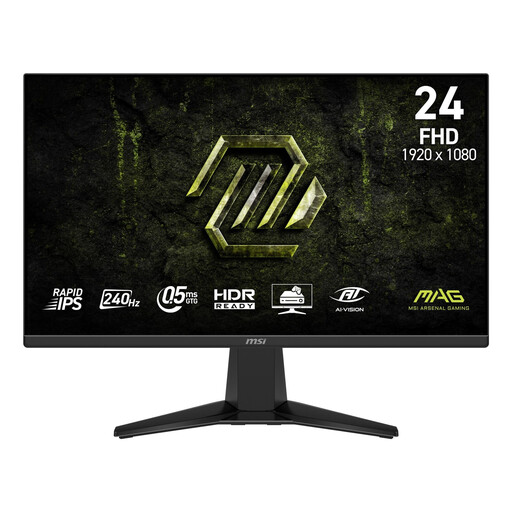
MSI MAG 245F X24 23.8-inch Full HD monitor
A compact option if your system can deliver the quoted refresh rate.
Rapid IPS, 240 Hz, Adaptive-Sync and HDMI and DisplayPort connections. The quoted 1 ms MPRT is not a measurement of total input lag.
View at Joybuy
 No image available
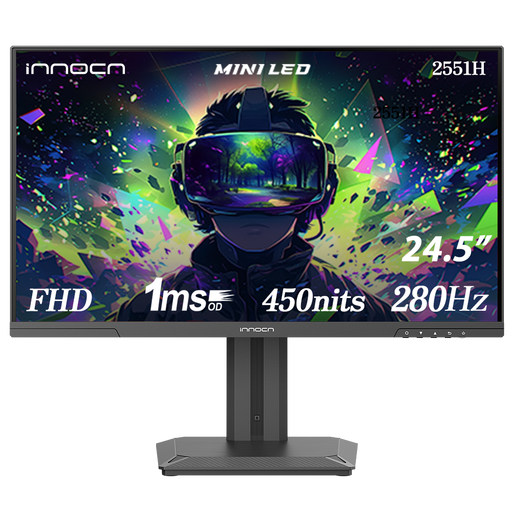
INNOCN 2551H 24.5-inch Mini LED monitor
The 24.5-inch size may suit a compact setup, as long as there’s enough room for the full stand.
The product title lists Full HD, 280 Hz, IPS and 180 zones. The description mentions HDMI and DisplayPort and built-in speakers; check that your system supports the Hz mode you want through your chosen connection.
View at Joybuy
 No image available
TITAN ARMY C24A1H R1500 23.6-inch Full HD monitor
A compact VA option if your system can deliver the quoted refresh rate through your chosen connection.
The description lists 240 Hz, HDMI 2.0 and DisplayPort 1.2. According to the product information, the monitor also has VESA mounting; the quoted 1 ms MPRT is not a measurement of total input lag.
View at Joybuy
 No image available
Shark 24-inch Full HD IPS monitor, 200 Hz
This model has a compact screen size; check your complete setup if your desk is shallow.
The description lists 200 Hz, HDMI, DisplayPort, height adjustment and VESA mounting. The quoted 1 ms MPRT is not a measurement of total input lag.
View at Joybuy
 No image available
LG UltraGear 24G414B-B 23.8-inch Full HD monitor
A compact option if the quoted refresh rate matches what your game and system can output.
IPS, 144 Hz and Adaptive Sync. The product description lists HDMI and DisplayPort, a height-adjustable and tilting stand, and VESA mounting.
View at Joybuy
Frequently asked questions
Is a 1 ms response time the same as 1 ms input lag?
No. A quoted pixel response time, such as GtG or MPRT, does not describe the full delay between input and image. For a timing-sensitive game, compare separate input lag measurements if they’re available for the exact model and screen mode you’ll use.
How do I set up a monitor for my rhythm game?
Once connected, check which resolution and refresh rate your device is actually outputting, then select a supported screen mode. Also check the game’s settings: a monitor with a higher maximum Hz figure won’t automatically make the game output faster.
What running costs and warranty cover should I consider?
If power consumption matters, compare the energy label for the specific monitor. According to the Dutch government, there is no fixed statutory warranty period in the Netherlands; if a product is faulty, the retailer is your point of contact.
Can I return a monitor bought online if it doesn’t fit on my desk?
For online purchases from a business, a 14-day cooling-off period applies in many cases in the Netherlands. Check the terms that apply: according to the Dutch government, this distance-selling rule does not cover online purchases from private sellers.
Does a monitor need an energy label?
The European Commission classifies computer monitors as electronic displays covered by energy labelling rules; the label uses classes A to G. Check the label for the specific model rather than assuming an energy class applies to an entire product range.


