Who is this guide for?

Cockpit racer looking for a wider view

You want to judge corners, walls and traffic alongside your car more clearly from a fixed seating position, and are comparing an ultrawide with three screens. Sim Racing Setup discusses the space needed for a three-screen set-up, while iRacing Support explains how to position your seat in relation to the screen.

Racer with limited screen width

You want a tidy gaming room set-up and are weighing the width and configuration of extra screens against using a single display. iRacing Support provides separate settings for configuring three monitors in iRacing.

Racer who prioritises smooth visuals

You’re looking at resolution, refresh rate and which display mode the chosen connection actually supports. ASUS Nederland and LG Nederland list the relevant specifications for each model, including any differences between connections.

What should you consider when choosing?

One 16:9 monitor

Best for: anyone who wants a simple set-up or doesn’t need as much of a view beside the cockpit.

Bear in mind: you’ll have less screen space to either side than with an ultrawide or three screens.

One ultrawide

Best for: anyone who wants to see corners and traffic further to either side in one continuous image.

Bear in mind: the screen’s physical width and resolution; with OLED, it’s worth considering how long static HUD elements remain on screen.

Three monitors

Best for: anyone who can position side screens around a fixed cockpit and whose racing simulator supports this set-up.

Bear in mind: you’ll need extra screens, room to position them and time to configure everything. iRacing Support explains the settings for iRacing; check the support and settings for other games separately.

What to consider What should you check? Who should take note?
View of corners and traffic beside the cockpit Compare the aspect ratio, physical width, viewing distance and support in your racing simulator. I want to see traffic and corners beside the car from my fixed cockpit; around 33% of consumers say a wider view is their top priority.
Smooth visuals and useful clarity Check the resolution, Hz for each input and the frames per second your PC can achieve in your chosen game. I want the display mode to suit my PC and connection, rather than focusing only on the highest stated Hz figure; around 27% of consumers say smooth racing visuals are their top priority.
Set-up space and PC load Measure the space around your seat and check the video outputs and multi-screen support in your game. I want to know in advance whether the cockpit set-up will fit physically and work technically; around 20% of consumers prioritise space and PC capacity.
Panel use, power consumption and aftercare Read the care and warranty terms for the exact model, and compare its EU energy label. For long racing sessions, I also want to consider static HUD elements, care and power consumption; around 20% of consumers prioritise panel use and aftercare.

Pitfalls to avoid

  • Assuming the highest Hz figure applies to every connection

    The stated maximums for the ASUS TUF Gaming VG27AQ3A differ by input: ASUS Nederland lists up to 180 Hz via DisplayPort and 144 Hz via HDMI.

    Check the specifications for each input and your PC’s outputs before relying on a particular display mode.

  • Buying three monitors without planning the set-up

    A three-screen configuration needs enough room and the right settings in your racing simulator. The steps from iRacing Support apply to iRacing; don’t assume other games work in the same way.

    Measure the space around your cockpit and check which set-ups your game supports first.

    Remember to allow for possible extra stands and cables, as well as the space the set-up will take up.

  • Choosing an OLED screen without considering static HUD elements

    Samsung gives a speedometer as an example of a static game element that can remain on screen for a long time and cause image retention.

    Read the care instructions and warranty terms for the exact OLED model.

Brands worth comparing

Samsung

The Odyssey G9 G91F is a 49-inch Dual-QHD model for anyone considering one wide 32:9 screen.

  • Samsung Nederland lists a 144 Hz refresh rate and 1000R curve for the G91F.
  • Measure your available width; these specifications alone don’t prove that it will help you learn a circuit.

LG

The UltraGear 34GS95QE-B is a 34-inch 21:9 OLED ultrawide.

  • LG Nederland lists a resolution of 3440 × 1440 and a maximum refresh rate of 240 Hz for this model.
  • The maximum stated refresh rate doesn’t mean your PC will achieve that frame rate in your game. With OLED, also read the guidance on long sessions with static HUD elements.

ASUS

The TUF Gaming VG27AQ3A is a 27-inch 16:9 QHD monitor for a single-screen set-up.

  • ASUS Nederland lists a maximum of 180 Hz via DisplayPort and 144 Hz via HDMI.
  • According to ASUS, the included stand isn’t height-adjustable; check that it suits your seating position.

AOC

The AGON PRO AG326UD is a flat 31.5-inch 4K QD-OLED model for anyone who prioritises a single screen and resolution.

  • AOC lists a 165 Hz refresh rate for this model.
  • A 4K resolution alone doesn’t tell you what frame rate your PC will achieve in a racing simulator; check how the combination will perform for your needs.

Dell Alienware

The AW3423DWF is a 34-inch QD-OLED ultrawide with different stated refresh rates for each input.

  • Dell Nederland lists 165 Hz via DisplayPort and 100 Hz via HDMI for this model.
  • Check current availability and which connection suits your preferred display mode.

Joybuy product picks

These Joybuy picks are ultrawide monitors for a fixed, single-screen set-up. Compare the stated size and aspect ratio with the space around your cockpit.

Philips Evnia 49M2C8900/00 curved QD-OLED gaming monitor

Philips Evnia 49M2C8900/00

An option for anyone looking for one large curved screen for a fixed cockpit set-up.

The product name lists a 49-inch screen, DQHD, 240 Hz and a QD-OLED panel. The product information warns of image retention after very prolonged static display and recommends a stable, suitable surface, as well as two people to move or install it.

View at Joybuy

CRUA 49-inch curved ultrawide gaming monitor

CRUA 49-inch curved ultrawide gaming monitor

This wide-screen model is designed for anyone who wants one screen around a fixed cockpit and has enough room for it.

The product name lists a 32:9 aspect ratio, 5120 × 1440, 165 Hz and a 1500R VA panel. According to the product description, the desk or VESA mount must support at least 15 kg; installation by two people is recommended.

View at Joybuy
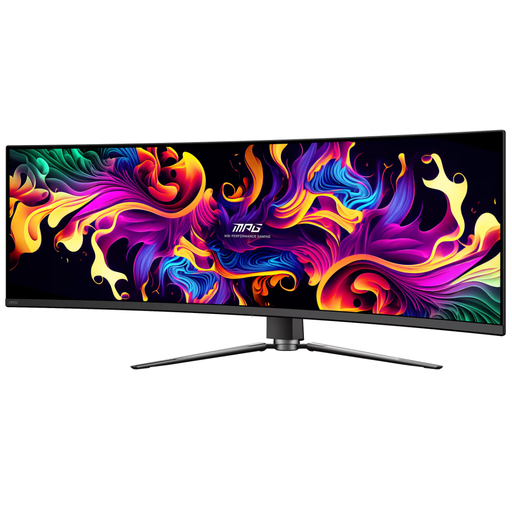
MSI MPG 491CQP QD-OLED monitor

MSI MPG 491CQP QD-OLED

An option for a fixed single-screen set-up with a wide DQHD resolution.

The product name lists a 49-inch screen and 5120 × 1440 resolution. The product description warns against displaying static images for long periods because of the risk of OLED burn-in.

View at Joybuy

LG UltraGear 39GX900A-B gaming monitor

LG UltraGear 39GX900A-B

A 39-inch model for anyone considering an ultrawide in a fixed, single-screen set-up.

The product name identifies this as a 39-inch gaming monitor; check the space you’ll need and your preferred display mode before choosing a cockpit or stand.

View at Joybuy
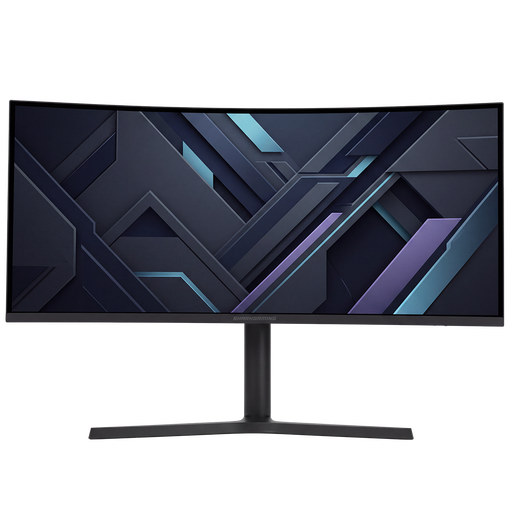
Shark Gaming 34-inch UWQHD gaming monitor

Shark Gaming 34-inch UWQHD gaming monitor

A 34-inch UWQHD model for anyone looking for an ultrawide for a fixed screen set-up.

The product name lists a UWQHD gaming monitor; check the full connection and display specifications for your PC and racing simulator.

View at Joybuy

Frequently asked questions

How do I set the field of view after positioning my monitor?

From your usual seating position, measure the distance from your eyes to the screen and the screen’s width. iRacing Support explains how to use these measurements and, for a three-screen set-up, how to enter the angles too. Check the relevant settings for other games.

Does the ASUS VG27AQ3A deliver 180 Hz through every connection?

No. ASUS Nederland lists a maximum of 180 Hz via DisplayPort and 144 Hz via HDMI for this model. Also check which display mode your PC supports.

What should I know about static HUD elements on an OLED monitor?

Samsung warns that static game elements, such as a speedometer, can cause image retention if displayed for a long time. Follow the care instructions and check the warranty terms for the exact model.

What are my rights if I buy a monitor online or receive a faulty one?

According to the Dutch government, when you buy from a business at a distance, you generally have 14 days to change your mind, although exceptions and the circumstances of the purchase may apply. If a product is faulty, contact the seller to arrange an appropriate solution, such as a repair or replacement at no extra cost.

Is the energy label relevant when comparing monitors?

Yes. According to the European Commission, computer monitors are covered by the energy-labelling rules for electronic displays. Compare the energy label and product information sheet for the exact model; don’t estimate power consumption from screen size alone.
