What should you look for when choosing?
Start with the space available on your desk and the resolution and frame rate your device can deliver. Then consider whether a higher refresh rate or a sharper image suits the way you use your monitor.
Compact Full HD IPS at around 180 Hz
A good fit if: you sit close to a small desk and want one screen for shooters and everyday use. AOC Netherlands lists a 23.8-inch screen, 1920 × 1080 resolution and 180 Hz among the specifications for the 24G4X.
Trade-off: you miss out on the extra pixels of QHD and the higher quoted speeds of some other models. Check that the stand and connection suit your setup.
Full HD with a higher refresh rate
A good fit if: competitive PC gaming is your main use and your PC can deliver enough frames in the shooter you play. MSI lists a maximum of 300 Hz via DisplayPort and 240 Hz via HDMI for the MAG 255XF.
Trade-off: the highest Hz rating is not automatically available through every port, and it does not guarantee better overall motion handling.
Compact QHD screen
A good fit if: you also use the same monitor a lot for text and study tasks, and your PC can handle your chosen resolution and frame rate. AOC lists a 24.5-inch screen, 2560 × 1440 resolution and 300 Hz for the Q25G4SR.
Trade-off: at the same game settings, QHD puts more demand on your graphics hardware than Full HD. The page title says Full HD, while the panel specification lists 2560 × 1440, so check the exact version.
| What to consider |
What should you check? |
Who is this important for? |
| Smooth motion |
Compare the Hz rating at your chosen resolution and connection with the frame rate your PC achieves in the shooter you play. |
When I practise quick movements, I want the picture to remain easy to follow and my PC to keep up with the monitor. Around 34% of consumers put motion handling first. |
| Screen and desk space |
Measure the available width and depth, and check the stand dimensions and your preferred viewing position. |
At a small desk, the monitor needs to fit without making the space for my study materials and input devices unusable. Around 20% of consumers prioritise a screen and desk space that fit their needs. |
| Cost and essential features |
First work out which resolution, connection and adjustment options you need. Then check which features and cables are included with the version you’re considering. |
I don’t want to pay extra for features my device or usage won’t benefit from. Around 20% of consumers prioritise affordability and essential features. |
| Text and study tasks |
Compare the resolution at your preferred screen size and check that you can adjust the monitor to suit your workspace. |
If I also read or write a lot of text, I want one screen that works for studying, rather than one designed only for shooters. Around 13% of consumers prioritise a combination of study and gaming. |
| Console connection |
Check the HDMI mode of the exact monitor, along with the resolution and 120 Hz support of your console and game. |
When using a console, I want to know which display mode my specific setup actually supports. Around 13% of consumers make console compatibility their top priority. |
Joybuy products
This selection includes compact Full HD gaming monitors with different quoted refresh rates, panel types and stand adjustments. Compare the specific connection and adjustment options with your own PC and desk.
 Image unavailable
Samsung Odyssey G4 G40H 25-inch Full HD
This 25-inch Full HD model is an option to compare for a compact PC shooter setup.
Fast IPS panel; up to 300 Hz via DisplayPort and 240 Hz via HDMI. The stand is height-adjustable, tiltable, swivel-adjustable and pivot-adjustable.
View at Joybuy
 Image unavailable
LG UltraGear 24G414B-B 24-inch Full HD
Its compact screen size makes this model an option to compare for a smaller workspace.
23.8 inches, Full HD, IPS and 144 Hz. The stand has height and tilt adjustment.
View at Joybuy
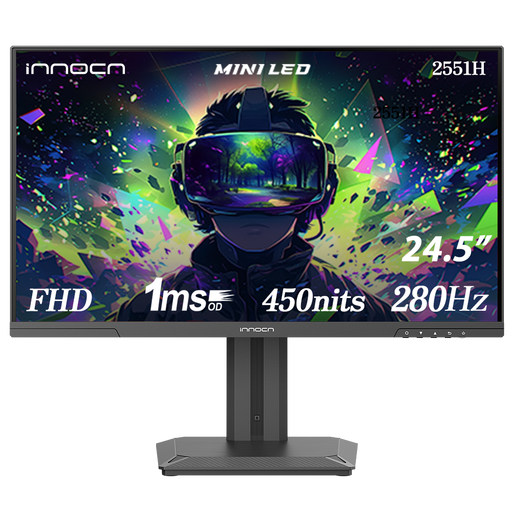 Image unavailable
INNOCN 2551H 24.5-inch Full HD
This 24.5-inch model is an option to compare for a compact setup where adjustability matters too.
The product name mentions Mini LED and an IPS display; the stated resolution is Full HD and the refresh rate is 280 Hz. The stand has height adjustment and pivot. Check which refresh rate is supported by the connection on the exact version.
View at Joybuy
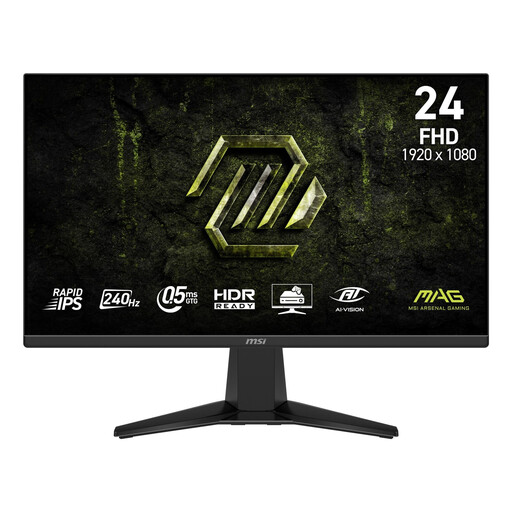 Image unavailable
MSI MAG 245F X24 23.8-inch Full HD
This 23.8-inch model is an option to compare if you’re looking for a compact monitor for shooters.
Rapid IPS panel, 240 Hz and Adaptive-Sync. The stand is tilt-only; VESA 100 × 100 mm support is listed.
View at Joybuy
 Image unavailable
GIGABYTE GS24F14A 23.8-inch Full HD
This compact model is an option to compare for a small room and a PC shooter setup.
IPS panel, 175 Hz and FreeSync. The stand tilts, but has no height or swivel adjustment; VESA 100 × 100 mm support is listed.
View at Joybuy
Frequently asked questions
Do I need 300 Hz to get better at aiming?
No, 300 Hz is not a general requirement for improving your aim. The benefit of a higher refresh rate depends, among other things, on the number of frames your PC delivers. A higher Hz rating does not guarantee a better monitor or better personal performance.
How do I get the quoted refresh rate after setup?
First check which resolution and refresh rate are available through the port you’re using, then select your preferred output mode on the source device. For example, MSI lists a maximum of 300 Hz via DisplayPort and 240 Hz via HDMI for the MAG 255XF.
Can I use a 240 Hz or 300 Hz monitor with a PS5?
A monitor’s maximum refresh rate is not automatically the PS5’s output rate. Sony describes 120 Hz output for supported games. Also check the HDMI mode of the exact screen and your game and console settings.
What should I look for in a monitor for a small desk?
Measure both the available space and the monitor stand, and check the adjustment options of the exact version. If the stand doesn’t suit your preferred viewing position, see whether the monitor has a mounting option that works with your desk setup.
What are my rights when buying online in the Netherlands?
According to ACM ConsuWijzer, online purchases generally come with a 14-day cooling-off period after delivery, subject to legal exceptions. You’re also entitled to a product that, under normal use, meets your reasonable expectations. A manufacturer’s warranty does not replace this statutory right.


