
Competitive PC player
You mainly practise tracking targets and want to compare motion clarity and fast visual feedback, provided your PC can achieve the frame rate you need.


Choose a gaming monitor with a resolution and refresh rate that suit the frame rate your PC or console achieves in your games. Also compare input lag and motion clarity measurements, rather than relying on the advertised response time alone. A very high refresh rate is most useful when your source can deliver that frame rate, while QHD and OLED involve different trade-offs in terms of image use and system demands. Check separately where your headphones and microphone connect.
You mainly practise tracking targets and want to compare motion clarity and fast visual feedback, provided your PC can achieve the frame rate you need.
You want to play at speed, but also use the same screen for games or tasks where QHD and image quality matter.
You might switch between a PC and console, or want to check in advance how your display, headphones and microphone connect.
First decide what matters most for your training: smooth motion, higher resolution, a compatible source connection or a practical audio connection.
| What to consider | What should you check? | Who should pay particular attention? |
|---|---|---|
| Motion clarity and feedback | Compare input lag and motion measurements at the resolution and Hz setting you use. | When tracking moving targets, I want fast visual feedback and as little distraction from motion as possible. Around 33% of consumers prioritise motion clarity above all else. |
| Resolution and image use | Compare Full HD and QHD, and check what frame rate your PC achieves in your games at that resolution. | I also use my screen for other types of content, so I want to consider resolution as well as speed. Around 25% of consumers put resolution and versatility first. |
| Setup performance | For each connection, check the supported resolution-and-Hz combination and the frame rate of your PC or console. | I want to know which display settings my devices and games can actually run. Around 25% of consumers value this compatibility most. |
| Headphones and microphone | Decide where to connect your headset and check the microphone connection for your exact combination of devices. | I want to use headphones while playing and may also want voice chat, without assuming that one output supports both. Around 17% of consumers start by looking at this audio connection. |
A high refresh rate does not automatically mean low input lag. Manufacturers may also quote a pixel transition time, which is not the same as the total time it takes for an image to appear. RTINGS.com explains the difference.
Compare input lag and motion clarity measurements at the resolution, frame rate and connection you use.
A listed headphone socket does not automatically confirm how your headset's microphone connects. For example, Gigabyte's MO27Q2A specifications list a headphone socket, but this does not confirm the microphone connection.
Check the output, headset plug and microphone input on the exact devices you use. You may need a different connection for voice chat.
In the Netherlands, statutory consumer rights apply alongside any manufacturer's warranty. The ACM states that there is no general statutory warranty period of two years.
Keep your proof of purchase and contact the retailer if a fault develops too soon under normal use.
The XL2566X+ is an option for buyers who prioritise a very high refresh rate.
The Q27G4ZR combines QHD with a high advertised refresh rate.
The 27GX704A-B is a QHD OLED model for anyone weighing image contrast alongside speed.
The MO27Q2A is a QHD QD-OLED model with a listed headphone socket.
The PG27AQWP-W offers a dual-mode OLED design for PC users weighing up resolution and refresh rate.
The Joybuy products shown include Full HD models with high refresh rates and QHD models, including OLED. Choose a resolution-and-Hz combination that your PC or console can run in your games.
 No image available
A Full HD option to compare if your PC can achieve the frame rate you want at this resolution.
1920 × 1080 (Full HD); 240 Hz; AMD Adaptive Sync; HDMI and VGA.
 No image available
The 25-inch Full HD version is worth considering if a high refresh rate matters to you.
Full HD; up to 300 Hz via DisplayPort and up to 240 Hz via HDMI; headphone output listed.
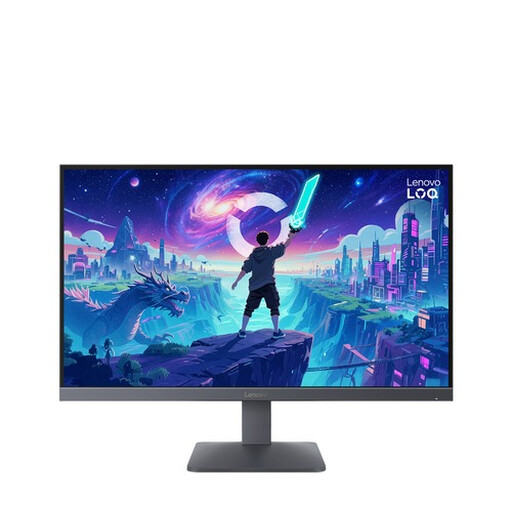 No image available
A Full HD option to compare if your PC can deliver the frame rate you want at this resolution.
Full HD; 200 Hz; AMD FreeSync Premium; HDMI 2.1 and DisplayPort 1.4.
 No image available
A QHD OLED model to consider if image quality matters alongside shooter training and your PC can achieve the frame rate you want.
QHD (2560 × 1440); OLED; 240 Hz; 2 × HDMI 2.1 and 1 × DisplayPort 1.4.
 No image available
A QHD model to compare if you want a higher resolution and your setup can handle the frame rate you need.
QHD (2560 × 1440); 240 Hz, overclockable to 275 Hz; Fast IPS; HDMI 2.0 and DisplayPort 1.4.
No. GtG describes a pixel transition, while input lag is the time between receiving a signal and displaying an image. RTINGS.com explains the difference; for fast-paced games, compare measurements at the display setting you use.
Check the output and recognised HDMI device in your PS5 settings. Sony says that both the game and the display must support 120Hz output; there is a separate output test for 1440p.
Don't assume so. Gigabyte lists a headphone socket for the MO27Q2A, but this does not confirm how the microphone connects. Check the audio and microphone connections for your headset, source device and monitor.
No. The ACM explains that statutory consumer rights apply alongside any manufacturer's warranty, and states that there is no fixed statutory two-year period for every product. If a fault develops too soon under normal use, contact the retailer.