
Competitive shooter player
Wants to track moving targets clearly and compares compact LCD monitors for refresh rate and motion handling. Lenovo Netherlands describes a higher refresh rate as relevant for smoother motion in fast-paced games.


If you mainly practise competitive shooters and your PC can deliver plenty of frames per second, compare compact, fast monitors for motion handling and adjustability. A QHD monitor could be a good choice if you’d also like a sharper picture, but check that your PC and connection can handle the frame rate you want. With OLED, panel care and warranty terms also matter. A monitor is no substitute for taking breaks or setting up your space appropriately.
Wants to track moving targets clearly and compares compact LCD monitors for refresh rate and motion handling. Lenovo Netherlands describes a higher refresh rate as relevant for smoother motion in fast-paced games.
Wants to position the monitor comfortably and minimise distracting reflections, without expecting a monitor to make breaks unnecessary. Arboportaal discusses legibility and reflections when working with screens.
Wants to combine fast-paced shooters with QHD picture quality, and checks that their PC, connection and any OLED care requirements are suited to that choice.
Best for: anyone looking for a compact monitor with fast image performance for shooter games.
Consider: Full HD has fewer pixels than QHD. Also check how the specific model and its settings handle motion.
Best for: anyone who wants QHD sharpness as well as speed, and whose PC can deliver the desired frame rate at that resolution.
Consider: check the connection, as well as the care instructions and warranty terms for the OLED model you choose.
| What to consider | What should you check? | Who should pay extra attention? |
|---|---|---|
| Tracking movement | Compare the refresh rate, panel and available motion settings of the specific model. Don’t treat claims about improved aiming as proof of a measurable improvement to your aim. | If I’m tracking fast-moving targets, I want to know what the picture looks like with my settings. Around 33% of consumers put motion handling first. |
| Set-up for long sessions | Check adjustability, the space available on your desk and any potential reflections in your room. | If I spend a long time in front of the screen, I want to adjust it to suit my seating position and minimise distracting reflections. Around 25% of consumers prioritise their set-up for long sessions. |
| Resolution and Hz for your PC | Check the frame rate your games can achieve at your intended resolution, and what the port and cable you use support. | If I’m choosing between Full HD and QHD, I want to know what frame rate my PC can achieve at that resolution. Around 25% of consumers prioritise the connection and system performance. |
| Panel and care | Compare LCD and OLED for the way you use your monitor. If you choose OLED, read the care instructions and warranty terms for the specific model. | If I’m considering OLED, I want to know in advance what care the model requires and which terms apply. Around 17% of consumers give panel care the greatest weight in their decision. |
A high maximum refresh rate doesn’t automatically mean your game will deliver the same number of new frames per second.
First check your PC’s performance at your chosen resolution, then see what refresh rate the port and cable you use support. bol explains that your gaming PC needs to be powerful enough for your chosen monitor settings.
The 1 ms GtG quoted by AOC for the 24G4X is a manufacturer response-time figure. On its own, it doesn’t describe all aspects of motion handling or total latency.
Compare the specifications of the specific model and don’t let one figure determine your whole decision.
ASUS describes OLED Care for the XG27AQDMG as a way to reduce the risk of burn-in, not as proof that the risk disappears.
Read the care instructions and check the specific warranty terms for the model and retailer before deciding.
The XL2546X is a 24.5-inch Fast-TN monitor with 240 Hz, DyAc 2 and height adjustment, designed for competitive shooters.
The 23.8-inch 24G4X is an IPS model with a stated refresh rate of up to 180 Hz.
Dell Netherlands describes the AW2725DF as a QHD QD-OLED monitor with 360 Hz.
The XG27AQDMG is a 26.5-inch visible QHD WOLED model with 240 Hz and OLED Care.
This selection includes compact Full HD monitors with high refresh rates, as well as QHD models for anyone looking for a sharper picture or an adjustable set-up.
 Image unavailable
Ideal if you want to combine a high refresh rate with QHD and an adjustable set-up.
27 inches, 2560 × 1440 pixels, Fast IPS and 240 Hz native; up to 260 Hz with overclocking. The stand offers height, tilt, pivot and swivel adjustment.
 Image unavailable
Ideal if you’re looking for QHD and a high refresh rate, and are prepared to take OLED care into account.
27 inches, 2560 × 1440 pixels, QD-OLED and 280 Hz. The stand offers height, tilt, swivel and pivot adjustment.
 Image unavailable
Ideal if you’re looking for QHD, a high refresh rate and a height-adjustable stand.
27 inches, 2560 × 1440 pixels, Fast IPS and 240 Hz, overclockable to 275 Hz. The title also mentions 1 ms, HDR400, FreeSync and G-Sync Compatible.
 Image unavailable
Ideal if you’re looking for a compact Full HD monitor for fast-paced shooters.
24.5 inches, Full HD and 320 Hz. The title mentions lift and swivel adjustment.
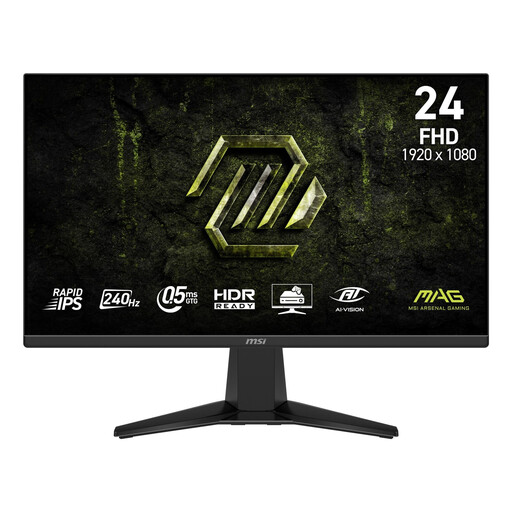 Image unavailable
Ideal if you’re looking for a compact Full HD monitor with a high refresh rate and an anti-glare surface.
23.8 inches, Rapid IPS, 240 Hz and Adaptive-Sync. The stand offers tilt adjustment, but no height, swivel or pivot adjustment.
In that case, not every possible new frame on the screen will be filled with a new game frame. First check what frame rate your PC can achieve at your chosen resolution, then check what refresh rate your connection supports.
Position the monitor comfortably, minimise distracting reflections and break up long periods of sitting and looking at the screen. Arboportaal discusses these considerations for screen work; workplace rules for employees don’t automatically apply to gaming at home.
No, additional cover isn’t always necessary. In the Netherlands, statutory warranty applies alongside any manufacturer or retailer warranty. If a product is faulty, contact the retailer. Before buying, read what additional cover for your chosen model actually includes, especially if you’re considering OLED.
For a standard online consumer purchase, you generally have up to 14 days from delivery to change your mind. ACM ConsuWijzer lists exceptions, so check which terms apply to your purchase.