
Players looking for a wide view from the bridge
You want a spacious view from your virtual wheelhouse and are comparing 21:9 with 32:9, provided your simulator displays both aspect ratios properly.


Start with the aspect ratio your simulator displays properly: 21:9 gives you a wider view from the bridge than 16:9 without immediately requiring the space of a 32:9 screen. Choose 32:9 only if your game, PC, connection and room setup can handle it. For long sessions with fixed interface elements, your choice of panel also matters.
You want a spacious view from your virtual wheelhouse and are comparing 21:9 with 32:9, provided your simulator displays both aspect ratios properly.
You want to see instruments and details clearly, while also taking into account your desk space, computer and available connections.
You may have the same interface elements on screen for a long time, so you also need to consider panel choice, maintenance and energy use.
First, check that your simulator supports the aspect ratio you want. Then compare the screen space and resolution with your setup, and make sure the connection and refresh rate are suited to your PC.
| Consideration | What to look for when buying | Who should pay particular attention? |
|---|---|---|
| Wide view and in-game display | Check the aspect ratio of the exact model and whether your simulator displays 21:9 or 32:9 properly. Also measure the space available on your desk. | If I want a wide view from the bridge, I want to know first whether my game makes use of the extra width. Around 40% of consumers give a wide view top priority. |
| Readability and positioning | Compare the resolution, screen width and adjustability with your viewing position and desk space. | If instruments need to be easy to read and my screen has to fit in a particular spot, the setup matters more than extra width. Around 30% of consumers prioritise readability and positioning. |
| Smooth display and PC demands | Check the resolution and refresh rate supported by each port. Also assess separately what your PC can handle in the game. | If I want to make the most of a high refresh rate, my PC also needs to handle the game at the chosen resolution. Around 20% of consumers prioritise this match. |
| Panel maintenance and energy use | Read the maintenance instructions and warranty terms for the exact OLED model, and compare the EU energy labels of the screens you’re considering. | If fixed interface elements remain visible for a long time, I want to know what that means for panel maintenance and use. Around 10% of consumers put maintenance and energy use first. |
A 21:9 or 32:9 monitor doesn’t guarantee that a particular ship simulator will display that aspect ratio correctly.
Check how your game displays before choosing 32:9 over 21:9 or 16:9.
A large screen can take up unnecessary space if the game doesn’t make use of the extra width.
The stated maximum refresh rate describes the monitor, not the performance of your PC and simulator.
Check the resolution and refresh rate supported by the port you’ll use, and assess your PC’s performance separately.
LG warns that displaying the same image on an OLED monitor for a long time can cause faint marks.
Read the maintenance instructions and warranty terms for the exact model, and consider how long fixed interface elements will remain visible.
The models mentioned include both a 34-inch 21:9 version and a separate 34-inch QD-OLED version.
The Odyssey G9 G91F is a 49-inch 32:9 option to consider if you’re looking for a very wide view from the bridge.
The UltraGear 34G600A-B is a 34-inch 21:9 OLED option.
The Evnia 34M2C5501A/00 is a 34-inch option with a Fast VA panel.
This selection focuses on 21:9 ultrawide and 32:9 super ultrawide monitors. If you’re unsure about game support or desk space, compare these options with a 16:9 monitor too.
 No image available
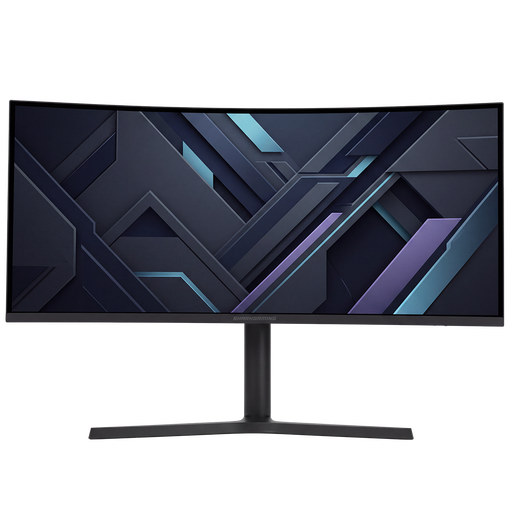
A 21:9 option to consider if you want a wider view from the bridge and your simulator supports this aspect ratio.
The product information lists a resolution of 3440 × 1440, a refresh rate of 180 Hz and a VA panel. According to the product description, the stand is adjustable for height, tilt, swivel and pivot.
 No image available
This 32:9 option is worth considering if you want to explore a wider view and have enough room for a 49-inch screen.
The product information lists a resolution of 5120 × 1440, a refresh rate of 240 Hz, QD-OLED and FreeSync Premium Pro. If interface elements remain visible for a long time, remember to consider panel maintenance.
 No image available
A 32:9 option for a wide gaming setup. Check in advance that your desk has enough space and your simulator supports this aspect ratio.
The product information lists a resolution of 5120 × 1440, a refresh rate of 165 Hz, a VA panel, AMD FreeSync and VESA mounting.
 No image available
A 21:9 option to compare if you want more screen width without moving up to 32:9.
The product information lists a resolution of 3440 × 1440, a refresh rate of 180 Hz, a VA LCD panel and Adaptive Sync. According to the description, the stand can be adjusted for height, swivel and tilt.
 No image available
This 21:9 OLED option is worth comparing if you’re looking for a wide view and can take fixed interface elements into account during long sessions.
The product information lists a resolution of 3440 × 1440 and a refresh rate of 240 Hz. LG warns that displaying the same image on an OLED monitor for a long time can cause faint marks; consult the maintenance instructions for the exact model.
No. The 32:9 specification describes the monitor, not how your particular game arranges the image. Check the game and your PC setup before counting the extra width as a benefit.
Compare the resolution and refresh rate you want with the specifications of the port you’ll use on the monitor and your PC’s output. Dell lists the HDMI and DisplayPort capabilities separately for the AW3425DWM; the frame rate you can achieve in your game also depends on your PC.
Check the maintenance instructions for the exact model. LG warns that displaying the same image for a long time can cause faint marks, and recommends image cleaning for its OLED monitors. This doesn’t guarantee that marks won’t appear.
According to ACM ConsuWijzer, ordinary online product purchases generally come with a 14-day cooling-off period after delivery, subject to legal exceptions. Your statutory guarantee is separate from any manufacturer’s warranty period. If a product is faulty, the retailer may need to offer an appropriate solution.
Yes. The European Commission states that electronic displays, including computer monitors, are labelled on an energy-efficiency scale. Compare the label for the exact model you’re considering.