First, choose a monitor and stand that fit your part of the desk. Then check which refresh rate your computer or console can deliver through the connection you plan to use. A compact Full HD monitor with a high advertised refresh rate could suit both movement practice and everyday use. A faster specialist model is worth considering mainly if your system and games can make use of that speed; a quoted GtG response time is not the same as total input lag.
Who is this guide for?
Anyone practising fast movements
You want to track on-screen action clearly, so you compare refresh rates for each connection with pixel response and input lag. RTINGS describes these as separate measurements; a GtG specification is no substitute for an input-lag measurement.
Anyone sharing a desk
You also need room to move your mouse. Measure the space available on your part of the desk and compare it with the monitor, including its stand. For example, ASUS says the VG249Q3A stand is not height-adjustable.
Anyone sharing a bedroom
You’re looking for a setup that works in a shared space. As well as where it will sit, think about tilt, brightness settings and the audio solution you want to use.
What should you look for in a gaming monitor?
First measure the space available, then check that your system and connection can support the screen settings you want.
Compact Full HD IPS monitor
Suitable for: anyone who wants one screen for movement practice and everyday use; AOC and ASUS specify compact 23.8-inch models with up to 180 Hz.
Keep in mind: the stand may take up space you need for your mouse. ASUS says the VG249Q3A stand is not height-adjustable.
Esports-focused TN monitor
Suitable for: anyone prioritising competitive practice and looking for a specialised display; BenQ specifies the XL2546K as a 24.5-inch TN monitor with 240 Hz and DyAc+.
Keep in mind: BenQ lists DyAc+, but you’ll need to decide for yourself whether the feature suits your viewing preferences.
Faster Full HD IPS monitor
Suitable for: anyone with a fast PC setup who uses the right port; Dell specifies up to 320 Hz via DisplayPort and 255 Hz via HDMI for the AW2525HM.
Keep in mind: a higher Hz figure alone doesn’t prove that motion blur or input lag will be lower.
| What to consider |
What to look for |
Who should pay extra attention? |
| Tracking fast movements |
Compare the refresh rate for each port and check measurements of pixel response and input lag at relevant settings. |
If you practise fast-paced actions, you’ll want to know how the picture moves and how quickly a signal appears on screen. Around 37% of consumers prioritise motion performance. |
| Desk space |
Measure the width and depth, then compare them with the monitor, including its stand. Check the VESA size if you’re considering a monitor arm. |
If you share a desk, you’ll want to leave enough room for your mouse as well as the screen. Around 27% of consumers give available desk space top priority. |
| Your system and connection |
Check your PC or console output, cable, monitor port and the maximum Hz at your chosen resolution. |
If you want to use a particular screen setting, your whole setup needs to support it. Around 18% of consumers prioritise system compatibility. |
| Using it with a housemate |
Check the positioning, tilt and brightness settings, and think about which audio solution you want to use. |
If someone else shares your bedroom, you’ll want a setup that works in the shared space and suits your choice of audio. Around 18% of consumers give shared use top priority. |
Common mistakes when choosing
-
Assuming the maximum Hz applies to every connection
The maximum quoted refresh rate can vary by port. Dell specifies up to 320 Hz via DisplayPort and 255 Hz via HDMI for the AW2525HM.
Before buying, check the maximum resolution and Hz for the connection, cable and source you plan to use.
-
Treating 1 ms GtG as a complete motion test
GtG describes a pixel transition. That’s different from input lag; pixel response can also show blur or inverse ghosting, depending on the setting.
Compare independent tests of the exact model and check which settings were used for the results.
-
Looking only at the screen diagonal
The stand takes up space too. ASUS also says that the standard stand on the VG249Q3A is not height-adjustable.
Compare the dimensions, including the stand, with your desk, and check the VESA size before choosing a monitor arm.
A monitor arm may need to be purchased separately.
-
Confusing an extended warranty with your statutory rights
The Dutch government says there is no fixed statutory warranty period in the Netherlands and that you should contact the seller if a product is faulty.
Read the terms of any extended warranty and check whether it gives you additional rights beyond those you already have by law.
An extended warranty product may cost extra.
Brands to compare
AOC
AOC specifies the 24G4X as a 23.8-inch Full HD Fast IPS monitor with up to 180 Hz.
- AOC lists Adaptive Sync and a 1 ms GtG specification.
- A GtG specification is not an independent input-lag measurement; check the stand dimensions too.
ASUS
ASUS specifies the TUF Gaming VG249Q3A as a 23.8-inch Full HD model with up to 180 Hz.
- ASUS lists up to 180 Hz via both HDMI and DisplayPort, and VESA 100 × 100 mm.
- The standard stand is not height-adjustable. Check the model number: the VG249Q3A is not the same as the VG249QM1A.
BenQ ZOWIE
BenQ specifies the XL2546K as a 24.5-inch, esports-focused TN monitor with 240 Hz and DyAc+.
- BenQ lists a smaller stand and height adjustment.
- Claims about motion clarity don’t prove that it will perform better than the other models discussed; check the stand’s physical dimensions too.
Dell Alienware
Dell specifies the AW2525HM as a 24.5-inch Full HD Fast IPS monitor.
- Dell lists up to 320 Hz via DisplayPort.
- Dell lists up to 255 Hz via HDMI, so check which connection you’ll use.
MSI
MSI specifies the G244F E2 as a 23.8-inch Full HD Rapid IPS monitor with up to 180 Hz.
- MSI lists up to 180 Hz via HDMI and DisplayPort.
- The standard stand tilts but is not height-adjustable; MSI lists VESA 75 × 75 mm.
Joybuy product picks
This selection includes compact screens for a shared desk and models with a higher quoted refresh rate. Compare the stand and connection with your own setup; a larger monitor will only work if you have enough space for it.
 No image available
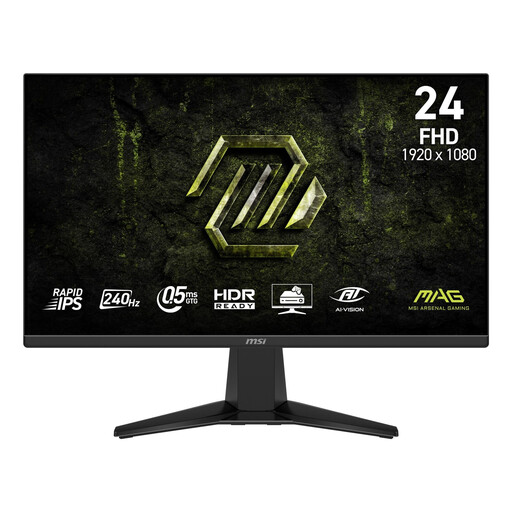
MSI MAG 245F X24 23.8-inch Full HD
A 23.8-inch screen to consider if you’re looking for a compact gaming monitor with a high quoted refresh rate.
Rapid IPS; 240 Hz; Adaptive-Sync; VESA 100 × 100 mm; tilting stand.
There are no built-in speakers, so you’ll need headphones or another audio solution.
Joybuy
 No image available
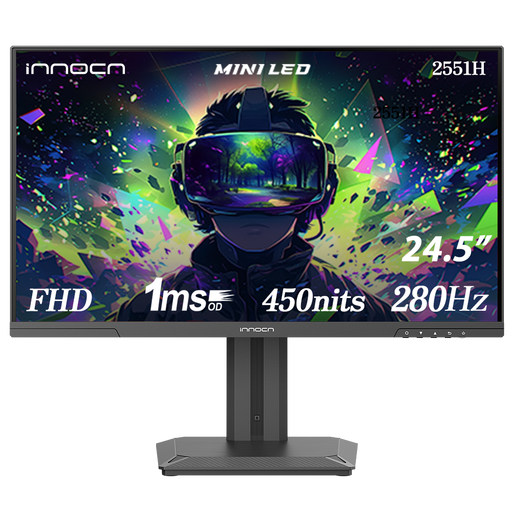
INNOCN 2551H 24.5-inch Mini LED
A 24.5-inch IPS model with a height-adjustable stand, for anyone who wants to change the screen position on their desk.
Full HD; the product name lists 280 Hz. The description states up to 240 Hz via HDMI and 300 Hz via DisplayPort.
Before buying, check which refresh rate applies to the connection you’ll use.
Joybuy
 No image available
ASUS TUF Gaming VG249Q3A 23.8-inch Full HD
A compact model to compare if you’re looking for a Full HD screen for gaming and everyday use.
IPS; up to 180 Hz; FreeSync Premium; ELMB; VESA 100 × 100 mm.
The standard stand is not height-adjustable.
Joybuy
 No image available
MSI MAG 272F X24 27-inch Full HD
A larger screen for anyone with enough desk space who’s looking for a 240 Hz Full HD gaming monitor.
IPS; AMD Adaptive Sync; VESA mounting; tilting stand.
Measure the space available: at 27 inches, this is larger than the compact screens in this selection.
Joybuy
 No image available
LG UltraGear 24G414B-B 24-inch Full HD
A compact model to consider if positioning and adjustability matter on a shared desk.
IPS; 144 Hz; DisplayPort 1.4; VESA 100 × 100 mm; height-adjustable and tilting stand.
Its quoted refresh rate is lower than that of the 180 Hz and 240 Hz models in this selection.
Joybuy
Frequently asked questions
Is 1 ms GtG the same as 1 ms input lag?
No. GtG describes pixel response; input lag is the time between receiving a signal and displaying it on screen. Compare measurements taken at settings that suit the way you use your monitor.
How do I set up a monitor for movement practice?
Check the selected resolution and refresh rate in your system settings and the monitor menu. Use a port and cable that support the setting you want. Dell specifies up to 320 Hz via DisplayPort and 255 Hz via HDMI for the AW2525HM. When assessing overdrive, look for visible overshoot rather than automatically choosing the highest setting.
What should I measure for a monitor on a shared desk?
Measure the available width and depth, and leave room for your mouse. Compare these measurements with those of the monitor, including its stand. If you’re using a monitor arm, check the VESA size and make sure the arm suits your setup.
How do I compare energy use, and what applies when buying online?
For displays in the relevant EU category, the energy label shows details including the efficiency class and consumption in kWh per 1,000 hours, according to the European Commission. For distance sales to consumers in the Netherlands, there is generally a 14-day cooling-off period, subject to legal exceptions; the Dutch government explains these rights. According to the Dutch government, there is no fixed statutory warranty period in the Netherlands. If a product is faulty, contact the seller.


