
World explorer with a dedicated gaming spot
You want to see landscapes and in-game information clearly, and have room for a 27-inch screen. Check whether your device can output QHD; AOC and ASUS list QHD resolution for the models mentioned.


Start with the space available on your desk and the resolution your PC or console can output. A 27-inch QHD monitor offers more pixels and screen space than the 23.8-inch Full HD option considered here, but it also takes up more room. In a shared bedroom, Full HD on a more compact screen may be more practical. Then compare panel type and curvature based on your preferences, and always check the connections and refresh rate your setup can achieve. A monitor’s higher maximum refresh rate doesn’t guarantee that your device or game can make use of it.
You want to see landscapes and in-game information clearly, and have room for a 27-inch screen. Check whether your device can output QHD; AOC and ASUS list QHD resolution for the models mentioned.
You share your gaming space and want to avoid a monitor taking up more room than necessary. The AOC 24G4X is an example of a more compact 23.8-inch Full HD IPS monitor.
You want to take panel technology and the display of dark scenes into account, while also checking how a curved screen will fit and what to consider with OLED. Samsung lists a curved G55C model; LG specifies OLED for the 27GS95QE-B, which is listed as discontinued.
First measure the space you share with your roommate, then check which resolution and refresh rate your device can use through the connection you plan to use.
| What to consider | What should you check? | Who should prioritise this? |
|---|---|---|
| Sharpness and screen space | Compare the screen size and panel resolution with the space available and your device’s output. | If I want to see landscapes and in-game information clearly and have enough room for a larger screen, detail is my top priority. Around 33% of consumers prioritise sharpness and screen space when buying. |
| Space on a shared desk | Measure the available space with the full stand in place, and take account of light and where your roommate sits. | When I share my gaming space, I want the screen and stand to fit within my part of the desk. Around 25% of consumers prioritise a compact monitor that’s easy to position. |
| Dark scenes | Compare the panel type and any curvature; if you’re considering OLED, check the instructions for the exact model too. | If I explore lots of dark game worlds, I want to weigh up panel technology and viewing position carefully rather than looking only at screen size. Around 25% of consumers prioritise how dark scenes are displayed when buying. |
| Motion and device compatibility | Check the refresh rate for each input, resolution, cable, device and game. | When smooth motion matters to me, I want to know which setting my own PC or console actually supports. Around 17% of consumers put motion performance and compatibility first. |
A monitor’s maximum refresh rate doesn’t tell you what your device, game and connection can support together.
Check the resolution and refresh rate supported by your own device and the input you plan to use.
The stand takes up space too, and can affect how much room is left for the other person.
Measure your desk and compare the available space with the monitor’s dimensions, including the stand. Also check for reflections from your usual seat.
HDR10 support on its own doesn’t provide an independent measurement of a particular screen’s HDR performance.
Treat the listing as compatibility information. If HDR is a deciding factor, look for measurements of the exact model.
Prolonged static images can cause image retention on OLED screens; maintenance features and warranty terms can vary between models.
Read the instructions and warranty terms for the exact model. Keep any manufacturer’s warranty separate from your statutory rights against the retailer.
The G4 models mentioned offer a compact Full HD option and a larger QHD IPS alternative.
The Odyssey G5 G55C is a curved 27-inch QHD model to consider alongside flat screens.
The TUF Gaming VG27AQ3A is a flat 27-inch QHD Fast IPS option to compare with other panel types.
The UltraGear 27GS95QE-B is a technical comparison point for a 27-inch QHD OLED screen.
The G2724D is another example of a 27-inch QHD Fast IPS monitor with an adjustable stand.
This selection includes QHD monitors for anyone looking for more screen space, as well as a more compact Full HD option for a smaller gaming area. It also includes a QHD OLED model, so you can weigh up your panel choice and the considerations that come with OLED.
 No image available
Suited to a gaming space with room for a 27-inch screen and anyone keen to enjoy QHD detail.
The product information lists QHD 2560 × 1440, a Rapid IPS panel and 200 Hz.
 No image available
Suited to anyone considering a QHD OLED model and with room for a larger monitor.
The product information lists QD-OLED, 2560 × 1440, a 26.5-inch screen and an adjustable stand; the product title specifies 27 inches and 280 Hz. If you choose OLED, check this model’s screen-care instructions; ASUS’s general OLED guidance warns that prolonged static, high-contrast images can cause image retention.
 No image available
Suited to a desk with room for a 27-inch QHD monitor and an IPS panel.
The product information lists 2560 × 1440, 144 Hz, Adaptive Sync, HDMI 2.0 and DisplayPort 1.4.
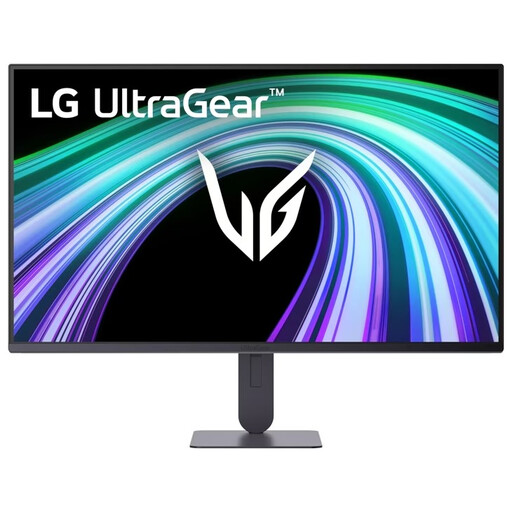 No image available
Suited to a smaller shared gaming space where a compact monitor is the priority.
The product information lists a 23.8-inch Full HD IPS panel, 144 Hz and support for G-SYNC Compatible and AMD FreeSync. It also specifies a height-adjustable stand and VESA mounting.
 No image available
Suited to a gaming space with enough room for a 27-inch QHD screen.
The product information lists 2560 × 1440, an IPS panel, 200 Hz, AMD FreeSync Premium and a height-adjustable stand.
No. A monitor with a maximum refresh rate of 180 Hz doesn’t mean the PS5 will output at that rate. PlayStation describes 120Hz output for screens and games that support it. Check the supported setting for the specific monitor connection and your game.
First measure the space, including the stand, and check for windows and lights. The Dutch Arboportaal recommends suitable positioning, adequate lighting and minimising glare for screen-based work; these workplace guidelines aren’t automatically legal requirements for gaming at home for leisure.
According to ASUS, prolonged static images can cause image retention on OLED screens. Check the screen-care instructions and warranty terms for the exact OLED model; ASUS’s general guidance doesn’t prove that every OLED monitor has the same features or cover.
The European Commission describes an EU energy label for computer monitors with a scale from A to G. Use the label to compare models on the same basis, but don’t use the letter alone to estimate the exact energy costs for your usage.
No. According to the Dutch government, there’s no fixed statutory warranty period in the Netherlands; you can expect a product to last for as long as is reasonable to expect. If a product is faulty, the retailer is your point of contact. A manufacturer’s warranty is separate.