What should you look for when choosing?
Start by checking how much desk space you have. Then consider your audio setup and check which resolution and refresh rate your device supports through the connection you plan to use.
| What to consider |
What should you look for? |
Who is this important for? |
| Team chat and room noise |
Check where the headset and microphone connect, and which audio output is selected on your PC or console. |
If I want to talk to my team without game audio coming through speakers into the room, I want to be able to control the headset, microphone and audio output separately. Around 36% of consumers give top priority to clear team chat with minimal noise in the room. |
| Desk space and viewing height |
Measure the available width and depth; compare the monitor’s overall dimensions, including the stand, and check the height adjustment on the exact model. |
If the desk is shared, I want to know whether the monitor stand will fit and whether I can position the screen at a suitable height. Around 29% of consumers give available desk space and adjustability top priority. |
| Refresh rate |
Check the supported Hz setting at your chosen resolution and input; also check which output your gaming device actually uses. |
If fast-paced games are my priority, I want a refresh rate that my device, connection and game can all support. Around 21% of consumers give smooth visuals top priority. |
| Screen size and resolution |
Compare the resolution and overall dimensions of the exact model, and check that your device can handle the combination you want. |
If I also want to use the monitor for other screen-based activities, I weigh up the extra screen space and pixels against how much desk space will be left. Around 14% of consumers give screen size and resolution top priority. |
Joybuy products
This selection includes compact Full HD monitors and larger screens for gaming and other uses. For your chosen model, check the audio connections and the resolution and refresh rate your device supports.
 No image available
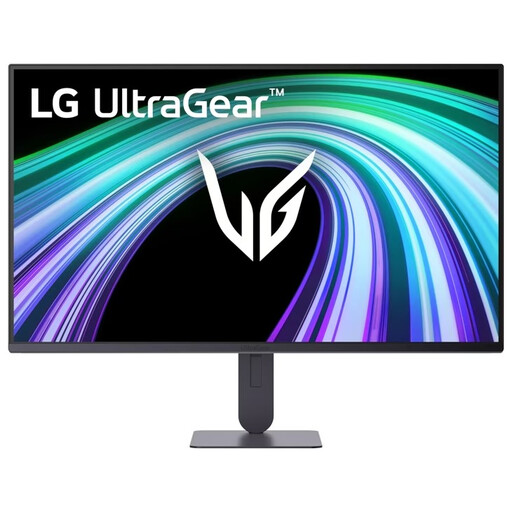
LG UltraGear 24G414B-B 24-inch Full HD
A 24-inch Full HD model for anyone looking for a compact screen setup; check the microphone connection on your PC or console separately.
View at Joybuy
 No image available
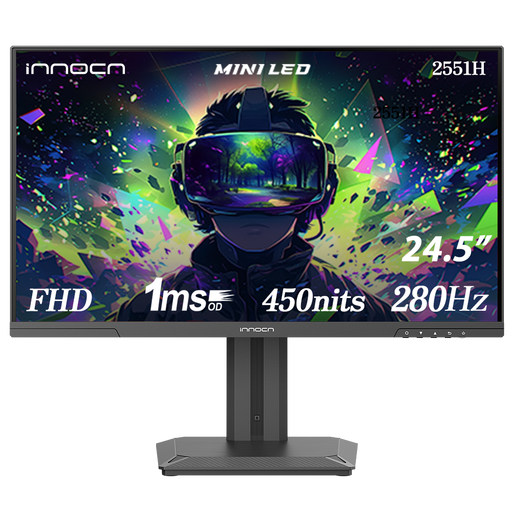
INNOCN 2551H 24.5-inch Mini LED Full HD
A 24.5-inch Full HD model for a compact setup; check which refresh rate is available through the connection you use.
View at Joybuy
 No image available
Samsung Odyssey G5 G50F 32-inch IPS 180Hz
The 32-inch IPS monitor lists 180 Hz in its product name; allow for the extra desk space it needs compared with a compact screen.
View at Joybuy
 No image available
Philips Evnia 27M2N3500NF 27-inch QHD
This 27-inch QHD IPS model lists 144 Hz; compare the desk space it needs and check that your device supports this combination.
View at Joybuy
 No image available
ASUS TUF Gaming VG249Q3A 23.8-inch Full HD
A compact Full HD monitor; ASUS Netherlands lists no height adjustment for this model, so measure to check whether the stand will fit your desk.
View at Joybuy
Frequently asked questions
Can I talk to my team through the monitor speakers?
Not necessarily: speakers play audio, but that doesn’t mean the monitor has a microphone. Check the microphone input and audio output on your PC or console separately; PlayStation explains how to adjust sound and microphone settings independently.
How do I set the stated refresh rate?
First, check which combination of resolution and connection is supported. In Windows, Advanced display shows the current refresh rate and lets you choose a supported setting, as explained by Microsoft Support.
Will I automatically get 180 Hz on a PS5 if the monitor lists it?
No, not automatically: PlayStation describes 120Hz output for displays and games that support this setting. Check your console’s video output and the inputs supported by the specific monitor.
What if a monitor I’ve bought online doesn’t suit my room or setup?
According to ACM ConsuWijzer, online purchases generally come with a statutory cooling-off period of up to 14 days after delivery, with some exceptions. If a product develops a fault earlier than expected during normal use, the statutory guarantee is separate from any manufacturer’s or additional warranty; contact the seller about this.
Which product information matters when buying in the Netherlands?
EU energy labelling rules cover computer monitors. Compare the energy label and product information sheet for the exact model; an energy rating doesn’t tell you whether team chat or your preferred connection will work.


