What should you look for?
First, measure the space available for the screen and stand. Then check which combination of resolution, refresh rate and connection your PC can deliver in your games. Finally, decide whether a headphone socket is important for quiet gaming.
| What to consider |
What should you check? |
Who is this important for? |
| Smooth action |
Check the desired refresh rate at your chosen resolution and connection; once installed, select the available mode. |
If I want to follow fast-moving action smoothly, I check what my PC and screen can handle together. Around 33% of consumers prioritise smooth action above all else. |
| Sound in the bedroom |
Check whether you can connect your headphones to the screen, PC or console. |
When someone else is asleep, I want to hear game audio through suitable headphones. Around 27% of consumers prioritise quiet gaming. |
| Desk space |
Measure the available width and depth, then compare them with the screen’s dimensions, including the stand. |
If I share a desk, the complete screen and stand need to fit without taking up someone else’s workspace. Around 20% of consumers prioritise how well a monitor fits on the desk. |
| Sharpness and frame rate |
Compare Full HD and QHD, and check whether your PC can achieve the desired refresh rate at that resolution. |
If I want more pixels, I also check whether my PC can deliver the gaming performance I want at QHD. Around 20% of consumers put QHD sharpness first. |
Gaming monitors at Joybuy
This selection includes QHD screens and Full HD screens with high refresh rates. Compare their features with your desk space, your PC’s connections and the display mode you want to use in your games.
 No image available
Samsung Odyssey G5 G50F LS32FG502EUXEN
A 32-inch model to consider if you’re looking for QHD and a high refresh rate, and have room for a larger screen.
32 inches, IPS, QHD and 180 Hz. The stand is height-adjustable, swivel- and tilt-adjustable.
View at Joybuy
 No image available
MSI MAG 272QPF E20
A 27-inch QHD option to consider if you want more pixels alongside a high refresh rate.
27 inches, QHD, Rapid IPS and 200 Hz. The description lists a response time of 0.5 ms.
View at Joybuy
 No image available
AOC Gaming Q27G42XNE
A 27-inch QHD model to consider if you’re looking for a high refresh rate and variable refresh rate support.
27 inches, 2560 × 1440 and 180 Hz. The description lists FreeSync Premium, two HDMI 2.0 connections and one DisplayPort 1.4 connection.
View at Joybuy
 No image available
MSI MAG 272F X24
A Full HD option to consider if a high refresh rate matters more to you than QHD.
27 inches, Full HD, 240 Hz and Fast IPS. The description lists Adaptive Sync and VESA mounting.
View at Joybuy
 No image available
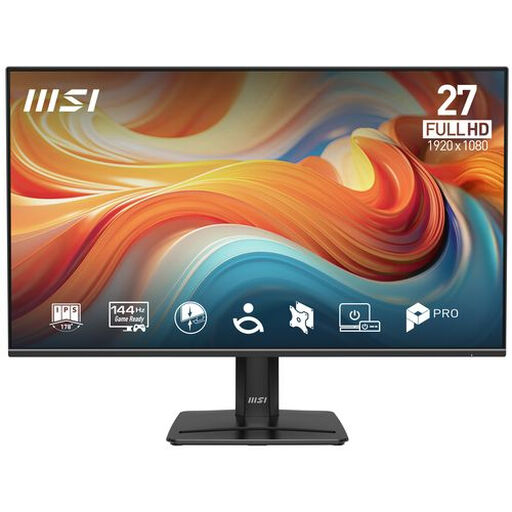
PRO MP271 E14A
A Full HD model to consider if you want a headphone output and built-in speakers as well as a screen for gaming.
27 inches, Full HD, IPS and 144 Hz. The description lists Adaptive-Sync, a headphone output, a tilting stand and VESA mounting.
View at Joybuy
Frequently asked questions
Why can’t I get the advertised refresh rate after connecting my monitor?
In Windows, check the available resolution and refresh rate combination under Advanced display settings. This depends on the screen and connection; for example, Dell lists different maximum refresh rates for DisplayPort and HDMI on the AW2724HF.
Can I play in the evening without using the monitor’s speakers?
Yes, if you can connect your headphones to a suitable audio output in your setup. BenQ lists a headphone socket alongside the built-in speakers on the EX2710S; also check how your PC or console sends audio to that output.
What should I consider when setting up and maintaining a monitor in a shared bedroom?
Measure the available space, including room for the stand, and follow the selected model’s instructions for cleaning. The dimensions with the stand and height adjustment listed for the BenQ EX2710S show the kind of model-specific details you can check when planning where to put it.
What happens if a monitor bought in the Netherlands is faulty?
According to the Dutch government, you’re entitled to a product that works properly, and you should be able to contact the seller for a solution if it’s faulty. The Netherlands has no fixed statutory warranty period; your legal rights are separate from a manufacturer’s warranty.
Do gaming monitors in the Netherlands have an energy label?
The European Commission lists computer monitors as electronic displays with an energy label from A to G. You can use the label and product information sheet to compare the energy use of similar screens; the labelling rules don’t require you to buy a product from a particular minimum class.


