Start with the space available on your desk, how easy it is to read game menus and work windows, and what your PC can support; a high quoted refresh rate shouldn’t be the deciding factor. A 27-inch QHD monitor is a compact option, while an ultrawide can give you more horizontal space if your games display that aspect ratio properly. 4K is worth considering if the extra sharpness is worth the greater graphics load. If you’ll also use the screen for long working sessions, think about your setup and reflections — and, with OLED, prolonged display of static images.
Who is this monitor choice for?
City-builder player using one screen for work and gaming
You want to be able to read game menus and work text on the same monitor, and need a screen that fits well on your home desk. Tweakers covers both compact and ultrawide gaming monitors; the right choice also depends on your workspace and the games you play.
Player looking for more screen width
You’re considering an ultrawide for extra horizontal space, but want to check first that your desk has room and that the games you play support the aspect ratio you’re after.
Anyone who values sharpness and has a suitable PC
You prioritise detailed images and text, and check in advance whether your PC and connection can handle your preferred 4K settings. ASUS lists the ROG Strix XG27UCS as having a resolution of 3840 × 2160 pixels; what your system can actually output depends on the connected equipment.
What should you look for in a gaming monitor for city-building?
| What to consider |
What should you check? |
Who is this most relevant to? |
| Readable details and menus |
Compare the resolution with the screen size, and check that game menus and work text are readable from your usual viewing distance. |
If you use the same monitor for city-building and work, you’ll want to be able to read small interface elements and text clearly. Around 33% of consumers prioritise readability and detail. |
| Screen width and desk space |
Measure the available space and check that your games display your preferred aspect ratio and interface properly. |
If you want more room for your city or work windows, an ultrawide could be a good fit, provided your desk and games can accommodate it. Around 27% of consumers prioritise extra horizontal space. |
| Long-term use as a workstation |
Check adjustability, reflections and — for OLED — the maintenance features and terms for the exact model. |
If you’ll also use the monitor extensively for work, a suitable setup and the way it displays text over long periods matter. Around 20% of consumers prioritise their workstation setup. |
| PC, connection and cost |
Check which combination of resolution and refresh rate your PC, cable and input support. |
If you want to avoid paying for features your current PC or connection can’t make use of, check that your devices are compatible first. Around 20% of consumers start with PC compatibility and purchase cost. |
Common gaming monitor buying mistakes
-
Assuming the maximum refresh rate equals in-game performance
The supported combination can vary by input, and your PC also needs to be able to run the game at your preferred settings. The quoted refresh rate doesn’t guarantee the same frame rate in your game.
Compare your PC output, cable and monitor input before placing too much importance on a higher refresh rate.
-
Choosing an ultrawide without checking your desk and games
A 34-inch screen changes your physical setup. The specifications alone don’t confirm that every city-building game will display its interface properly in ultrawide.
Measure the available space and check the aspect ratio and interface settings in the games you play.
-
Automatically choosing an OLED gaming monitor for lots of office work
Tweakers notes coloured fringing around text on the Gigabyte MO27Q2A. Gigabyte describes maintenance features for the OLED panel, so prolonged display of an unchanging image calls for careful consideration of the exact model and its terms.
Assess how text looks from your usual viewing distance and read the maintenance and warranty terms for the model you’re considering.
Brands and models to consider
Philips
The Evnia 27M2N5500/00 is a 27-inch QHD LCD model for anyone considering one screen for gaming and work.
- Philips lists a maximum refresh rate of 180 Hz for this model.
- According to Philips, the maximum resolution is only supported via DisplayPort; your PC needs to be able to handle your preferred settings.
Samsung
The Odyssey G5 LC34G55TWWPXEN is a wide, strongly curved 34-inch LCD option.
- Samsung lists a resolution of 3440 × 1440 pixels, a refresh rate of 165 Hz and 1000R curvature for this model.
- These specifications don’t confirm that every city-building game will display its interface optimally in ultrawide; check the games you play.
ASUS
The ROG Strix XG27UCS is a 27-inch 4K Fast IPS model for anyone who prioritises resolution.
- ASUS lists a resolution of 3840 × 2160 pixels, a maximum refresh rate of 160 Hz and USB-C with DisplayPort Alt Mode.
- The settings you can use depend on your PC and connection; USB-C alone doesn’t confirm that a laptop will receive sufficient power.
Gigabyte
The MO27Q2A is a 27-inch QHD QD-OLED model for anyone who prioritises panel performance over extensive use for static work.
- Tweakers highlights this model’s response times as a strength.
- Tweakers notes coloured fringing around text and that black can look greyer in ambient light. Check the maintenance and warranty terms for the exact version.
Dell
The G2724D is an example of a QHD Fast IPS model with different maximum refresh rates for each video input.
- Dell lists 165 Hz via DisplayPort and 144 Hz via HDMI for this model.
- The stated maximums depend on the input; check which combination suits your PC and how you’ll use it.
Monitors at Joybuy for different needs
The products below include 27-inch QHD and 4K monitors, plus a 34-inch ultrawide option for city-building games and potentially working from home. Check that each model’s connection, your PC and your game settings suit the way you’ll use it.
 No image available
MSI MAG 272QPF E20 27-inch QHD gaming monitor
A 27-inch QHD option if you’re looking for one screen for city-building and working from home.
2560 × 1440 pixels; Rapid IPS; up to 200 Hz according to the product title.
Joybuy
 No image available
LG UltraGear 27G810A-B 27-inch 4K UHD gaming monitor
A 27-inch 4K option if extra sharpness matters and your PC can handle your preferred settings.
3840 × 2160 pixels; IPS; 180 Hz. The product information also lists an FHD mode up to 360 Hz, two HDMI 2.1 ports and a stand with height, tilt, swivel and pivot adjustment. Check the PC and connection requirements for your chosen settings.
Joybuy
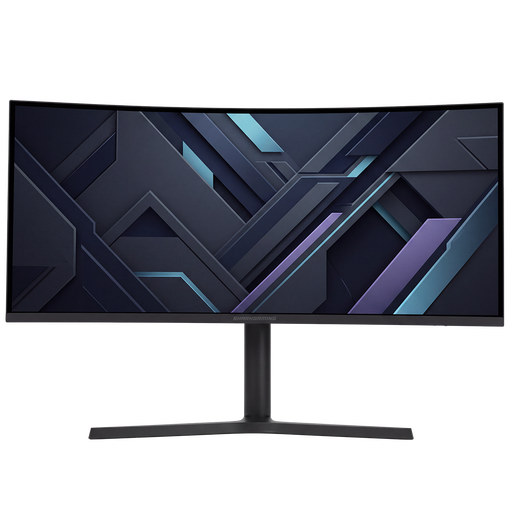 No image available
Shark Gaming 34-inch UWQHD gaming monitor
An ultrawide option if you’re looking for extra horizontal space and your desk and games suit the size.
3440 × 1440 pixels; 21:9 aspect ratio; VA panel; 180 Hz. The product information lists height, tilt, swivel and pivot adjustment. Check how it displays the games you play.
Joybuy
 No image available
Philips Evnia 27M2N3500NF 27-inch QHD gaming monitor
A 27-inch QHD option if you’re looking for a compact monitor for gaming and everyday work.
2560 × 1440 pixels; IPS; 144 Hz. The product information also lists Adaptive Sync, HDR10, DisplayPort 1.4 and HDMI 2.0.
Joybuy
 No image available
INNOCN 2751S PLUS 27-inch QHD Mini-LED gaming monitor
A 27-inch QHD option if you want to combine gaming and work with a height-adjustable stand.
IPS panel; 275 Hz; 1152 Mini-LED zones. The product information lists a height-adjustable stand.
Joybuy
Frequently asked questions about gaming monitors for city-building
Should I prioritise the highest possible refresh rate for city-building games?
No, first consider readability, screen size and the settings supported by your PC and connection. For the models discussed, Philips and Dell list conditions or different maximums for each input; the quoted refresh rate doesn’t guarantee a particular frame rate in your game.
What should I look for if I’ll also use the monitor for long working sessions?
Check that you can position the monitor comfortably and that reflections won’t be distracting in your workspace. The Arboportaal states that specific workplace requirements apply to employees who work at a screen for more than two hours a day, including that the screen and keyboard must not be attached to each other; this doesn’t mean every private buyer needs one particular monitor model.
What maintenance does an OLED monitor need if I use lots of static windows?
Follow the maintenance instructions for the exact model and check the applicable warranty terms. Gigabyte describes OLED Care for the MO27Q2A and recommends pixel cleaning in the manual after more than four hours of use; this guidance doesn’t automatically apply to other models or brands.
What returns and warranty rights apply to an online purchase in the Netherlands?
According to the Dutch government, when you buy online from a business, you usually have a 14-day cooling-off period; check which terms apply to your purchase. The Dutch government also states that consumers are entitled to a product that works properly under the statutory guarantee. This is separate from any manufacturer’s or extended warranty.
Do computer monitors have an EU energy label?
The European Commission states that energy labelling and ecodesign rules also apply to computer monitors, with some exceptions. Check the label and product information for the exact model; the energy label scale runs from A to G.


