
Racer with limited desk space
You share a bedroom or desk, so your first priority is checking whether the screen and stand will fit. A compact size may matter more than extra screen width, so check the stand’s footprint and adjustability too.


Start by checking the space available on your desk and the connections on your PC or console. A compact screen may be a good fit when space is your priority; an adjustable 27-inch QHD screen offers a middle ground, while a 34-inch ultrawide is worth considering only if your desk, PC and racing game support 21:9. Check the resolution and refresh rate available through the connection you’ll actually use for each model.
You share a bedroom or desk, so your first priority is checking whether the screen and stand will fit. A compact size may matter more than extra screen width, so check the stand’s footprint and adjustability too.
You want more horizontal screen space for gaming, so check in advance whether your PC and racing game support an ultrawide format. LG specifies a 21:9 screen for the 34U640B-B; that model specification alone doesn’t tell you whether a particular game supports the format.
You want to know which resolution, 120Hz mode and VRR work through your HDMI connection. PlayStation Support Netherlands explains how to test 1440p output and the available modes on a PS5.
First, measure the space available for the screen and stand. Then compare your preferred display mode with the outputs on your PC or console and the support offered by your racing game.
| What to consider | What to look for | Who is this important for? |
|---|---|---|
| Space and positioning | Measure the available width and depth with the stand in place; check whether height adjustment or VESA mounting will suit your setup. | If I share a bedroom desk, I want to know in advance whether the screen and stand will fit. Around 33% of consumers put space and positioning first. |
| Smooth visuals | Check the maximum resolution and refresh rate for each input, and whether your device supports that combination. | For racing games, I want a display mode that my PC or console can actually output. Around 27% of consumers prioritise the available display mode. |
| Screen width | Check that your PC and the specific racing game support 21:9, and measure the space available for the screen. | I’ll only choose a wider racing view if my desk, PC and game can handle the format. Around 20% of consumers prioritise extra screen width. |
| Console compatibility | On a PS5, test 1440p output and check which modes are available through the connected HDMI device. Also check that the game supports them. | With a console, I want to know which screen mode works over HDMI first; the Hz figure alone isn’t enough. Around 20% of consumers check compatibility first. |
The maximum refresh rate can vary between inputs. Dell specifies a maximum of 165 Hz at QHD via DisplayPort and 144 Hz via HDMI for the G2724D.
Before buying, check the resolution and maximum refresh rate for each port on the exact model, then compare them with your device’s output.
A 34-inch 21:9 screen takes up space, and you can only use the wider format if your PC and chosen game support it.
Measure the available space, including the stand, and check that your racing game supports 21:9 before choosing an ultrawide.
Samsung lists a response time of 1 ms MPRT for the Odyssey G5. MPRT is not the same as independently measured input lag.
Only compare response time claims when the measurement method is clear. Look for separate measurements if input lag is a deciding factor for you.
The Nitro VG240YGBIP is an example of a compact monitor option for a desk where space is a consideration.
The G2724D is an example of an adjustable 27-inch QHD monitor.
The 34U640B-B is an example of a 34-inch 21:9 option for PC setups that support a wider view.
The Odyssey G5 G55C LS27CG552EUXEN is a curved 27-inch QHD model.
The MAG 27CQ6F is a curved QHD gaming monitor to compare with other 27-inch options.
This selection includes compact 24-inch screens, 27-inch QHD models and 34-inch ultrawide options for racing games. If you’re considering an ultrawide, check that your desk, PC and game support the format.
 Image unavailable
A good fit if you’re considering a 27-inch screen as a middle ground; measure the space for the monitor and stand.
WQHD, 200 Hz and Rapid IPS; the product name also specifies 16:9.
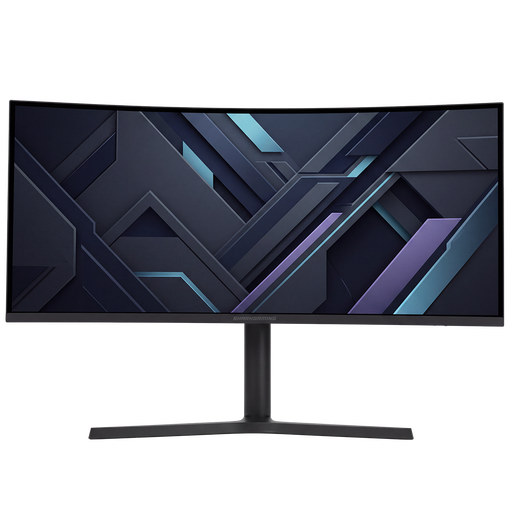 Image unavailable
A good fit for PC racing on a wide screen if your available space, PC and game support 21:9.
34 inch, UWQHD, 21:9, 180 Hz and Adaptive Sync; curved screen.
 Image unavailable
A compact size to consider if space on a shared desk is limited.
Full HD, 144 Hz, IPS panel, height and tilt adjustment, and a headphone output. The product information lists FreeSync and G-SYNC compatibility.
 Image unavailable
A good fit if you’re looking for an adjustable 27-inch monitor and can check your available desk space in advance.
QHD, 200 Hz, HDMI 2.0 and DisplayPort 1.4; the product information lists an adjustable stand and AMD FreeSync Premium.
 Image unavailable
A more compact screen size to consider when space is your priority.
Full HD, IPS panel, HDMI 2.0, VESA 100 × 100 mm and 175 Hz with FreeSync. The product information doesn’t mention height adjustment or built-in speakers.
Not necessarily: Dell specifies a maximum of 165 Hz at QHD via DisplayPort and 144 Hz via HDMI for the G2724D. Check the specifications for each input on the exact model.
Test 1440p output on your PS5 and check the information for the connected HDMI device. PlayStation Support Netherlands lists separate tests for SDR and HDR at 60 Hz and 120 Hz, as well as for VRR. 120Hz output also requires a game that supports this mode.
Measure the space for the screen and stand, and decide in advance whether you’ll listen through headphones. Check that your chosen model has the audio connection you need; built-in speakers don’t tell you whether a setup will be quiet.
Compare the energy label and stated consumption of the exact models in the European Product Registry EPREL. The European Commission and Your Europe explain the information shown on energy labels for electronic displays.
According to the Dutch government, when you buy online from a business, you usually have a 14-day cooling-off period, with some exceptions. Check the seller’s sales and returns terms. The cooling-off period for distance purchases is different from your rights if a product is faulty, damaged or not as described.