Start by checking where you’ll plug in your headphones: into your PC or console, or into the monitor. If you want to hear audio through the monitor, check that the exact model has a headphone output; this won’t necessarily support a microphone too. Then choose a screen with a resolution and refresh rate to suit your gaming device. OLED can be appealing for contrast and motion, while LCD avoids the risk of burn-in. Tweakers also notes that OLED can cost more and has some limitations.
Who is this buying guide for?
Players who want audio through the monitor
Perhaps you switch between gaming devices and want to know in advance whether the exact monitor model has an audio output. Don’t assume a headphone socket is also a microphone input; the specifications for models such as the Gigabyte MO27Q2A and LG 27GS75Q-B show why this distinction matters.
Console platform gamers
Choose a monitor based on the picture and HDMI capabilities of your own console, not just its highest stated refresh rate. Nintendo, for example, lists specific connection and picture requirements for its different Switch systems.
PC players weighing up picture quality
Compare motion handling and picture quality with the cost and, for OLED, the risk of burn-in. Tweakers discusses this trade-off for OLED monitors, but its conclusions won’t necessarily apply to every model.
What should you look for when choosing?
| What to consider |
What should you check? |
Who is this important for? |
| Audio for your headphones |
Check whether the exact monitor model has a headphone output, and separately check where to connect your microphone. |
If I want to hear audio through the monitor, I check its audio output and allow for a separate microphone connection. Around 36% of consumers give the audio route top priority. |
| Console compatibility |
Check your console model, dock, HDMI connection and the picture settings supported by your console. |
When gaming on a console, I want to know which picture mode my system can actually output. Around 29% of consumers put compatibility first. |
| Motion and refresh rate |
Compare the stated refresh rate in hertz with the picture mode of your source and the monitor’s settings. For the AOC Q27G4ZR, Tweakers recommends lowering the overdrive setting at 60 Hz. |
If I play fast-paced platform games, I want to follow the action clearly without relying solely on the highest refresh-rate figure. Around 21% of consumers consider motion the most important factor. |
| Picture quality and running costs |
Weigh up OLED against LCD, and compare the EU energy label for the specific monitor if energy consumption matters to you. |
When picture quality and long-term use matter more to me, I compare contrast and motion with the cost and risk of burn-in. Around 14% of consumers put this trade-off first. |
Common pitfalls
-
Assuming a headphone output is a complete headset connection
An audio output doesn’t mean your microphone will work through it too. LG explicitly states that the 27GS75Q-B has a three-pole output for audio only.
Before buying, check where both the sound and microphone from your headset should be connected.
You may need to connect the microphone separately to your PC or console.
-
Focusing only on the refresh rate when using a console
Your console partly determines which picture mode you can use while gaming. Nintendo lists resolution settings of up to 1080p for the original Switch in TV mode; the Switch Lite doesn’t support TV mode.
Check the exact console model, dock, cable and picture mode you want before choosing a monitor.
-
Choosing OLED for contrast alone
As well as the picture benefits of OLED, Tweakers notes its higher cost, limited brightness and risk of burn-in compared with LCD.
Factor these points into your decision, and read the warranty terms for the specific model before you buy.
Brands to consider
Gigabyte
The MO27Q2A is a specific QHD QD-OLED model to consider if you’re looking for OLED picture quality and a headphone output in one monitor.
- For the MO27Q2A, Gigabyte lists a 27-inch screen, up to 280 Hz, two HDMI 2.1 inputs and a headphone socket.
- Tweakers notes this model’s QD-OLED limitations in bright surroundings and with text. This doesn’t necessarily apply to other Gigabyte models.
AOC
In Tweakers’ Dutch guide, the Q27G4ZR is an LCD alternative to the 27-inch OLED option discussed.
- Tweakers describes this specific QHD IPS model as a more affordable alternative, with a refresh rate of 240 Hz, or 260 Hz when overclocked.
- Don’t assume it has a headphone output: the information consulted doesn’t confirm one for this version. Tweakers recommends lowering the overdrive setting at 60 Hz.
LG
The UltraGear 27GS75Q-B is an example of a QHD IPS monitor with an audio output.
- For this 27-inch model, LG lists QHD, up to 180 Hz and a three-pole output for audio only.
- On its Dutch product page, LG marks the 27GS75Q-B specifically as discontinued. Don’t use this model as a guide to the availability or connections of other UltraGear versions.
ASUS
The TUF Gaming VG27AQ3A is a specific QHD IPS model to consider when comparing PC gaming features.
- For this model, ASUS lists a 27-inch screen, up to 180 Hz and Adaptive-Sync technologies.
- The specifications for this model alone don’t tell you whether this version is available in the Netherlands.
Gaming monitors at Joybuy
These product picks are aimed at platform gaming, with LCD models in a range of screen sizes, resolutions and stated refresh rates.
 No image available
MSI MAG 272QPF E20, 27-inch, QHD, 200 Hz
An option to compare if you’re looking for a 27-inch QHD gaming screen.
Specifications in the product name: 2560 × 1440, 200 Hz and Rapid IPS.
View at Joybuy
 No image available
AOC Gaming Q27G42XNE, 27-inch, Quad HD, 180 Hz
An option to compare if you’re looking for a 27-inch Quad HD gaming monitor.
Specifications in the product name: 2560 × 1440, 180 Hz, 1 ms, FreeSync Premium and HDR10.
The product name lists two HDMI 2.0 connections and one DisplayPort 1.4 connection.
View at Joybuy
 No image available
Philips Evnia 27M2N3500NF, 27-inch, QHD, 144 Hz
An option to compare if you’re looking for a QHD gaming monitor with an IPS panel.
Specifications in the product name: 2560 × 1440, 144 Hz, 0.5 ms Smart MBR, HDR10 and Adaptive Sync.
The product name lists DisplayPort 1.4 and HDMI 2.0.
View at Joybuy
 No image available
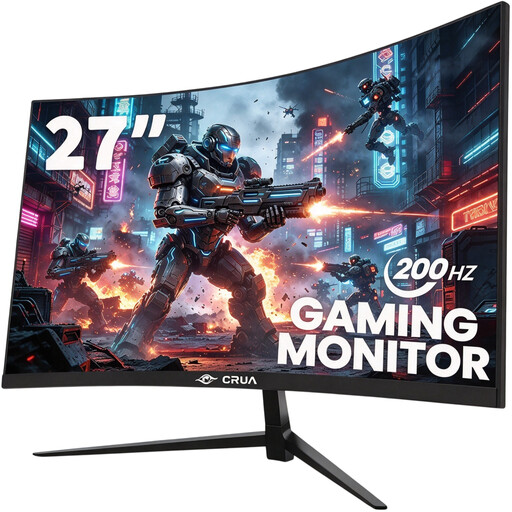
CRUA CR270D, 27-inch, curved, Full HD, 200 Hz
An option to compare if you’re looking for a curved Full HD monitor with a high stated refresh rate.
Specifications in the product name: 1920 × 1080, 200 Hz, 1800R curvature and FreeSync.
View at Joybuy
 No image available
CRUA 32-inch, 1500R curved, QHD, 165 Hz
An option to compare if you’re looking for a larger curved QHD gaming screen.
Specifications in the product name: 2560 × 1440, 165 Hz, Adaptive Sync and a VA panel.
The product name lists HDMI, DisplayPort and 100 × 100 mm VESA mounting.
View at Joybuy
Frequently asked questions
Can you plug your headset microphone into a monitor’s headphone output?
Don’t assume you can. LG explicitly describes the 27GS75Q-B’s output as audio only. Check separately where to connect your headset microphone.
How do you connect a Nintendo Switch or Switch 2 to a monitor?
Use a suitable Switch dock and connect its HDMI output to the monitor; the Switch Lite doesn’t support TV mode. For Switch 2, Nintendo specifies a Switch 2 dock, a suitable power supply and an Ultra High Speed HDMI cable. Check the instructions for your console and accessories.
What should you consider if you play with headphones for long periods?
The World Health Organization recommends keeping the volume low and taking regular breaks. Both sound level and listening time matter; this is general listening advice, not a measurement of a specific monitor’s output.
How do you compare monitor energy consumption and warranties in the Netherlands?
Compare the EU energy label for the specific model; the European Commission also provides additional model information through the QR code in EPREL. According to the Dutch government, there is no fixed statutory period for the legal guarantee in the Netherlands. A manufacturer’s warranty is in addition to this; if a product is faulty, contact the seller.


