
Park builder who wants a clear view
You spend a lot of time building and managing, and want to keep track of your park layout and interface. Frontier Developments describes the creative and management tasks in the Planet Coaster 2 manual.


For building parks, a QHD monitor around 27 inches is a good choice if you want a clear view while building and managing. Choose 4K if finer image detail matters more, or ultrawide if you prioritise horizontal space. Match the resolution and refresh rate to your PC or console, and check the headphone connection separately: a monitor output may not support a microphone input. OLED needs extra consideration if the same game interface stays on screen for long periods.
You spend a lot of time building and managing, and want to keep track of your park layout and interface. Frontier Developments describes the creative and management tasks in the Planet Coaster 2 manual.
You prioritise finer image detail and check whether your system can handle your chosen resolution. RTINGS.com mentions 4K as an option for more detailed games, with a lower refresh rate as a possible trade-off.
You want extra horizontal space and need to know in advance where to connect your headphones and any microphone. Lenovo Netherlands points out that larger and ultrawide screens need more desk space.
First decide how much screen space or detail you need, match the resolution and refresh rate to your device, then check how to connect your headset.
| What to consider | What to look for | Who is this important for? |
|---|---|---|
| A clear view while building | Compare screen size and resolution, and consider how much desk space you have and where you sit. | I want a good view of the park layout and interface while building and managing. Around 33% of consumers put having a clear view at the top of their list when buying. |
| Image detail and resolution | Check which resolution your PC or console can output through your chosen connection, and at which resolution the refresh rate you want is available. | If I want to see more image detail, I first check what my device can handle. Around 25% of consumers put detail first. |
| Headphones and microphone | Decide whether to connect your headset to the monitor, PC, console or controller. For the gaming monitors covered here, Dell states that the headphone port supports audio output, not microphone input. | I want to know before buying where my headphone audio will come from and whether my headset microphone will work too. Around 25% of consumers put this connection requirement at the top of their list. |
| Wide screen and positioning | Measure the available desk space and check whether your game supports the aspect ratio you want. If you’re considering OLED, also think about how long static images will remain on screen. | If I want more horizontal space for my park and interface, the screen also needs to fit my setup. Around 17% of consumers give a wider viewing area top priority. |
The maximum refresh rate can vary by input and display mode, as Dell specifies for the AW2725DM and AW2725QF models.
Compare resolution and refresh rate together for the connection you’ll actually use.
Dell says the headphone port on the gaming monitors covered here supports audio output, but not microphone input.
Check audio and microphone connections separately, and decide whether to connect your headset to your PC, console, controller or monitor.
You may need to connect the microphone to a different port on your PC, console or controller.
ASUS warns that static, high-contrast images displayed for long periods can cause burn-in. MSI describes OLED Care 2.0 as a way to reduce the risk, not a guarantee against burn-in.
Compare OLED with LCD based on how you use your monitor, and check the care and warranty terms for the exact model.
The models mentioned include a 27-inch QHD LCD, the AW2725DM, and a 27-inch IPS monitor with 4K and Full HD modes, the AW2725QF.
The MPG 341CQPX QD-OLED is a 34-inch ultrawide option if you’re considering a wider viewing area and OLED.
The ROG Strix OLED XG32UCWG combines a 32-inch 4K mode with a separate, faster Full HD mode.
The 27M2N3500NL/01 is a 27-inch QHD Fast VA gaming monitor.
This selection of Joybuy products includes QHD and 4K monitors, as well as ultrawide models for anyone looking for more detail, a clearer view or extra horizontal space while building a park.
 Image unavailable
The 32:9 aspect ratio is an option if you want plenty of horizontal space for your park and interface. Measure your available space first.
49 inches; DQHD 5120 × 1440; 165 Hz; 1500R VA panel; 2 × HDMI 2.1; 2 × DisplayPort 1.4; height adjustable.
This 49-inch monitor needs plenty of desk space. The product information recommends a desk or mount with a load capacity of at least 15 kg and two people for installation.
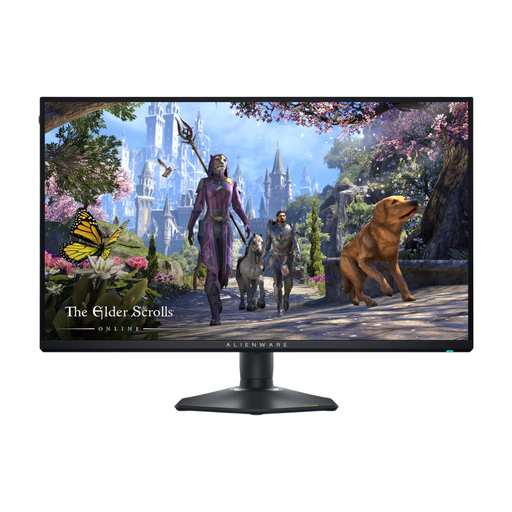 Image unavailable
This 27-inch monitor offers a 4K mode if image detail matters to you, plus a separate Full HD mode for a higher refresh rate.
4K (3840 × 2160) up to 180 Hz; Full HD (1920 × 1080) up to 360 Hz. The highest refresh rate is available in Full HD; the maximum figures include overclocked modes.
 Image unavailable
This 27-inch QHD monitor is a good option if you’re looking for a clear view while building and managing your park.
2560 × 1440; IPS panel; up to 180 Hz via DisplayPort and 144 Hz via HDMI, according to Dell.
 Image unavailable
This curved ultrawide monitor is a good fit if you want extra horizontal space and can factor its position on your desk into your choice.
34 inches; 3440 × 1440; 21:9; 180 Hz; VA panel; FreeSync Premium Pro; height and tilt adjustable.
Make sure you have enough desk space and consider the screen’s position when choosing this 34-inch curved monitor.
 Image unavailable
This 4K monitor is an option if image detail and a headphone output matter to you.
QD-OLED; 165 Hz; USB-C; headphone output; stand with height, tilt, swivel and pivot adjustment.
Static, high-contrast images displayed for long periods can cause OLED burn-in. Check this model’s instructions and protection features, and make sure the headphone connection also suits how you use your headset microphone.
No. Choose how to connect your audio based on your PC, console, controller and headphones. Dell states that the headphone port on the gaming monitors covered here supports audio output only, not a headset microphone; check the connections on the model you choose.
Check the instructions and OLED protection features for the exact model. ASUS warns that static, high-contrast images displayed for long periods can cause burn-in. Protection features reduce the risk, but don’t eliminate it.
Not necessarily: the available refresh rate can vary by resolution, mode and input. On the Alienware AW2725QF, the stated maximum of 360 Hz is available in Full HD, not in 4K mode. Also check the connection and any overclocked modes.
According to the Dutch government, when you buy from a business at a distance, you can often change your mind within 14 days. This is separate from your rights if a product is faulty; in that case, contact the seller to find a solution. The Netherlands has no fixed statutory warranty period.
Check the European energy label and product information for the exact models. The European Commission says the label shows the energy efficiency class and may include separate information about display performance in HDR.