
Park builder in daylight
You regularly design with windows or lights nearby and want to know whether the screen will remain easy to see at your desk.


Start by checking how visible the screen is at your desk. Consider reflections and brightness before giving extra hertz or HDR much weight. A flat QHD IPS monitor is a sensible starting point for viewing park details and menus, but a compact Full HD screen or curved model may suit your desk space or screen preference better. Then check that the resolution, connections and adjustability work with your computer and setup.
You regularly design with windows or lights nearby and want to know whether the screen will remain easy to see at your desk.
You switch between an overview of the park, small building elements and menus, and weigh up screen space against what your computer can handle.
You need to fit the monitor alongside other items, so you pay attention to screen size, stand dimensions and adjustability.
Start with reflections and the position of windows and lights. Then compare screen size and resolution with your desk and computer. RTINGS notes that a matt finish can reduce mirror-like reflections, but diffuse light can still affect visibility.
| What to consider | What to look for | Who is this most relevant to? |
|---|---|---|
| Visibility in a bright room | Compare reflection tests for the exact model and its stated SDR brightness. Take the position of windows and lights into account. | If light sources are reflected in my screen, I first want to know whether I’ll still be able to see details at my desk. Around 36% of consumers put daylight visibility at the top of their list. |
| Detail and screen space | Compare the resolution and screen size with your viewing distance, and check that your computer can handle your preferred game settings. | When designing, I switch between the park overview and small details. I want enough workspace without losing sight of what my computer can handle. Around 29% of consumers give detail and screen space top priority. |
| Positioning and ergonomics | Measure the available width and depth, including the stand, and check for height adjustment or compatible VESA mounting. | My desk needs to have room for the monitor, and I want to set the screen at a comfortable height. Around 21% of consumers give the most weight to positioning and adjustability. |
| Refresh rate and connection | Check the supported resolution and Hz for each input, as well as the cable and your computer’s output capabilities. ASUS lists a maximum of 180 Hz via DisplayPort and 144 Hz via HDMI for the VG27AQ3A. | If smooth visuals matter to me, I want to know which refresh rate my computer can actually deliver through the connection I’ve chosen. Around 14% of consumers prioritise smoothness and the PC connection. |
A matt finish and a stated brightness figure don’t prove how visible a monitor will be at your desk. RTINGS points out that some matt finishes scatter ambient light, which can make the image harder to see.
Look at reflection tests for the exact model and consider the position of windows and lights in relation to the screen.
Manufacturers may state different maximum refresh rates for each input. For example, ASUS lists different maximums for HDMI and DisplayPort on the VG27AQ3A.
Check the resolution and Hz supported by the port and cable you’re actually going to use.
A manufacturer’s warranty doesn’t replace your statutory rights if a product is faulty. ACM ConsuWijzer notes that the retailer is responsible for the statutory guarantee.
Keep your proof of purchase and product description, and contact the retailer if there’s a problem.
The TUF Gaming VG27AQ3A is an example of a flat 27-inch QHD Fast IPS monitor with an anti-glare finish.
The UltraGear 27GS75Q-B is an example of a QHD IPS model with an anti-glare finish and an adjustable position.
The Odyssey G5 G55C LS27CG552EUXEN is a curved 27-inch QHD model to compare if you’re considering this screen shape.
The MOBIUZ EX2710Q is a QHD gaming monitor to compare if physical adjustability and built-in sound matter to you.
The MAG 274QRF QD E2 is an example of a 27-inch QHD Rapid IPS model.
This selection includes gaming monitors to compare for park details and wider overviews. For each model, check that the resolution, screen size and positioning suit your computer and desk.
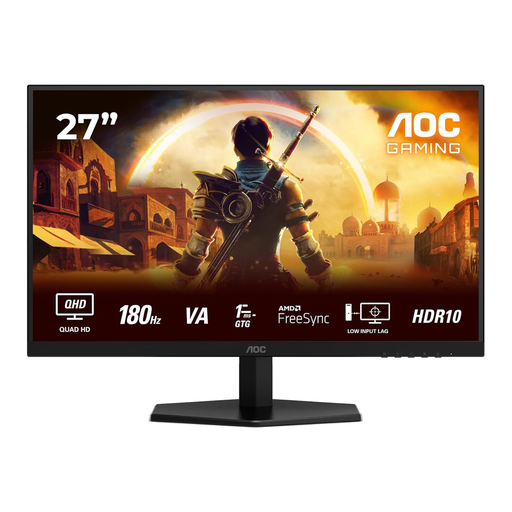 No image available
The 27-inch QHD version offers 2560 × 1440 pixels, making it worth comparing if you’re looking for screen space to view park details.
The product name lists 180 Hz, 1 ms, FreeSync Premium and HDR10.
The stated refresh rate isn’t automatically achievable with every connection or computer.
 No image available
The 27-inch QHD version is worth comparing if you’re looking for a standard-sized screen for viewing park details.
The product name lists a resolution of 2560 × 1440 pixels.
If they’re important for your workspace, check the adjustability and screen finish of this exact version.
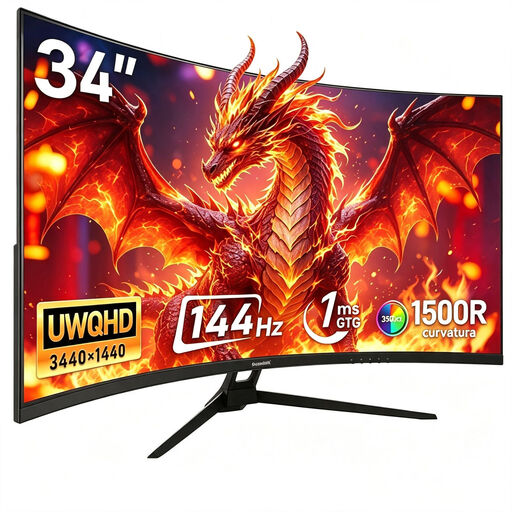 No image available
The 34-inch ultrawide format is worth comparing if you want a wider view of your park. Bear in mind how much desk space you have.
The product name lists 3440 × 1440 pixels, 144 Hz, 1500R curvature and a Fast VA panel.
This wide screen needs more desk space than a smaller monitor.
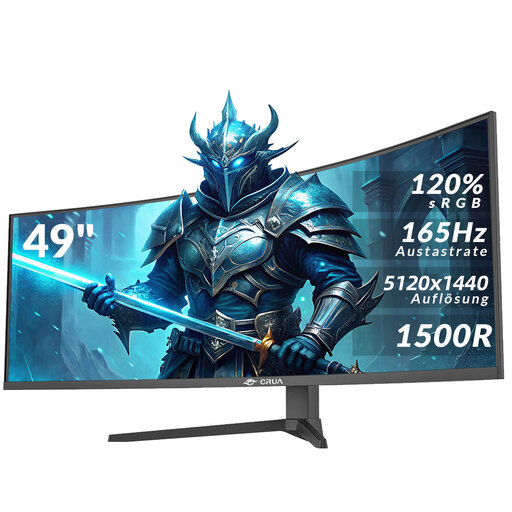 No image available
The 49-inch ultrawide format may be worth considering if you want a wide view of your park. Measure your desk beforehand to make sure it’s wide enough.
The product name lists 5120 × 1440 pixels, a 32:9 aspect ratio, 1500R curvature and AMD FreeSync.
This large monitor needs a lot of desk width.
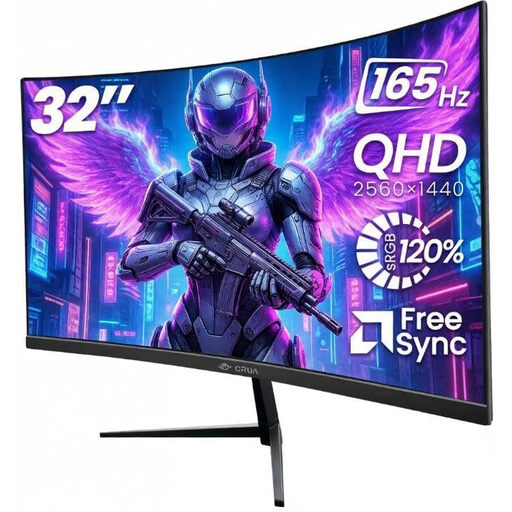 No image available
This 32-inch QHD version is worth comparing if you’re considering a curved screen for park details. Bear in mind how much desk space you’ll need.
The product name lists 2560 × 1440 pixels, 165 Hz, 1500R curvature and Adaptive Sync.
The 32-inch screen takes up more space than a smaller monitor.
No. RTINGS explains that a matt finish can reduce mirror-like reflections, but diffuse light can still affect visibility. So check reflection tests for the exact model and consider how it’s set up in your room.
Check the specifications for each input and set your preferred refresh rate on your computer. For example, ASUS lists different maximums for HDMI and DisplayPort on the VG27AQ3A. Other models may have different limits.
Compare the EU energy label for the exact model; the European Commission uses a scale from A to G for electronic displays. If a product is faulty, ACM ConsuWijzer says the retailer is responsible for the statutory guarantee. A manufacturer’s warranty doesn’t replace it.
In general, ACM ConsuWijzer says that for a standard online consumer purchase, the statutory cooling-off period lasts up to 14 days after delivery. Check for exceptions and the terms of your order. The cooling-off period is separate from your warranty rights if the product is faulty.