
Explorer of vast game worlds
You care most about clear map details, landscapes and picture quality. Compare QHD and 4K with the output supported by your PC or console; PlayStation Support explains the video output settings available on PS5.


For open-world quests at a shared bedroom desk, an adjustable 27-inch QHD monitor is a useful starting point for comparison, but it won’t automatically be the right choice. Consider OLED if dark scenes and contrast matter more to you than the potential drawbacks of static images; opt for 4K primarily if your PC or console can handle the picture mode you want. Also check the stand, audio options and the resolution and refresh-rate mode available through the connection you plan to use.
You care most about clear map details, landscapes and picture quality. Compare QHD and 4K with the output supported by your PC or console; PlayStation Support explains the video output settings available on PS5.
You share your space or lighting, so you’ll want to consider the stand footprint, viewing angles, ambient light and a suitable way to listen to audio. The effects vary depending on the screen model and panel type.
You want your monitor to support the resolution, refresh rate and any variable refresh rate available through your device and connection. Check which modes are supported by the input you’ll actually use.
A good fit if: you share a desk and also play in changing ambient light.
Trade-off: RTINGS generally describes IPS as offering wider viewing angles than VA, but less contrast than VA and less deep blacks than OLED.
A good fit if: you mainly play in a dark room and place a high value on contrast.
Trade-off: RTINGS highlights the risk associated with prolonged static images and less deep blacks in bright surroundings.
A good fit if: you prioritise detail in landscapes and your source device supports the 4K output you want.
Trade-off: check your device’s output mode and connection; a stated refresh rate doesn’t guarantee that a game will reach that frame rate.
A good fit if: you’re considering LCD and value contrast or HDR performance.
Trade-off: RTINGS notes that mini-LED can produce halos around bright objects; an HDR label alone doesn’t tell you how well a model displays HDR.
| Consideration | What to look for when buying | Who should pay particular attention? |
|---|---|---|
| Detail and picture quality | Compare the native resolution, panel type and game mode you want with the output from your PC or console. | If I want to make out maps and landscapes clearly in open-world quests, detail comes first. Around 36% of consumers prioritise picture quality and detail. |
| Space, light and sound | Measure your desk, including the stand, and check reflections, viewing angles and the audio connections on the exact model. | I share my desk and want to consider my housemate’s lighting and peace and quiet. Around 29% of consumers focus mainly on space and light. |
| Connection and smoothness | Check the resolution and refresh rate supported by each input; match them to your device and game. | When I use one screen with a PC or console, I want to know which picture mode the combination actually supports. This compatibility is a priority for around 21% of consumers. |
| Static images and aftercare | For OLED, check the care instructions and warranty terms for the exact model. Compare power consumption using the energy label. | If the same HUD or desktop windows stay on screen for a long time, I want to understand the care requirements and warranty in advance. Around 14% of consumers are mainly concerned about product lifespan and aftercare. |
A monitor’s specifications don’t confirm that your game or source device will use that output. Sony says 120Hz output requires a compatible game and display mode.
Check your game and source device settings, along with the resolution and Hz combination supported by the input you’re using.
QD-OLED can appear to have less deep blacks in bright surroundings. Displaying the same HUD or other static elements for a long time carries a risk of burn-in on OLED, as RTINGS explains.
Consider how much you play in a dark or bright room and how often you use fixed on-screen elements. Follow the care instructions and check the terms for the exact model.
For the AW2725DF, the Joybuy product page lists built-in speakers, while Dell specifies ‘No audio’ for this exact model. A commercial warranty doesn’t replace your statutory warranty rights in the Netherlands.
Check how to connect audio for the exact model and what additional warranty cover, if any, the seller offers. The Dutch Government explains statutory warranty rights.
AOC Netherlands describes the Q27G4XF as a 27-inch QHD IPS model with a height-adjustable stand.
Dell lists the AW2725DF as a QHD QD-OLED monitor with 360 Hz.
ASUS lists the PG27UCDM as an approximately 27-inch 4K OLED model with 240 Hz.
MSI lists the MAG 274QRF QD E2 as a 27-inch QHD Rapid IPS model with 180 Hz and Adaptive-Sync.
LG describes the 27GS85Q-B as a QHD Nano IPS model with a standard refresh rate of 180 Hz and an optional 200 Hz after overclocking.
This selection includes 27-inch QHD gaming monitors and one 4K UHD option, so you can compare resolution and intended use.
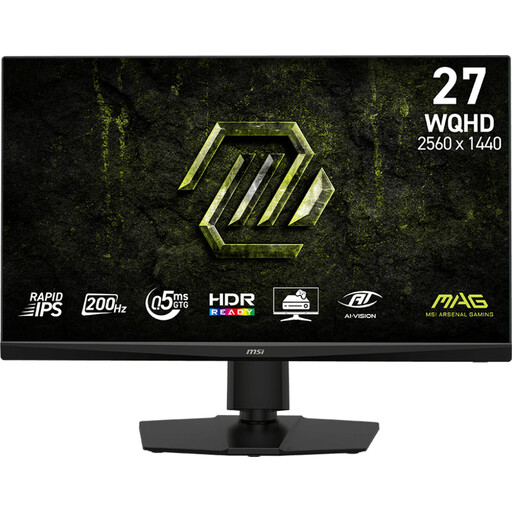 No image available
A QHD option to compare if you’re looking for detail in open-world scenes and a high refresh rate; check which mode your source device supports.
The product name lists 2K WQHD, 200 Hz and Rapid IPS.
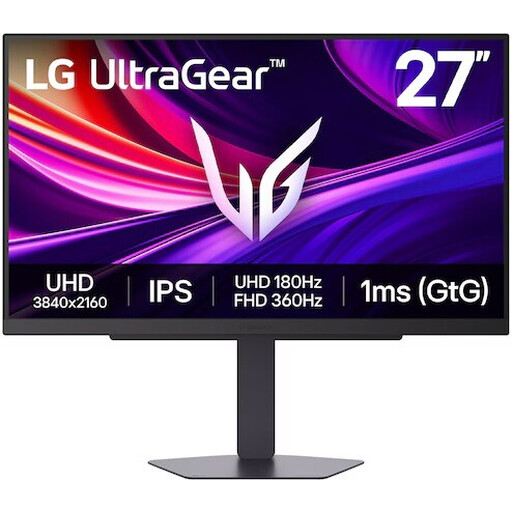 No image available
A 4K option if extra detail in maps and landscapes is your priority; check whether your PC or console supports the resolution and refresh-rate mode you want.
The product name lists 4K UHD, 180 Hz and IPS.
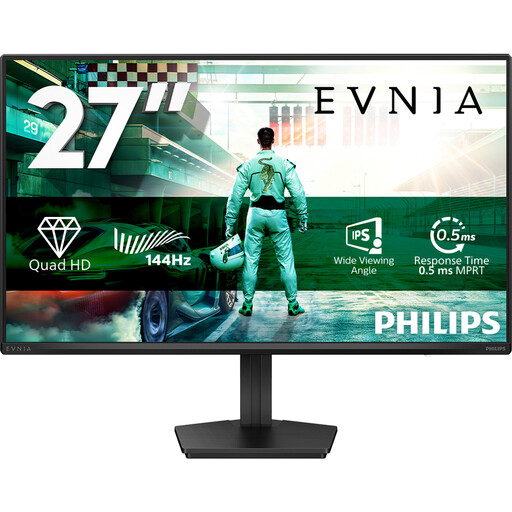 No image available
A QHD option to compare if you want to play open-world games on a 27-inch screen; match your preferred refresh-rate mode to your source device.
The product name lists IPS, 144 Hz, Adaptive Sync, DisplayPort 1.4 and HDMI 2.0.
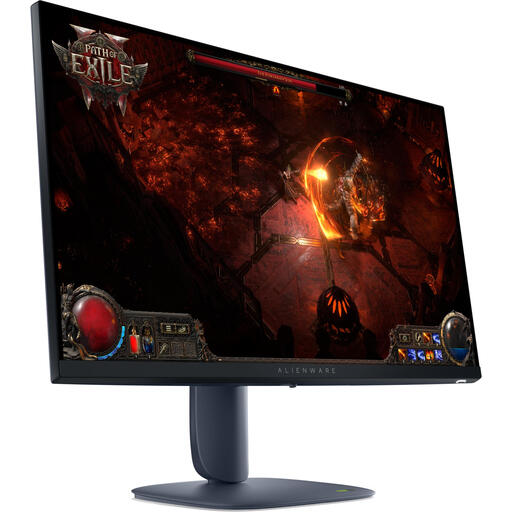 No image available
A QHD model to compare for a shared desk; check the stand adjustment and the refresh-rate mode you want on this version.
The product name lists a 27-inch LCD screen with 2560 × 1440 pixels.
 No image available
A QHD option to compare with similar screens; LG Netherlands marks this specific model as discontinued, so check its status before choosing it.
The product name lists 2560 × 1440 pixels. LG Netherlands specifies a standard refresh rate of 180 Hz for this model and an optional 200 Hz after overclocking.
On your PS5, go to Settings > Screen and Video > Video Output. PlayStation Support explains the information shown for the connected HDMI device and how to test 1440p output; 120 Hz also requires a compatible game and display mode.
Not necessarily: first decide how you want to listen to audio and connect it. Don’t assume a monitor has built-in speakers based on its product title alone; Dell specifies ‘No audio’ for the AW2725DF.
Where possible, vary the static content on screen and follow the care instructions for the exact model. RTINGS describes permanent burn-in after prolonged exposure to the same elements as a risk with OLED; a care feature doesn’t prove that the risk disappears completely.
Compare the EU energy label and product information sheet for the exact models on the same basis of use. The European Commission says monitor labels provide information about the efficiency class and consumption in HDR mode.
For online consumer purchases from a business, you’ll often have a 14-day cooling-off period, subject to exceptions and conditions. This is separate from your statutory warranty rights: the Dutch Government says there is no fixed statutory warranty period in the Netherlands. If a product is faulty, the seller is your point of contact.