
Player of dark fantasy worlds
You want to distinguish dark scenes from bright highlights, so you’re looking at panel type and contrast rather than relying on an HDR label alone.


For dark fantasy worlds with bright highlights, OLED is worth considering if deep blacks are your priority. Mini LED LCD is an alternative if you want local dimming without choosing OLED. An IPS LCD with QHD resolution may suit you better if sharpness and smooth motion matter more. Also choose a resolution and refresh rate that your PC or console can handle through the right connection, and decide whether to plug your headphones into your gaming device or the monitor. RTINGS discusses points to consider, such as OLED burn-in and image artefacts; the monitor specifications quoted here come from the manufacturers.
You want to distinguish dark scenes from bright highlights, so you’re looking at panel type and contrast rather than relying on an HDR label alone.
You want to choose a resolution and refresh rate that your gaming device can make the most of through the connection you’re using.
You want to know in advance whether you can connect your headphones to your PC or console, or whether you’ll need an audio output on the monitor.
Best if: you play in a dark room and deep blacks matter to you.
Bear in mind: static game elements that remain on screen for long periods can cause burn-in on OLED displays; check the terms for the exact model.
Best if: you want high-contrast HDR highlights but would rather not choose an OLED panel.
Bear in mind: picture quality varies between models. Check independent reviews of the exact version, including for possible VRR flicker.
Best if: QHD sharpness and smooth motion matter more to you than the deepest blacks.
Bear in mind: a QHD or refresh-rate specification on its own doesn’t prove that a monitor offers OLED-like contrast or better HDR performance.
| What to consider | What to look for | Who should pay particular attention? |
|---|---|---|
| Contrast and dark scenes | Compare independent reviews of contrast and HDR for the exact model. Also consider the lighting in your room and possible VRR flicker. | If I want to distinguish dark environments from bright highlights, I look at contrast and panel performance. Around 40% of consumers put picture contrast first for fantasy games. |
| Sharpness and motion | Check the native resolution, the maximum refresh rate for each input, and whether your PC or console can handle the combination you want. | If I want to see finer details without sacrificing smooth motion, I match the resolution and refresh rate to my gaming device. Around 30% of consumers prioritise sharpness and smoothness. |
| Headphone connection | Decide where to plug in your headphones. If you’re connecting them through the monitor, check separately whether the microphone works through that connection. | If I play with headphones, I want to know where the sound is coming from and whether my microphone will still work. Around 20% of consumers give the audio connection the highest priority. |
| Long-term use | For OLED, check the care instructions and warranty terms for burn-in. To compare energy information, check the EU energy label for the exact model. | During long gaming sessions with fixed HUD elements, I want to know which usage and warranty terms apply. Around 10% of consumers give the most weight to long-term use and related costs. |
HDR support alone doesn’t tell you how a monitor displays dark areas alongside bright highlights.
As well as checking the stated HDR support, look at local dimming, contrast and independent reviews of the exact model.
Sending audio to your headphones and sending microphone audio back to your gaming device are two separate functions.
First, decide where to connect your headphones and microphone. Then check the ports and audio settings for that exact setup. PlayStation Support explains how to choose audio output on a PS5.
Displaying the same interface for long periods can lead to burn-in on OLED displays. Terms vary by model.
Read the warranty terms for the exact version and follow the recommended panel care guidance. A protection feature doesn’t eliminate the risk.
AOC lists the Q27G3XMN/BK as a 27-inch QHD Mini LED LCD with 336 dimming zones and a maximum refresh rate of 180 Hz. This model may be worth considering if you want local dimming without choosing OLED.
According to MSI, the MAG 274QRF QD E2 is a QHD Rapid IPS monitor with a refresh rate of 180 Hz.
Dell describes the AW2725Q as a 27-inch 4K QD-OLED monitor with a refresh rate of 240 Hz.
ASUS lists the ROG Swift OLED PG32UCDM Gen3, model PG32UCDM3, as having a 31.5-inch 4K Tandem QD-OLED panel with a refresh rate of 240 Hz.
This Joybuy selection includes models for anyone considering local dimming, high resolution or OLED. Check which picture modes, connections and usage terms suit your gaming device for each version.
 No image available
A good fit if you’re looking for local dimming and QHD resolution for high-contrast scenes.
The product information lists 1152 dimming zones, up to 275 Hz, HDR1000 and FreeSync.
 No image available
A good fit if you want to weigh up the choice between 4K detail and a higher refresh rate.
The product information lists 1152 dimming zones, HDR1400 and a Fast IPS panel. The stated modes are 4K at 160 Hz or FHD at 320 Hz; Type-C 65W is also listed.
 No image available
A good fit if you’re looking for an OLED panel and a headphone output on the monitor.
The product name lists QHD (2560 × 1440), 240 Hz, 2× HDMI 2.1 and DisplayHDR 400 True Black. The product specifications include a headphone output.
RTINGS highlights burn-in as something to consider with OLED when static image elements remain on screen for long periods. Bear this in mind if you use a fixed game interface.
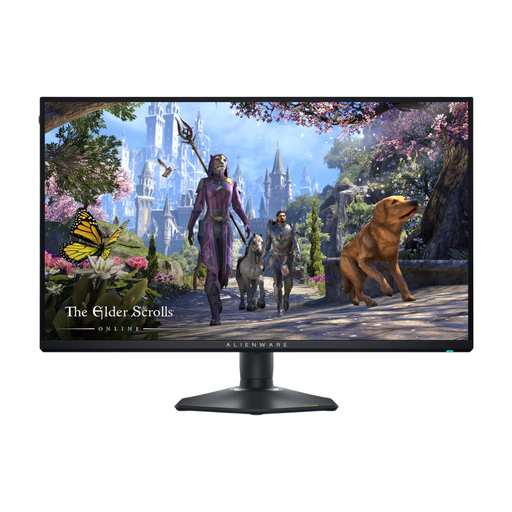 No image available
A good fit if you’re considering a 27-inch 4K monitor. Check the picture mode and connection you want for your gaming device.
The product name lists a 27-inch LCD monitor with a resolution of 3840 × 2160 pixels.
 No image available
A good fit if you’re considering a widescreen QD-OLED display and an analogue audio output.
The product information lists 34 inches, 3440 × 1440 pixels, 175 Hz, a 21:9 aspect ratio and a 3.5 mm analogue audio output.
RTINGS highlights burn-in as something to consider with OLED when static image elements remain on screen for long periods. Bear this in mind if you often use a fixed HUD.
No, not if you connect your headphones directly to a compatible PC or console. On a PS5, you can choose the audio output in the sound settings. If you want to use your headphones through the monitor, check its audio output and whether the microphone works through that connection.
Choose your preferred resolution and refresh rate on your gaming device and monitor, and check that the input you’re using supports that combination. Only enable VRR if both devices and their settings are compatible; watch out for flicker if the frame rate varies.
Be aware of static game elements that stay in the same place for long periods, and follow the care guidance for the exact model. Check separately what the warranty covers in relation to burn-in; a panel protection feature doesn’t eliminate the risk.
For a standard online consumer purchase, you generally have a 14-day cooling-off period after delivery, subject to applicable exceptions. According to ACM ConsuWijzer, there is no fixed legal guarantee period of exactly two years in the Netherlands: what you could reasonably expect from the product is what matters. The legal guarantee is separate from the manufacturer’s warranty.
For electronic displays, including computer monitors, the EU energy label provides information on energy efficiency and, where stated, HDR energy consumption. Compare the label for the exact model. It helps you compare products, but doesn’t tell you which energy class to buy.