
Map maker with lots of editor panels
You want to see the map and controls at the same time, and have room for a larger screen. MSI lists a resolution of 2560 × 1440 pixels for the MAG 274QRF QD E2.


Start by checking how much desk space you have and how easy your map editor is to read: a compact Full HD screen is more likely to fit on a small desk, while QHD gives you more pixels for your map and editor panels. Then choose a refresh rate your PC can support through the connection you plan to use, and check the stand’s dimensions and adjustability too.
You want to see the map and controls at the same time, and have room for a larger screen. MSI lists a resolution of 2560 × 1440 pixels for the MAG 274QRF QD E2.
You need to fit a screen, keyboard and a flatmate’s things into a limited space. The screen and stand dimensions matter here; AOC lists a screen size of 23.8 inches for the 24G4X.
You make maps and also test fast movement in-game. Check which refresh rate your PC can actually support through the connection you choose; LG and Dell specify different requirements for each connection on their models.
First, measure the space available, then decide whether Full HD or QHD gives you enough room in your editor. After that, compare refresh rates and the connections your PC supports.
| What to consider | What to look for | Who is this important for? |
|---|---|---|
| Space in the map editor | Compare the resolution with your workspace and check that maps, text and panels remain easy to read in your own editor. | If you want to see map details and editor panels at the same time, workspace should be your first priority. Around 36% of consumers put editor space first. |
| Fit on your desk | Measure the available width and depth, including the monitor stand; allow space for your keyboard and shared items too. | If you share a small desk, you’ll want to know whether both the screen and stand will fit before choosing a larger screen. Around 29% of consumers give available desk space top priority. |
| Positioning and reflections | Consider light from windows and room lighting, and check which tilt or height adjustments are available on the specific model. | If you share a workspace, screen position and distracting light can affect how comfortable it is to work. Around 21% of consumers prioritise a shared workspace and reducing reflections. The Arboportaal discusses lighting for employees’ workspaces; this is not automatically a legal requirement for personal use. |
| Refresh rate for gaming tests | Check the maximum Hz for each connection and resolution; your PC and the port you use must support the setting you want. | If you often test fast-paced movement, you’ll want to make sure your PC can use the listed setting through your connection too. Around 14% of consumers give fast-paced gaming tests top priority. |
The maximum refresh rate may depend on your PC and connection. A higher Hz figure also doesn’t automatically give you more room in your map editor.
Check the resolution and maximum Hz together for the port you plan to use. First, work out how much space you need for your map.
A stand also takes up space on a shared desk, and the adjustment options vary between models.
Measure the space needed for the screen and stand, and check how adjustable the exact model is. Also consider window light and where other items will go.
An additional warranty does not replace your right to receive a product that conforms to the contract.
Check what any extra warranty covers, and contact the retailer if there’s a fault.
The 24G4X is a compact Full HD option for a desk where space is at a premium.
The MAG 274QRF QD E2 is a QHD option for anyone who wants to combine map editing and gaming tests on one screen.
The UltraGear 27GR83Q-B is a QHD option with a high maximum refresh rate.
The G2725D shows why you should check the refresh rate for each connection and the adjustability of the specific model.
This Joybuy selection includes gaming monitors for making maps and testing gameplay, including QHD models and a portable screen. Compare the size, resolution and connections with your desk and PC.
 No image available
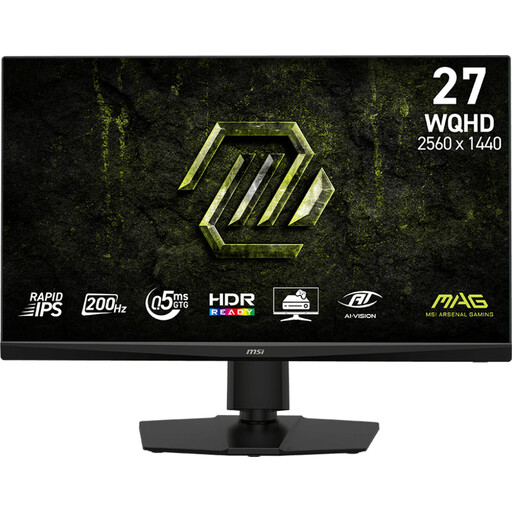
This 27-inch QHD model is an option for combining map editing and gaming tests on one screen.
The product name lists 2560 × 1440 pixels, 200 Hz and a Rapid IPS panel.
 No image available
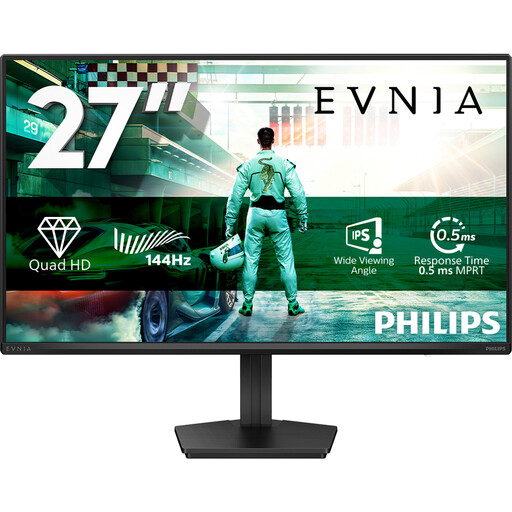
This 27-inch QHD model could suit you if you want to view your map and editor panels on one larger screen.
The product name lists 2560 × 1440 pixels, 144 Hz, DisplayPort 1.4 and HDMI 2.0.
 No image available
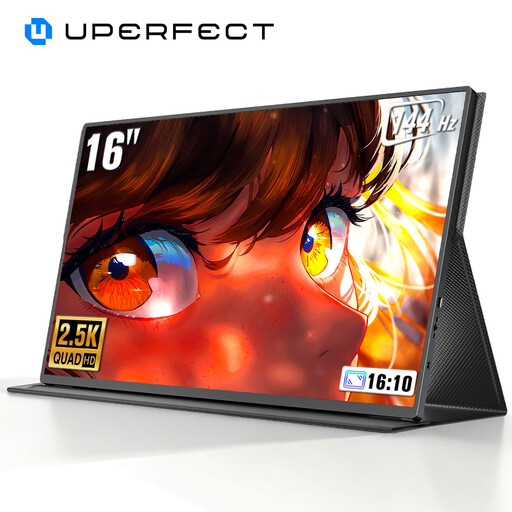
Its 16-inch size makes this a portable option when space on a shared desk is limited.
The product name lists 2560 × 1600 pixels and 144 Hz. The description mentions Mini HDMI, Type-C and VESA compatibility; check that the connections are suitable for your PC.
 No image available
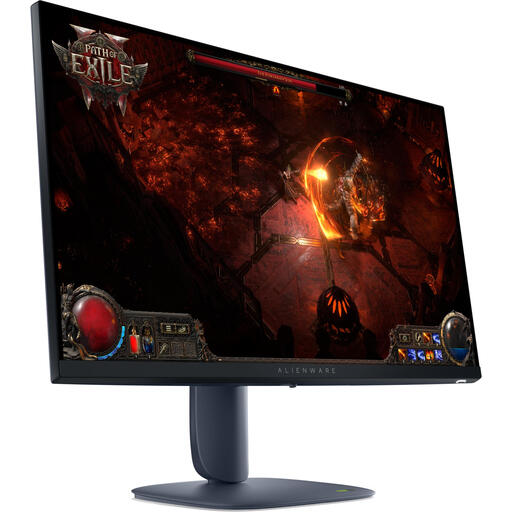
This 27-inch QHD model gives you a larger screen for viewing map details and gameplay on the same monitor.
The product name lists 2560 × 1440 pixels. The product description mentions 180 Hz, G-SYNC and FreeSync Premium Pro compatibility, and an adjustable stand.
 No image available
This 27-inch QHD model is an option if you want to combine map editing with testing fast-paced gameplay.
The product description lists 2560 × 1440 pixels, up to 200 Hz, G-SYNC and FreeSync compatibility, and a stand with height, tilt and swivel adjustment.
No, both Full HD and QHD are suitable options. QHD gives you more pixels for a map and editor panels, but only choose that resolution if your desk and PC can handle it. Check how easy it is to read in your own editor.
The maximum supported setting can vary by connection and resolution. Dell lists QHD at up to 180 Hz via DisplayPort and up to 144 Hz via HDMI for the G2725D; for QHD at 240 Hz on the 27GR83Q-B, LG requires a suitable graphics card and connection. Once connected, check which setting is active on your PC.
If needed, adjust the screen’s position in relation to the window and see whether you can change the ambient lighting. The Arboportaal discusses lighting for employees’ computer workstations; at home, this is a practical consideration and not automatically a legal requirement.
For eligible distance purchases from a business, a 14-day cooling-off period applies in many cases. The Rijksoverheid describes statutory warranty as the right to a product that works as it should; there is no fixed statutory warranty period, and you should contact the retailer if there’s a fault. Check the terms that apply to your specific purchase.
EU energy labelling rules cover ordinary computer monitors. The European Commission describes a scale from A to G; check the label and product information for the specific model rather than estimating energy consumption from screen size or Hz.