
Map-detail seeker
You want to read routes, text and landmarks on the multiplayer map, and can make room for a larger screen.


A more compact screen is easier to fit on a small desk, while a larger QHD screen gives you more room to view map text and landmarks. Choose between these options based on the space you have and how much detail you need, and check that your PC or console supports the desired resolution and refresh rate through the connection you plan to use. In a shared bedroom, also consider the monitor stand, ambient light and whether you can connect headphones.
You want to read routes, text and landmarks on the multiplayer map, and can make room for a larger screen.
You share a bedroom and want a screen that doesn’t take up the whole desk. Placement and ambient light also matter.
You learn the map during fast-paced matches and prioritise motion handling, provided your system can make use of the refresh rate you choose.
Choose this option: if desk space is limited and you want to take in the whole screen easily during fast-paced matches.
The trade-off: a smaller screen takes up less space, but offers less physical area for map details than a larger model.
Choose this option: if readable map details and a larger screen are important, and the stand fits on your desk.
The trade-off: according to Dell, the Dell G2725D supports QHD at up to 180 Hz via DisplayPort and up to 144 Hz via HDMI. Check the input limits of the model you choose.
Choose this option: if contrast and fast pixel transitions are high on your list.
The trade-off: Tweakers notes the Gigabyte MO27Q2A’s fast response times, but also reports colour fringing around text and blacks that can look greyer in ambient light.
Choose this option: if motion handling in competitive matches matters more than a larger QHD workspace.
The trade-off: the BenQ ZOWIE XL2546X+ is a specific 280Hz Fast-TN model. BenQ’s claims about motion clarity are not an independently verified benefit for every game or player.
| Factor to consider | What to look for when buying | Who is this important to? |
|---|---|---|
| Reading map details | Compare screen size and resolution, and check that your PC or console can output that resolution. | If I want to distinguish routes, text and landmarks, readability matters most to me. Around 33% of consumers rank map readability as their top purchase priority. |
| Desk space and placement | Measure the available width and depth, including the stand; check the adjustment options on the exact model. | When I share a bedroom and have limited desk space, I want to know whether the screen and stand will fit my setup. Around 27% of consumers give limited desk space top priority. |
| Motion in fast-paced matches | Check the supported refresh rate for each input and resolution, and what your system can output. | If I’m learning the map during fast-paced battles, I want to follow the action clearly without choosing a refresh rate my system can’t make use of. Around 20% of consumers prioritise motion handling. |
| Sharing light and sound | Check the ambient light and screen adjustability, and find out where you can connect headphones. | If someone else is in the bedroom, I want to position my screen and sound so they work in a shared space. Around 20% of consumers give comfortable shared use top priority. |
An overclocked maximum is not the same as the native refresh rate. The maximum frequency can also vary by connection; for example, Dell lists different limits for DisplayPort and HDMI on the G2725D.
Compare the native figure and any overclocked figure separately. Then check the desired resolution and refresh rate for the input you’ll actually use.
In a shared bedroom, a wide or deep stand can take up space you need for other things on your desk.
Measure your desk and compare the dimensions of both the screen and the stand on the exact model.
Tweakers notes the Gigabyte MO27Q2A’s fast response times, but also reports colour fringing around text and blacks that look greyer in ambient light.
Take the light in your room and how much map text you read into account. Compare those conditions with the LCD option you’re considering.
The MO27Q2A is a specific 27-inch QHD QD-OLED model for those who value both speed and contrast.
The Q27G4ZR is a specific 27-inch QHD Fast-IPS model to compare with an LCD option.
The XL2546X+ is a specific Fast-TN model aimed at esports use.
The G2725D is a specific 27-inch QHD Fast-IPS model where the input and stand adjustability are important considerations.
This selection includes 27-inch QHD monitors for viewing map details, plus a more compact 24-inch Full HD option for a smaller desk setup. Compare the dimensions, listed refresh rate and connections with your own system.
 No image available
A good fit if you’re looking for a 27-inch QHD screen for viewing map details and playing fast-paced matches, provided it fits on your desk.
27 inches; Quad HD; 180 Hz; AMD FreeSync; headphone output.
 No image available
A 27-inch QHD option if you want to view map details; measure beforehand to make sure the screen and stand will fit on your desk.
27 inches; 2560 × 1440; 180 Hz; FreeSync Premium; 2 × HDMI 2.0 and 1 × DisplayPort 1.4.
 No image available
A good fit if you want a larger QHD screen and to connect headphones through the monitor; check that the stand fits your shared setup.
27 inches; IPS; 2560 × 1440; 144 Hz; Adaptive Sync; HDMI 2.0, DisplayPort 1.4 and headphone output.
 No image available
A 27-inch QHD option if you want to read map details; bear in mind the desk space it requires.
2560 × 1440; 120 Hz; Adaptive Sync; HDMI and DisplayPort.
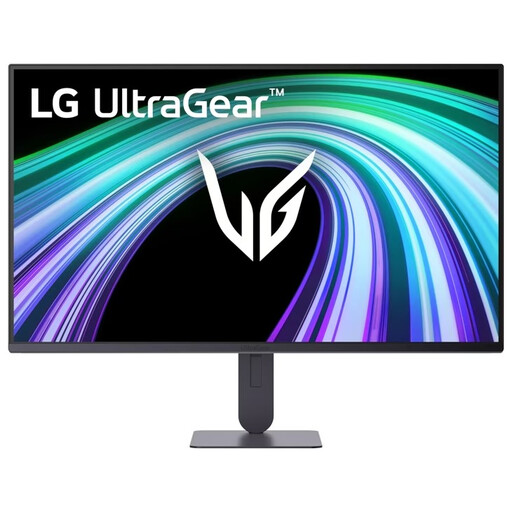 No image available
The more compact screen size is a good fit if you want to keep desk space free; Full HD has fewer pixels than the QHD options in this selection.
24 inches; Full HD; 144 Hz; FreeSync; headphone output and integrated speakers. The stand is height- and tilt-adjustable.
On a PS5, go to Settings > Screen and Video > Video Output to view the current signal and the capabilities of the connected screen. Sony also provides a test for 1440p output at 60 and 120 Hz and, where supported, VRR. Check the input limits of the exact monitor model too.
It varies by model. Gigabyte specifies height, swivel and tilt adjustment for the MO27Q2A; Dell lists a stand for the G2725D that only tilts. Check the dimensions of the stand before choosing a monitor, too.
For an eligible online consumer purchase, you generally have a 14-day cooling-off period, according to the Dutch government. You’re also entitled to a product that is fit for purpose; in the Netherlands, there is no fixed statutory guarantee period. Check the applicable terms and contact the seller if there’s a fault.