What should you look for?
Choose a monitor to suit your device, game and available space. Peak specifications on their own don’t tell you which display mode you’ll actually be able to use.
| What to consider |
What should you check? |
Who is this most relevant to? |
| Compatibility |
Check your console or PC’s output, the resolution and fps of the specific game, and the capabilities of the HDMI or DisplayPort input you’ll use. |
I want to make sure my device and kart racing game support the display mode I’ve chosen before settling on a monitor. Around 36% of shoppers in this decision group prioritise compatibility. |
| Smooth PC gameplay |
Compare the desired resolution and refresh rate for each connection; don’t treat GtG and MBR response-time figures as the same measurement. |
When racing on PC, I want to know whether my game and connection can make the most of the refresh rate I’m aiming for. Around 29% of shoppers put smooth motion first. |
| Size and placement |
Measure the available space, including the stand, and check whether the PC game supports 21:9. |
I’m considering a wider screen, but don’t want it to take up too much room or find that my game doesn’t support the aspect ratio. Around 21% of shoppers prioritise size and setup. |
| Panel and care |
Check the manual and protection settings for the exact OLED model if the same bright HUD stays on screen for a long time. |
If panel type matters to me, I also want to know what fixed image elements left on screen for long periods mean for everyday use. Around 14% of shoppers prioritise panel quality and care. |
Joybuy monitors for different setups
This selection of Joybuy models includes 27-inch QHD monitors, a 4K monitor and a 34-inch UWQHD ultrawide. Check that your own device and game support the display mode you want before choosing it.
 No image available
AOC Gaming Q27G42XNE
A 27-inch QHD option to consider if your PC and game support the refresh rate you want.
The product name lists QHD (2560 × 1440), 180 Hz, 1 ms, FreeSync Premium, HDR10, two HDMI 2.0 connections and DisplayPort 1.4.
Joybuy
 No image available
Philips Evnia 27M2N3500NF
A 27-inch QHD model to compare if you’re looking for an IPS screen and the listed PC connections.
The product name lists IPS, 144 Hz, 0.5 ms Smart MBR, HDR10, Adaptive Sync, DisplayPort 1.4 and HDMI 2.0.
Joybuy
 No image available
LG UltraGear 27GX704A-B.AEU
A 27-inch OLED option for anyone who values panel type and wants to check the manual and terms for their intended use.
The product name lists QHD (2560 × 1440), 240 Hz, DisplayHDR 400 True Black, G-SYNC Compatible, FreeSync Premium Pro, two HDMI 2.1 connections and DisplayPort 1.4.
Joybuy
 No image available
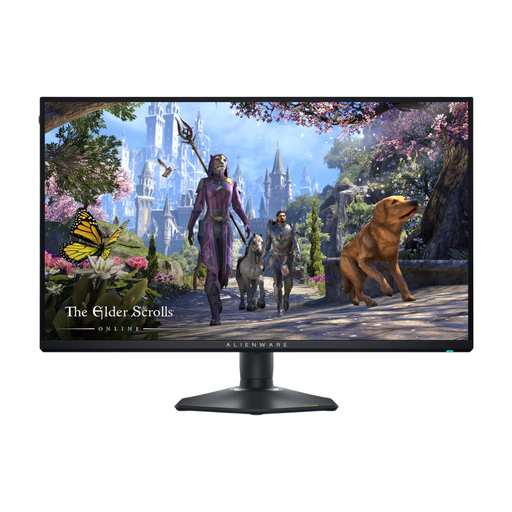
Alienware AW2725QF
A 27-inch 4K model to compare if your chosen console, PC and kart racing game support the resolution you want.
The product name lists 3840 × 2160, 4K Ultra HD and an LCD screen.
Joybuy
 No image available
Philips Evnia 34-inch UWQHD
A wide-screen option for PC if your game supports 21:9 and you have enough space; measure the area, including the stand.
The product name lists UWQHD, 180 Hz, Adaptive Sync, a VA panel and a curved screen. The 21:9 display is only suitable if the game supports that aspect ratio.
Joybuy
Frequently asked questions
Will a monitor above 120 Hz automatically give me an advantage in kart racing?
No, not automatically: output depends on the device and game. Nintendo lists up to 4K/60 fps for Switch 2 TV output, and support for up to 120 fps at 1080p or 1440p; PlayStation offers 120Hz output for games that support it. Check the specific game and the selected HDMI mode.
How do I check the connection after setup?
Once connected to an input that supports the mode you want, check the video output settings on your device. On PS5, you can find information about the resolution, VRR and HDR of the connected HDMI device under Settings > Screen and Video > Video Output.
What should I do if the same racing HUD stays on screen for a long time?
With OLED, it’s sensible to avoid displaying the same image at high brightness for extended periods. Only use protection features listed in the manual for your exact model; BenQ’s advice about OLED features doesn’t automatically apply to a Philips monitor.
Which product safety requirements apply to a monitor?
Electrical and electronic products placed on the market in the Netherlands must meet the applicable European requirements. According to the Dutch government’s Business.gov.nl, after assessing conformity, the manufacturer must affix the required CE marking and draw up an EU declaration of conformity. A CE marking is not a quality mark.
Who can help if a monitor I bought online turns out to be faulty?
The Dutch government says you should contact the seller for a solution if a product doesn’t conform to the contract. A manufacturer’s warranty or additional warranty doesn’t replace your statutory rights against the seller.


