
Kart racer with a narrow desk
You want to know first whether both the screen and its stand will fit, so measure the available width and depth. ASUS lists the VG249Q3A as 54,10 cm wide and 17,40 cm deep with the stand.


Start by measuring the available width and depth, including the stand or monitor arm. Then check which resolution and refresh rate your gaming device can support through the connection you plan to use. A compact 16:9 screen is a practical choice when space is limited. A 27-inch monitor gives you a larger picture if it fits, while an ultrawide only makes sense if both your set-up and the game support the wider image. A monitor’s maximum refresh rate doesn’t guarantee that your game will deliver it.
You want to know first whether both the screen and its stand will fit, so measure the available width and depth. ASUS lists the VG249Q3A as 54,10 cm wide and 17,40 cm deep with the stand.
First, check which console you have and which resolution and refresh rate it supports through the connection you plan to use. Nintendo says that the Switch Lite doesn’t support TV mode; a standard Switch can be connected to an external screen using the dock and an HDMI cable.
Compare 27-inch QHD with ultrawide, and check in advance that your game and PC support the resolution and aspect ratio you want, and that the screen will fit in the space available.
Choose this if: desk width or viewing distance is your main constraint.
Bear in mind: Full HD and a smaller screen area compared with 27-inch QHD or ultrawide.
Choose this if: you want more screen space than you get with a 24-inch monitor, and the screen, including its stand, will fit on your desk.
Bear in mind: your PC or console and the game must support QHD.
Choose this if: you have enough horizontal space and the specific game supports the wider aspect ratio.
Bear in mind: a wider screen doesn’t guarantee that a game will show more of the playing area.
| What to consider | What should you check? | Who is this important for? |
|---|---|---|
| Will the complete set-up fit? | Measure the available width and depth. Compare these with the dimensions including the stand, and leave room for cables and positioning. | If I have limited desk space, I want to know whether the screen and stand will fit together. Around 36% of consumers put physical fit first. |
| Is the monitor compatible with my device? | Check the video output, cable, resolution and refresh rate for each input on your exact device and game. If you’re using a console, check whether it can output to an external screen. | If I’m kart racing on a console or PC, I want to know before buying whether my device supports the connection and display settings I’m aiming for. Around 29% of consumers give compatibility top priority. |
| Will fast movement stay clear? | Check the refresh rate supported through the input you’re using, as well as what the game and source can actually output. Only consider adaptive sync if you have a compatible source. | If clear motion is important to me while racing, I want to know what my game and connection can make use of. Around 21% of consumers prioritise smooth visuals. |
| Is a larger or wider picture worth the space? | Compare the dimensions with the space you have, and check that the game supports the aspect ratio you want. Also check that your source can handle the chosen resolution. | If I want more screen space, I’m happy to check the available space and game support first. Around 14% of consumers prioritise a wider or more detailed picture. |
The stand also affects how much desk depth you need. A VESA measurement doesn’t confirm that an arm or desk is suitable.
Compare the dimensions with the stand, and if you’re using an arm, check the mounting pattern, load capacity and mounting position.
You may need a monitor arm or a different position if the stand won’t fit in the space available.
The usable refresh rate can vary by connection. Dell lists a maximum of 180 Hz at QHD via DisplayPort and up to 144 Hz via the specified HDMI inputs for the G2725D.
Check the specifications for the resolution and port you’ll actually use.
A resolution of 3440 × 1440 describes the panel, but doesn’t confirm that a particular game will show a wider playing area.
Check the aspect ratios supported by the exact game, and measure whether the screen will fit in the space available.
According to the Dutch government, you have statutory rights to a product that works properly. An additional warranty is only an extra if it offers further rights.
Compare the terms of an optional warranty with your existing statutory rights.
The TUF Gaming VG249Q3A is a compact 23,8-inch Full HD option, with a maximum refresh rate of 180 Hz specified by ASUS.
The 24G4X is a compact 23,8-inch Full HD monitor with a maximum refresh rate of 180 Hz specified by AOC.
The UltraGear 27G610A-B is a 27-inch QHD option, while the 34G600A-B is a 34-inch ultrawide option.
The G2725D shows why you should check the maximum refresh rate for each port on a 27-inch QHD monitor.
This selection includes portable 16-inch monitors and compact gaming monitors around 24 inches. Check that each model’s connections and display settings suit your device and game.
 No image available
This portable 16-inch model could suit a compact set-up; check that its connections are suitable for your device.
The product name lists 144 Hz, Full HD, IPS, 16:10, FreeSync, two USB-C ports, Mini HDMI and a built-in stand.
 No image available
This compact Full HD gaming monitor could suit a 16:9 set-up; check its dimensions and the space available on your desk.
The version described is 23,8 inches, IPS and up to 144 Hz. The description lists support for G-SYNC and FreeSync.
 No image available
The portable 16-inch size is an option when space is limited; check in advance that your device supports the resolution and connection you want to use.
The product name lists 2560 × 1600, 16:10, 144 Hz, QLED, Mini HDMI and USB-C.
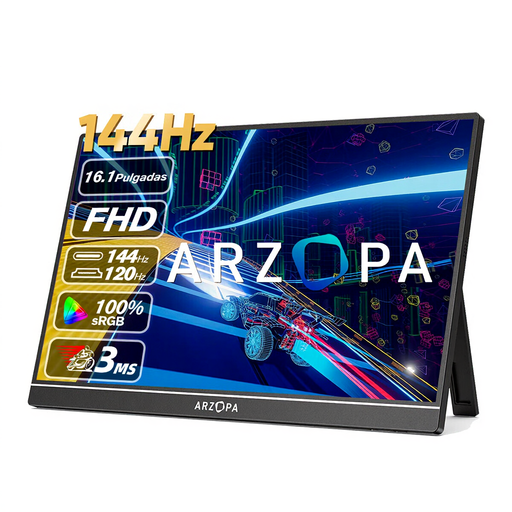 No image available
The portable size and built-in stand suit a compact gaming set-up; check that your device has the connection you need.
The product name lists Full HD and up to 144 Hz. The product description mentions 1920 × 1080, HDMI, USB-C and a kickstand.
 No image available
This 23,8-inch Full HD monitor is a compact 16:9 option. Measure the available space, including the stand, before deciding.
ASUS lists a resolution of 1920 × 1080 and a maximum of 180 Hz. The stated width is 54,10 cm, with a depth of 17,40 cm including the stand.
No. Measure the space and compare it with the monitor’s dimensions, including the stand. Leave room for connections and cables too. ASUS lists the VG249Q3A as 54,10 cm wide and 17,40 cm deep with the stand.
According to Nintendo, a standard Nintendo Switch can be connected to a monitor using the dock and an HDMI cable. The Switch Lite doesn’t support TV mode. For other systems, check the manual and video outputs for the exact model.
No. These are stated maximums for specific monitors; your device, game and connection must also support the refresh rate you want. For example, Dell lists different QHD maximums via DisplayPort and HDMI for the G2725D.
Check the mounting pattern, load capacity, available space and whether the mounting position is suitable. ASUS lists a 100 × 100 mm VESA pattern for the VG249Q3A; that alone doesn’t confirm that every arm or desk will fit.
According to ACM ConsuWijzer, online purchases from a business generally come with a statutory cooling-off period of up to 14 days after delivery, subject to applicable exceptions. You also have statutory rights if a product doesn’t meet the terms of the agreement; the Dutch government says there is no fixed general warranty period in the Netherlands. A manufacturer’s warranty or paid add-on doesn’t replace those rights.