
Player short on desk space
You share a desk or bedroom and want to know whether the screen and stand will fit. Measure the space for the complete setup; the screen size alone won’t tell you how much room the stand takes up.


Start by considering the desk space available, your viewing distance and whether you often play together in split-screen mode. A compact 16:9 monitor takes up less room; a larger screen can be more comfortable to share, if you have the space. Then check your gaming device’s video output and how you can play quietly: a monitor’s maximum refresh rate does not automatically match your game’s frame rate.
You share a desk or bedroom and want to know whether the screen and stand will fit. Measure the space for the complete setup; the screen size alone won’t tell you how much room the stand takes up.
You often play with someone sitting beside you and want to enjoy the racing action together. Nintendo Netherlands says that Mario Kart 8 Deluxe can be played in split-screen mode on one system; according to Nintendo Netherlands, Mario Kart World supports multiplayer on one system.
You want to race without disturbing the other person with the sound. Check how your gaming device can send audio to headphones; built-in monitor speakers won’t make gaming quiet on their own.
First measure the space and decide whether you usually play alone or together. Then check that the monitor, game and device are compatible, including the audio connection.
| What to consider | What should you check? | Who is this important for? |
|---|---|---|
| Desk space | Measure the width and depth, then compare them with the screen’s dimensions, including the stand. | If you use part of a shared desk, you’ll want to know whether the complete setup will fit. Around 33% of shoppers give desk space their highest priority. |
| Sharing the screen | Check whether your game supports playing on one screen, and consider the screen size and viewing distance from both seats. | If you often race alongside someone, you’ll want both of you to see the shared image clearly. For around 25% of shoppers, playing together on one screen comes first. |
| Device and game | Check the video output of your exact device and game, as well as the monitor’s supported resolution and connection. | If you use a specific console or PC, you’ll want to make sure the monitor can be connected correctly. Around 25% of shoppers give device and game compatibility their highest priority. |
| Sound for your room-mate | Check your gaming device’s audio output and volume controls, as well as the monitor’s connections. | If someone else in the room needs some peace and quiet, you’ll want to find a suitable way to play with headphones. For around 17% of shoppers, keeping game noise to a minimum is the main consideration. |
The percentages are estimates for this scenario, showing the distribution of main considerations for this choice; they are not measured preferences among Dutch shoppers.
Best suited to: limited space or mostly playing alone at close range.
Bear in mind: when you play together in split-screen mode, each player gets only part of the image.
Best suited to: regular gaming together, with enough space and a suitable viewing distance.
Bear in mind: the screen takes up more room, and a higher resolution doesn’t guarantee that the game will use it.
A monitor’s maximum refresh rate doesn’t tell you the frame rate your gaming device and game will actually deliver.
First check the exact gaming device, game and connection you’ll use. Only then compare the Hz ratings.
The stand and cables take up space too. The screen also needs to be easy to see from both players’ seats.
Measure the space, including room for the stand and cables, before choosing a screen size.
The Joybuy product page for the AOC Q27G42XNE is for a different model from the AOC 24G4X. The page also lists different refresh rates in the title and a specification field.
Compare the full model number and specifications with the manufacturer’s information. Check any conflicting details before making a decision.
The MOBIUZ EX240N is a compact 23.8-inch monitor to consider if you also play with sound on.
According to AOC, the 24G4X is a compact 23.8-inch Full HD monitor with an IPS panel.
The Evnia 24M2N3200A/00 is a compact Full HD option to compare with other models.
The SE2426HG is a compact 23.8-inch Full HD IPS monitor that’s also worth considering for PC gaming.
According to LG, the UltraGear 24GS60F-B is a compact Full HD IPS monitor with a headphone output.
These picks include compact gaming monitors and a few larger models for enjoying a racing game together. Measure the available space and check your gaming device’s connections when comparing them.
 Image unavailable
A larger screen for sharing can be a good fit if your desk and viewing distance give you enough room.
27 inches; 2560 × 1440; 2 × HDMI 2.0; 1 × DisplayPort 1.4.
 Image unavailable
The 24-inch size could be a good option if you’re looking for a compact gaming setup; remember to measure the space needed for the stand too.
24 inches; 1080p; 200 Hz; 1 ms; IPS.
 Image unavailable
The stated 24-inch size is a compact option to compare for a shared bedroom.
24 inches; Full HD.
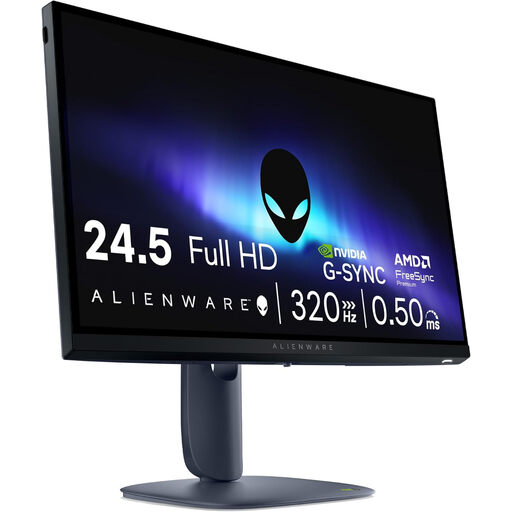 Image unavailable
This size could be worth considering if there’s enough space for a shared viewing setup.
24.5 inches; 1920 × 1080; Full HD.
 Image unavailable
A compact size to compare if space is limited; check that the stand works with your seating positions.
24 inches; Full HD; IPS; 144 Hz.
The stand only tilts from -5° to 15°, which may limit positioning for two viewing positions.
No. According to Nintendo Netherlands, the standard Nintendo Switch outputs up to 1080p in TV mode. A 4K monitor won’t automatically turn that output into 4K. Nintendo also says that the Switch Lite doesn’t support TV mode.
No. Don’t assume Mario Kart World’s frame rate from the console’s maximum capabilities. Nintendo lists up to 120 fps for Switch 2, depending on support, and up to 60 fps at 4K; this doesn’t confirm a specific frame rate for this game.
Use a Switch that supports TV mode, then check the available resolution and sound settings under System Settings and TV Output. Nintendo lists options including Automatic, 720p and 1080p. Also make sure the monitor is set to the correct input.
Compare the energy information on the EU energy label for the exact models on the same basis. The European Commission says energy labelling rules also cover computer monitors, with exceptions for certain displays. An energy rating alone won’t calculate your electricity costs.
For a consumer purchase, ACM ConsuWijzer says you have a legal guarantee from the seller if the product doesn’t meet what you could reasonably expect; this isn’t simply a fixed two-year period. For an ordinary online purchase, you generally have up to 14 days after delivery to change your mind. Check which exceptions and return conditions apply to your purchase.