
Console racer with headphones
You want to know what resolution and frame rate your game delivers over HDMI, and where to connect your headphones.


First, match your monitor to your console or PC’s video output and your kart racing game’s frame rate; a high refresh rate alone won’t give you extra frames. Nintendo Netherlands states that the Switch 2 supports up to 120 fps at 1080p or 1440p, and up to 60 fps at 4K in TV mode, though support varies by game. Then decide where to connect your headphones and any microphone: a headphone output on the monitor doesn’t automatically mean it has a microphone input.
You want to know what resolution and frame rate your game delivers over HDMI, and where to connect your headphones.
You want to match the monitor’s refresh rate to your PC’s frame rate and check what HDMI or DisplayPort can do on the model you choose.
You’d prefer a larger QHD picture on your desk, provided your gaming system and connection support the output you want.
First, check what your gaming system and chosen game can output. Then choose a resolution and refresh rate to match, and decide whether to connect your headphones to the monitor, console, controller or PC.
The points below cover the main buying considerations when choosing a monitor for kart racing with headphones.
| What to consider | What to look for when buying | Who is this important for? |
|---|---|---|
| Gaming system and game | Check the game’s resolution and frame rate, as well as the output and input you’ll be using. | I want to know first whether my console and kart racing game can deliver the resolution and frame rate I’m after. Around 29% of consumers prioritise compatibility with their gaming system and game. |
| Headphone audio | Decide where to connect your headphones and check the microphone connection separately. | I want to hear game audio through my headphones and know whether I can use the microphone too. Around 29% of consumers put headphone audio first. |
| Refresh rate | Compare the refresh rate in Hz for each input with your game’s frame rate. | I want smooth racing without paying for a refresh rate my system or game can’t make use of. Around 24% of consumers give the most priority to a suitable refresh rate. |
| Size and resolution | Compare screen size and Full HD (1920 × 1080) with QHD (2560 × 1440), and check your device’s output. | I want more screen space and detail, as long as the monitor fits on my desk and my device supports the output I want. Around 18% of consumers prioritise size and picture detail. |
The maximum refresh rate can vary by port. Dell specifies a maximum of 144 Hz via HDMI and 180 Hz via DisplayPort at QHD for the G2725D.
Compare the specifications for the port you’ll use on the exact model with your gaming system’s output.
A headphone output doesn’t necessarily mean your headset’s microphone will work through that connection too.
Before buying, work out where you’ll connect both the headphones and microphone. Check the audio settings and connections on your own devices.
Nintendo states that support for frame rates, HDR and VRR varies by game.
Check the game you want to play and its game mode before choosing a monitor based on the console’s maximum output.
The 24G4X is a compact Full HD option with a stated high refresh rate.
The G2725D is a 27-inch QHD model with a clearly listed headphone output.
The UltraGear 27GS85Q-B is a 27-inch QHD model with Nano IPS.
The Odyssey G5 G50F LS27FG502EUXEN is a 27-inch QHD model with Fast IPS.
The Evnia 24M2N3200A/01 is a compact Full HD option.
These Joybuy products suit a 27-inch QHD setup, as well as compact or portable gaming screens. Match the specifications to your system’s output and your headphone connections.
 No image available
A good fit if you’re looking for a 27-inch QHD gaming screen; check that your system and chosen input support the picture settings you want.
27 inches, WQHD, 200 Hz and Rapid IPS, according to the product name.
 No image available
A 27-inch QHD option if you’re after more picture detail; match the refresh rate you choose to your system and the input you’ll use.
180 Hz, 1 ms, FreeSync Premium and HDR10, according to the product name. Connections: 2 × HDMI 2.0 and 1 × DisplayPort 1.4.
 No image available
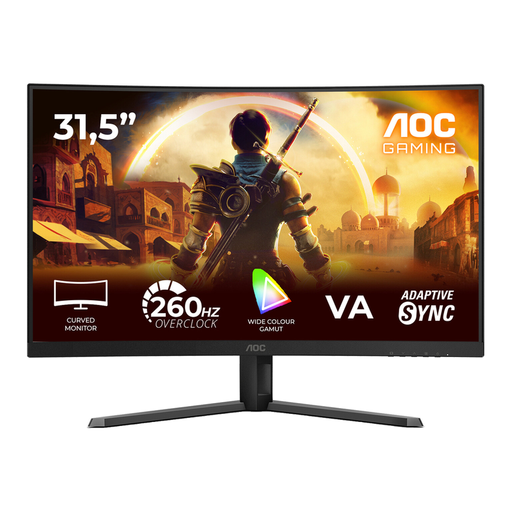
This larger curved FHD setup is suited to those with enough desk and viewing space; also check that Full HD suits your preferred screen size.
1920 × 1080, VA panel and 1500R, according to the product name. The stated refresh rate is 240 Hz native and 260 Hz overclocked.
 No image available
A portable screen option if you’re looking for a compact gaming setup. The product title mentions Switch and PS5; check the video connection and cables required for your setup.
15.3 inches, FHD and USB-C, according to the product name.
 No image available
A portable FHD monitor for gaming beyond a fixed desk setup; check that the connections are compatible with your device.
144 Hz, 16:10, 2 USB-C ports and Mini HDMI, according to the product name.
Not just because of the Switch 2’s maximum video output. Nintendo Netherlands states that it supports up to 120 fps at 1080p or 1440p and up to 60 fps at 4K in TV mode; the frame rate supported by a game can vary.
No, not necessarily. Nintendo lists a 3.5mm connection with the CTIA standard for the Switch 2. You can also use the audio connection on your gaming system or controller if your headphones are compatible. To hear audio through the monitor, check that the exact model has a headphone output; check the microphone connection separately.
The input you choose and your device’s output can affect the refresh rate available. Dell specifies a maximum of 144 Hz via HDMI and 180 Hz via DisplayPort at QHD for the G2725D. Also check your device’s output settings and what your game supports.
According to ACM ConsuWijzer, for a standard online product purchase you generally have a statutory cooling-off period of up to 14 days after delivery, subject to legal exceptions. If a product breaks during normal use sooner than you could reasonably expect, the seller must offer an appropriate free solution, according to ACM ConsuWijzer. An extra guarantee doesn’t replace your statutory rights.