For a screen you use both for working from home and designing a virtual home, clear text, enough workspace and a suitable connection are good starting points. A 27-inch QHD IPS monitor is a well-founded option, not a minimum requirement. OLED may be a good fit if contrast in dark scenes is your priority, but weigh up the risk of burn-in if you display static content for long periods. You should also check the adjustability, connections and warranty terms for the specific model.
Who is this choice relevant to?
Working from home and designing, too
Uses the same desk and screen for text, windows and designing a virtual home. Readability, the stand and the connection all matter; Arboportaal highlights readability, screen height and reflections as things to consider when working with screens.
Detail-focused interior design player
Wants to see furniture, colours and the game interface clearly, and weighs up resolution and panel type against what their computer can deliver. Xiaomi Netherlands and ASUS Netherlands specify QHD models for this kind of viewing.
Fan of dark gaming scenes
Prioritises contrast, but also considers the hours spent looking at the same static work windows or game elements. RTINGS describes the risk of burn-in when the same static elements are displayed for a long time.
What should you look for when choosing?
| What to consider |
What to look for |
Who is this important for? |
| Readability and workspace |
Compare screen size and resolution, and check that text remains comfortable to read on your computer. |
If I use work windows and text on the same screen as I design a virtual home, I want to see the details without the text becoming uncomfortably small. Around 34% of consumers give readability and workspace top priority. |
| Detail and navigation |
Check which resolution and refresh rate your computer, connection and game can actually deliver. |
If I want to view furniture and details in the game, I consider both the screen space and what my computer can handle. Around 33% of consumers put gameplay and detail at the top of their list. |
| Connection and setup |
Check the ports, cable, height adjustment and compatibility with any monitor arm. |
If my monitor also needs to work with a work laptop, I want to know whether the connection is compatible and whether the screen can be positioned properly on my desk. Around 20% of consumers give connection and setup top priority. |
| Contrast and static images |
Weigh up OLED against your everyday use and check the terms for the specific model. |
If I mainly enjoy dark scenes but also have the same windows or interface on screen for long periods, I want to consider the trade-off in advance. Around 13% of consumers give contrast top priority. |
Pitfalls to avoid
-
Assuming the highest Hz figure guarantees faster gaming
A monitor's stated maximum refresh rate is not necessarily the rate a game will achieve. ASUS lists different signal ranges for the VG27AQ3A over HDMI and DisplayPort.
Before choosing, check the whole chain: game, computer, port and cable.
-
Assuming a gaming monitor will automatically suit your workspace
According to ASUS, the stand on the ASUS VG27AQ3A is not height-adjustable. If a screen isn't positioned comfortably, you may need to give extra thought to your desk setup.
Check the height adjustment, VESA size and reflections for each model. You may need a suitable monitor arm or a different setup.
-
Choosing OLED contrast without considering static work content
RTINGS describes a risk of burn-in if the same static elements remain on screen for a long time. This is a separate consideration from the deeper blacks associated with OLED.
Take your working hours and static interfaces into account, and read the terms for the specific OLED model.
Brands to consider
Xiaomi
The G27Qi EU is a flat QHD IPS option for a mix of work and gaming.
- Xiaomi specifies a 27-inch screen, up to 180 Hz, two DisplayPort ports and two HDMI ports for this model.
- According to Xiaomi, the stand can be tilted. Check that it can also be set to your preferred height, and make sure the model name matches the version you're looking at.
Dell
The S2725DC is a QHD IPS model to consider if you use the same screen for a work laptop and gaming.
- Dell specifies 144 Hz, USB-C and height adjustment for this model.
- Check that your laptop and cable support the picture connection you want, and any power delivery, via USB-C.
ASUS
The TUF Gaming VG27AQ3A is a flat QHD Fast IPS option.
- ASUS specifies up to 180 Hz via DisplayPort and up to 144 Hz in the stated vertical HDMI signal range.
- The stand isn't height-adjustable; ASUS lists VESA 100 × 100 mm. Check that it suits your preferred desk setup.
LG
The UltraGear 27GX704A-B is a QHD OLED option for those who place a high value on contrast.
- LG specifies a reflective OLED panel and up to 240 Hz for this model.
- RTINGS describes the risk of burn-in if static images are displayed for long periods. Check the warranty terms for the specific model, too.
Philips
The Evnia 27M2C5501/00 is a curved Fast VA alternative.
- Philips specifies a 27-inch screen, QHD and 180 Hz for this model.
- Curvature comes down to personal preference; the model specifications don't show that this screen is better for text work or any particular game.
Joybuy product picks
This Joybuy selection includes QHD and UWQHD gaming monitors suited to the need for detail and workspace. For each model, check that the resolution, connection and physical setup suit your computer and desk.
 No image available
Samsung Odyssey G5 G50F LS32FG502EUXEN, 32 inch
The QHD version is an option if you want to view game details and work windows on one screen.
IPS panel, 2560 × 1440, 180 Hz and Adaptive Sync. The description lists height, swivel and tilt adjustment.
View at Joybuy
 No image available
AOC Gaming Q27G42XNE, 27-inch QHD, 180 Hz
The 27-inch QHD version suits those who want to see the details in a virtual interior. Check which resolution and refresh rate your computer can achieve.
2560 × 1440, VA panel, FreeSync Premium, two HDMI 2.0 ports and one DisplayPort 1.4.
View at Joybuy
 No image available
Gawfolk 34-inch curved UWQHD monitor, 144 Hz
The ultrawide screen is an option if you want to use work windows and the game interface side by side. Check that your computer supports 3440 × 1440.
Fast VA panel, 3440 × 1440, 1500R curvature and 100% sRGB. The product name states that speakers aren't included.
View at Joybuy
 No image available
Philips Evnia 27M2N3500NF, 27-inch QHD, IPS, 144 Hz
According to the product description, this model combines gaming with everyday productivity. Check that the connections suit your computer.
2560 × 1440, HDR10, Adaptive Sync, DisplayPort 1.4 and HDMI 2.0.
View at Joybuy
 No image available
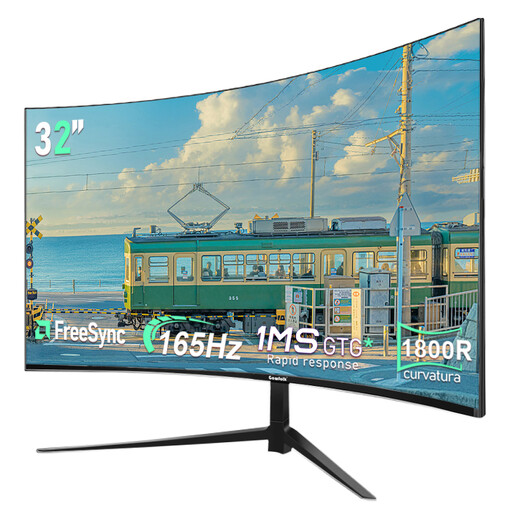
Gawfolk 32-inch curved QHD monitor, 165 Hz
The description mentions both gaming and office work. The curved design is a matter of preference to weigh up when using work windows and floor plans.
2560 × 1440 and 1800R curvature.
View at Joybuy
Frequently asked questions
Do you need 180 or 240 Hz to design a virtual home?
No. These figures are the maximum rates for the screen models mentioned, not a general requirement for a game. Check which resolution and refresh rate your computer, connection and game actually support.
How do I set up a monitor properly for working from home?
Check that the stand can be set to your preferred height and minimise reflections. Arboportaal highlights readability, screen height and reflections as things to consider when working with screens. Any rules for employers apply when the workplace falls under those requirements.
Can I connect any laptop to a monitor with a single USB-C cable?
The fact that a monitor has USB-C doesn't guarantee this. Dell lists USB-C for the S2725DC; check separately whether your laptop and cable support the picture connection you want and any power delivery.
What can I do if my monitor develops a fault sooner than expected during normal use?
According to ACM ConsuWijzer, the seller is responsible for providing an appropriate free solution if a product doesn't meet the standard you could reasonably expect during normal use. The right solution depends on the circumstances of the fault; a manufacturer's or seller's warranty is separate from that legal responsibility.
Which rules are relevant when buying and using a monitor?
The European Commission states that computer monitors are covered by the energy labelling rules for electronic displays; compare the label for the specific model. Arboportaal also outlines rules for screen-based work. These apply when the workplace falls under the relevant employer obligations, not simply because you play a game at home.


