For a home office where work windows and a virtual aquarium are often on screen for long periods, an LCD monitor is a sensible place to start. OLED may be a good fit if image quality for games and video matters more, but it needs extra care when displaying static elements for long periods. With any model, check that your computer and connection support the resolution and refresh rate you want.
Who is this combination suitable for?
Home worker with an aquarium in the background
Uses the same screen for text and work windows, and often leaves the aquarium on display for long periods. That makes readability, desk layout and static screen elements worth considering. Tweakers, Dell and ASUS Netherlands describe relevant model and usage features.
Gaming enthusiast who values picture quality
Wants to switch between aquarium scenes, games and video, weighing picture quality and motion against potential drawbacks for office work. Tweakers and GIGABYTE describe features of the Gigabyte MO27Q2A.
User with a compact workspace
Needs to fit the monitor alongside a laptop or other equipment. Screen size, stand, connections and your computer's capabilities are key things to check. ASUS Netherlands, Dell Netherlands and Philips Netherlands publish model-specific information.
What should you look for when choosing?
IPS LCD for extended mixed use
Suitable for: work windows and an aquarium that stays on screen for long periods, alongside text and other everyday screen use.
Keep in mind: resolution, adjustability and connections vary by model. A high refresh rate is only useful if your computer and connection can output it.
QD-OLED for picture quality
Suitable for: anyone who mainly watches changing game or video content alongside aquarium scenes, and is happy with the model-specific considerations.
Keep in mind: static elements displayed for long periods can cause image retention or burn-in on OLED screens. Tweakers also notes that the Gigabyte MO27Q2A may show colour fringing around text, and that black can look greyer in ambient light.
| What to consider |
What should you check? |
Who should pay more attention to this? |
| Extended use |
Consider how long fixed windows stay on screen. If choosing OLED, read the maintenance and warranty terms for the model. |
If your work windows and aquarium stay on screen for long periods, you’ll want to know how the panel handles static elements. Around 36% of consumers rank extended mixed use as their top priority. |
| Clarity for work |
Compare screen size and resolution, and check which display signals your computer supports through the connection you plan to use. |
If you want text and aquarium details to look clear on the same screen, choose a resolution that suits your computer. Clarity for work is the top buying priority for around 27% of consumers. |
| Picture quality and motion |
Compare panel types and model-specific considerations, and check whether your computer can deliver the refresh rate you want. |
If you switch between aquarium scenes and games, consider both picture quality and how the monitor performs with text and ambient light. Around 19% of consumers put picture quality and motion first. |
| Fitting your workspace |
Check the dimensions, stand adjustments, available ports and, if relevant, USB-C charging power. |
If you want the monitor to fit your desk and need to know whether your existing computer and cables support the mode you want, this is important. For around 18% of consumers, fit and connections are the top priority. |
Things to watch out for when buying
-
A moving aquarium doesn’t mean every element on screen is moving
Toolbars and window borders can stay in the same place, even while the aquarium scenes move. Dell warns that static images displayed for long periods can cause image retention or burn-in on the Alienware OLED models mentioned.
Consider the whole screen layout and how long you use it each day, not just the animation. Follow the maintenance instructions for your specific model.
-
A high Hz rating or USB-C port doesn’t guarantee full compatibility
Your computer and the port you choose must support the resolution and refresh rate you want. The Gigabyte MO27Q2A lists USB-C Power Delivery of up to 18 W; check that this meets your laptop’s needs.
Compare your computer’s output with the monitor’s port requirements, and check in advance that it supports the display mode you want.
Depending on your connection and charging needs, you may need a compatible cable or a separate laptop power supply.
-
A manufacturer’s warranty is not the same as your right to a product that meets reasonable expectations
An additional manufacturer’s warranty does not automatically replace your statutory rights if a product fails to meet reasonable expectations.
Read the manufacturer’s terms separately, and contact the retailer if the product is faulty. The Dutch government explains that there is no single fixed time limit for the statutory guarantee in the Netherlands.
Relevant brands to compare
Dell Alienware
The AW2725QF combines an IPS panel with a 4K work mode and a separate, high-speed FHD gaming mode.
- Dell Netherlands specifies 4K at 180 Hz and FHD at 360 Hz.
- These refresh rates apply to different resolutions, not one mode running both at the same time.
Gigabyte
The MO27Q2A is a QD-OLED model for those who place a high value on picture quality and moving images.
- GIGABYTE specifies QHD, 280 Hz and USB-C Power Delivery up to 18 W.
- Tweakers notes that this model may show colour fringing around text, and that black can look greyer in ambient light.
AOC
The Q27G4ZR is a QHD IPS option in the gaming monitor category.
- Tweakers covers this specific model in its 27-inch selection.
- Tweakers notes that the overdrive setting may work better at a lower level when displaying at 60 Hz.
ASUS
The TUF Gaming VG27UQ1A is a 27-inch 4K Fast IPS model worth comparing for gaming and other screen use.
- ASUS Netherlands lists up to 160 Hz and 4K up to 120 Hz via HDMI 2.1 for consoles.
- These are the product’s stated maximum specifications; check that your computer and connection support the mode you want.
Philips
The Evnia 27M2N5500/00 is a 27-inch QHD gaming monitor to compare with 4K models.
- Philips Netherlands specifies QHD and a 180 Hz refresh rate.
- Philips states that the maximum resolution is only available via DisplayPort input.
Joybuy products for working from home and displaying an aquarium
This selection features IPS LCD gaming monitors for working from home, displaying an aquarium for extended periods and gaming.
 No image available
Samsung Odyssey G5 G50F 32-inch IPS 180Hz LS32FG502EUXEN
The IPS version is an option for combining work windows and aquarium scenes on one screen.
32 inches, QHD resolution and 180 Hz.
Joybuy
 No image available
LG UltraGear 27G810A-B 27-inch 4K UHD IPS
The 27-inch 4K IPS version is an option for displaying work text and aquarium details together.
The stated dual mode is 4K up to 180 Hz or FHD up to 360 Hz; these speeds do not apply at the same time at the same resolution.
HDMI 2.1 and DisplayPort connections.
Joybuy
 No image available
KTC M27P6 27-inch 4K MiniLED Fast IPS
This 27-inch Fast IPS model is an option for work and gaming on one 4K screen.
The stated dual mode is 4K at 160 Hz or FHD at 320 Hz.
USB-C with 65 W and an adjustable stand with tilt, swivel and height adjustment.
Joybuy
 No image available
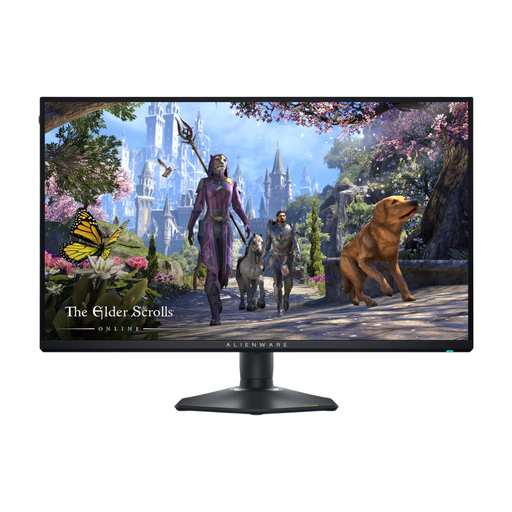
Alienware AW2725QF 27-inch 4K IPS
The 27-inch IPS version is an option if you want to combine work text and aquarium details on one screen.
The stated dual mode is 4K up to 180 Hz or FHD up to 360 Hz; these speeds do not apply at the same time at the same resolution.
HDMI or DisplayPort connections.
Joybuy
 No image available
Alienware AW2725DM 27-inch QHD IPS 180Hz
The QHD IPS version is an option if you want to use a gaming monitor for work windows and aquarium scenes too.
27 inches, QHD resolution and 180 Hz.
HDMI and DisplayPort connections, plus an adjustable stand.
Joybuy
Frequently asked questions
Does a monitor for a virtual aquarium need a particularly high refresh rate?
Not just for the aquarium. First check which resolution and refresh rate the software and your computer support through the connection you plan to use. The monitor’s maximum specification doesn’t mean your source device can deliver that setting.
How can I use an OLED monitor with fixed work windows on screen?
Avoid displaying the same static elements for unnecessarily long periods, and follow the maintenance instructions for your chosen model. Dell warns that static images displayed for long periods can cause image retention or burn-in on the Alienware OLED models mentioned. Check the terms for other models separately.
How do I compare the power consumption of monitors that stay on for long periods?
Compare the EU energy label and product information sheet for the exact models. The European Commission states that computer monitors are covered by energy labelling rules for electronic displays. Actual power consumption depends, among other things, on the settings and how long you use the monitor.
What are my rights when buying online in the Netherlands?
For an applicable online purchase from a business, you generally have a 14-day cooling-off period. You also have the right to a product that meets reasonable expectations; according to the Dutch government, there is no single fixed time limit for the statutory guarantee in the Netherlands. Check who the seller is and read any additional manufacturer’s warranty separately.


