
Vandaag of morgen in huis

Kwaliteit gegarandeerd

Welkomstaanbiedingen ontgrendelen: GRATIS bezorging | Tot 80% korting | Gratis 30 dagen JoyPlus-proefperiode
Download de app
Buying a gaming monitor seems straightforward – until you have to choose between Full HD, QHD, 4K, 144Hz, 240Hz, OLED, IPS and VA. Manufacturers often highlight one impressive specification while giving less attention to other features. As a result, a screen can look appealing on paper but not actually suit your PC, games or workspace in practice.
Look out for these common pitfalls:
Full HD (1920 × 1080) suits 24- to roughly 25-inch screens and places relatively low demands on your graphics card. This is practical for esports, older PCs and budget-conscious setups.
QHD (2560 × 1440) offers noticeably more detail. A 27-inch QHD gaming monitor is a versatile choice for PC gaming, working from home and entertainment. For QHD on a 32-inch screen, a curved display can provide extra viewing comfort and a more immersive picture.
4K (3840 × 2160) is aimed at sharp detail, large screens and content creation. Bear in mind that 4K gaming requires more graphics power. A 4K gaming monitor with a high refresh rate therefore needs a suitable graphics card and appropriate cables.
With ultrawide screens, such as a 3440 × 1440 monitor or a 5120 × 1440 monitor, you get extra horizontal workspace. Check beforehand whether your desk is wide enough and whether your games support the aspect ratio.
A standard office monitor typically runs at 60Hz. A 144Hz, 165Hz or 180Hz gaming monitor displays a new image more often per second. This can make motion look smoother, especially in fast-paced games.
A 240Hz monitor or 320Hz monitor is mainly of interest to competitive players who game at high frame rates. For casual gaming, films and office work, 120Hz to 180Hz can already offer a practical balance.
Pay attention to the combination:
An IPS monitor is generally known for wide viewing angles and consistent colours. That makes IPS appealing for gaming, photo editing and daily work.
A VA monitor often offers a higher static contrast according to the product specification. This can be pleasant for films and dark games. A curved gaming monitor with a VA panel also gives a more enveloping viewing feel, but usually takes up more desk space.
An OLED gaming monitor stands out due to its panel technology and stated contrast performance. Always check the warranty conditions, recommended settings and information about long-term static images with OLED.
FreeSync and G-SYNC are synchronisation technologies that match the monitor’s refresh rate to the graphics card’s frame rate. Check whether the monitor is officially compatible with your GPU. A mention of “G-SYNC Compatible” is different from a screen where G-SYNC has not been officially tested at all.
Also look at:
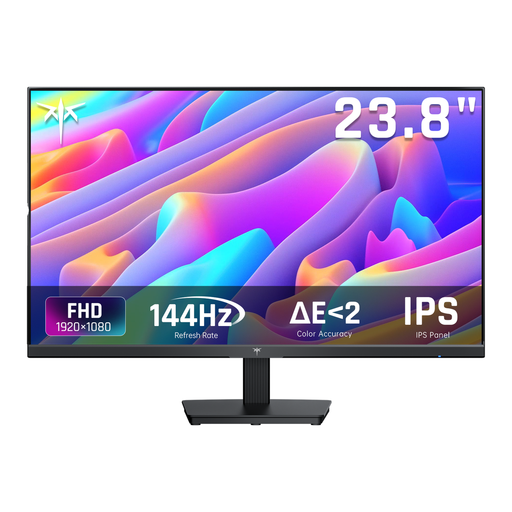
Why this suits the profile: The 24-inch Full HD format and stated 144Hz refresh rate are a good match for a compact PC setup and an affordable graphics card.
The combination of Full HD and 144Hz stops you paying for a very high resolution that your PC may not be able to drive smoothly.
IPS panel, Adaptive Sync, HDMI and DisplayPort; the stand is tiltable.
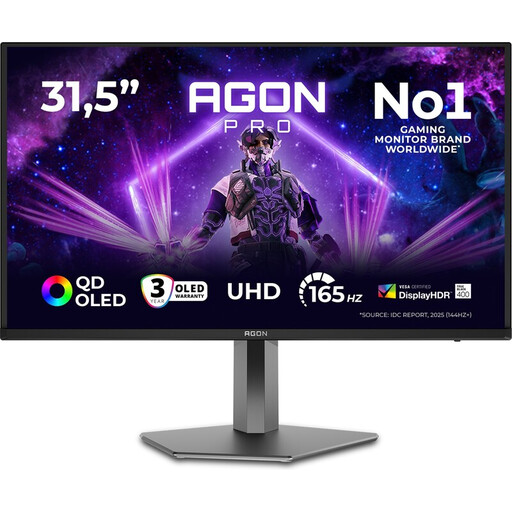
Why this suits the profile: According to the product specifications, this model combines a 31.5-inch QD-OLED panel, 4K resolution and 165Hz for gaming and content creation.
The connection and display specifications are clearly stated; just check whether your PC or console supports 4K at the desired refresh rate.
4K UHD, QD-OLED, 165Hz, HDMI 2.1, DisplayPort 1.4 and adjustable stand.

Why this suits the profile: The stated 320Hz refresh rate, IPS panel and adjustable stand are aimed at competitive PC gaming.
The high refresh rate is paired with Full HD, meaning the GPU load required can be lower than with 4K at a similar frequency.
320Hz, IPS, G-SYNC Compatible, FreeSync Premium, HDMI 2.1 and 110 mm height adjustment.
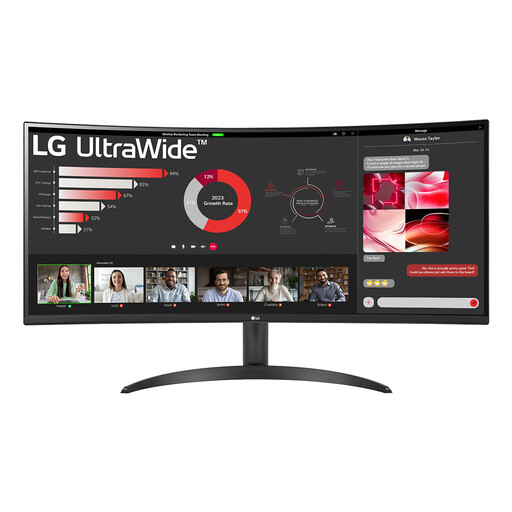
Why this suits the profile: The 21:9 aspect ratio, 3440 × 1440 resolution and Picture-by-Picture function are ideal for multitasking, office work and widescreen gaming.
The wide resolution gives you more workspace without needing two separate screens; just measure your desk before ordering.
34 inch, VA panel, 100Hz, HDR10, FreeSync, PBP and DisplayPort 1.4.
We've put together a full, up-to-date list of products that fully meet these strict selection criteria and current European safety regulations.
For many gamers, a 144Hz gaming monitor is a practical choice. You get smoother motion than at 60Hz without immediately jumping to the higher price and hardware demands of 240Hz or 320Hz. Just check whether your PC achieves enough frame rate in your favourite games.
The lifespan depends on usage, heat, settings and panel type. An LCD monitor can function for years under normal conditions. With an OLED gaming monitor, it's wise to look at the manufacturer's maintenance features and warranty conditions, especially if you use a lot of static windows.
Power consumption varies by size, resolution, brightness and refresh rate. A large ultrawide screen or 4K gaming monitor typically uses more energy than a compact Full HD model. So check the stated consumption and energy class on the product label.
