
Vandaag of morgen in huis

Kwaliteit gegarandeerd

Welkomstaanbiedingen ontgrendelen: GRATIS bezorging | Tot 80% korting | Gratis 30 dagen JoyPlus-proefperiode
Download de app
Buying a gaming monitor seems straightforward until you start comparing refresh rates, resolution, panel type and connectivity. A high number on the box doesn’t tell the whole story. A 240Hz gaming monitor can offer little benefit if your PC can’t achieve a high frame rate in your favourite games. And a 4K gaming monitor demands more from your graphics card than a Full HD screen.
With this practical guide, you can avoid the most common buying mistakes and compare models based on verifiable specifications.
A 180Hz gaming monitor or 240Hz gaming monitor can display motion more smoothly than a 60Hz screen. The difference is especially noticeable in fast-paced shooters, racing games and esports. However, your PC also needs to produce enough frames per second. With a less powerful computer, a QHD screen with 180Hz can be a more logical choice than a 4K screen with a high refresh rate.
Also pay attention to the connection you use. Check the product specifications to see which HDMI and DisplayPort versions are available, and which resolution and refresh rate they actually support.
Brands often list response times as MPRT, GtG or a special overdrive mode. These measurement methods are not directly equivalent. A value of 0.5ms MPRT is therefore not directly comparable to 1ms GtG.
Alongside response time, consider the panel type, user reviews and overdrive settings. An overly aggressive overdrive can cause visible image artefacts. A low stated value is useful as an indication, but not a reason in itself to choose a monitor.
The label HDR, HDR10 or DisplayHDR tells you that a screen can process HDR signals. The actual experience also depends on brightness, contrast, local dimming and the content you use. An OLED gaming monitor has per-pixel light control that differs from an IPS or VA monitor, so black levels and contrast can vary.
Also check whether HDR is well supported in your games, streaming service or console. Don’t automatically enable HDR for all desktop applications; image quality can vary depending on the source.
A 27 inch gaming monitor with Full HD is often affordable and less demanding on your graphics card. At this size, however, text and images may look less sharp than on QHD. A QHD gaming monitor with 2560 × 1440 pixels offers a practical balance between detail and the graphics power required.
For larger screens, resolution becomes even more important. A 34 inch ultrawide monitor typically uses 3440 × 1440 pixels and has a 21:9 aspect ratio. This gives you more room for simulation games, RPGs and multitasking, but also requires a desk with enough depth and width.
A FreeSync monitor synchronises the refresh rate with a compatible AMD graphics card. Some models are also labelled as G-SYNC Compatible monitor. Always check the official product listing; “may work with G-SYNC” is not the same as official compatibility.
For a PC gaming monitor, DisplayPort, enough HDMI ports and possibly a USB hub are practical. For a gaming monitor for PS5 and Xbox, check the resolution, refresh rate via HDMI and the desired 120Hz support. HDMI 2.1 can be relevant here, but look at the full combination of console, cable and monitor.
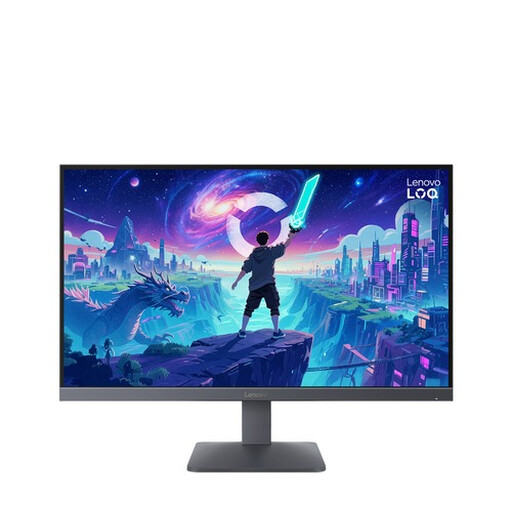
Why this fits the profile: The combination of 27 inches, Full HD and 200Hz is straightforward for a first gaming PC or console setup.
The product specification clearly states 1920 × 1080, 200Hz and AMD FreeSync Premium. So you’re not paying for an unknown combination of modes.
Fast IPS panel, HDR10, two HDMI 2.1 ports and compatibility with PS5 and Xbox Series X/S according to the product information.
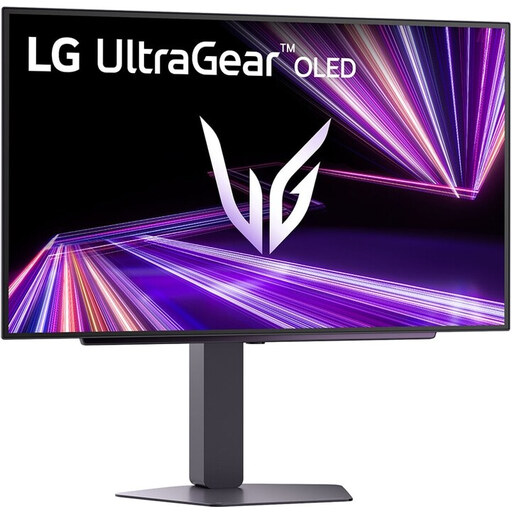
Why this fits the profile: For gamers who want QHD detail, OLED contrast and a high refresh rate in one 27-inch screen.
The listing specifies QHD, 240Hz, OLED and DisplayHDR 400 True Black separately. Do bear in mind OLED usage with fixed interface elements.
2560 × 1440 pixels, 240Hz, stated response time of 0.03ms and support for G-SYNC Compatible and FreeSync Premium Pro.
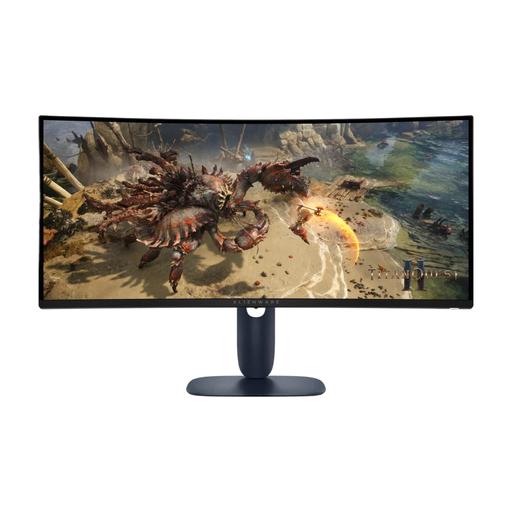
Why this fits the profile: The 21:9 ratio is ideal for simulation games, RPGs, films and users who want to place multiple windows side by side.
The listing mentions not only 180Hz but also the resolution of 3440 × 1440, HDMI 2.1, DisplayPort 1.4 and the fixed 1500R curvature.
VA panel, 180Hz, HDR support, USB hub and height adjustment. G-SYNC functionality is not officially certified according to the listing.
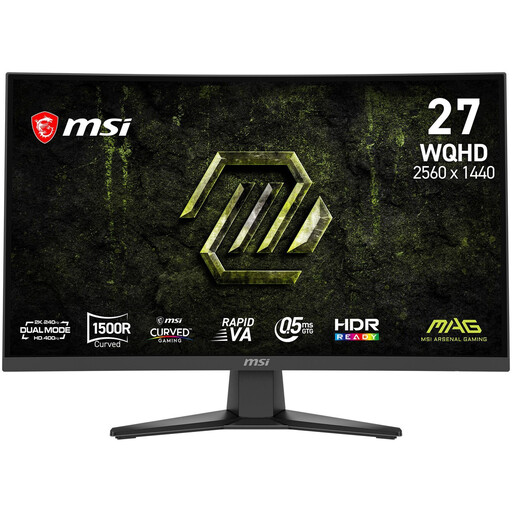
Why this fits the profile: This model is designed for fast PC games with QHD resolution, a curved screen and 240Hz.
The key values are listed together: 2560 × 1440, 240Hz, Rapid VA, 1500R and 0.5ms GtG (min.).
AMD FreeSync Premium, Adaptive Sync, HDMI 2.0b, DisplayPort 1.4a and VESA 100 × 100 mm.
We’ve put together a full, up-to-date list of products that fully meet these strict selection criteria and comply with current European safety regulations.
Yes. A 27 inch gaming monitor with 2560 × 1440 pixels generally offers a useful balance between sharpness, viewing distance and performance. Do check whether your graphics card can drive QHD at the desired refresh rate.
Yes, but check the HDMI version, resolution and refresh rate beforehand. A monitor may have multiple connections, but not every combination of console, cable and settings delivers the same performance. Look specifically for support for the resolution and 120Hz mode you want to use.
Power consumption varies by panel, brightness, HDR mode and usage time. Check the energy label and the stated values for SDR and HDR. Higher brightness and active HDR can increase consumption. Turn off the monitor rather than just shutting down your PC if you want to reduce unnecessary standby usage.
