
Vandaag of morgen in huis

Kwaliteit gegarandeerd

Welkomstaanbiedingen ontgrendelen: GRATIS bezorging | Tot 80% korting | Gratis 30 dagen JoyPlus-proefperiode
Download de app
Buying a gaming monitor seems straightforward: choose a high refresh rate, a fast response time and a size that fits on your desk. But many PC gamers pay for features their computer can’t take advantage of. Other buyers only discover after delivery that the screen has no built-in speakers, can only be tilted or won’t reach its advertised refresh rate with the wrong connection.
Use this practical guide to focus on the specifications that really make a difference in the UK for gaming, studying, working from home and entertainment.
A 240Hz gaming monitor can display up to 240 frames per second, but your PC also needs to deliver enough frames per second. With a basic graphics card, the benefits of 240Hz may be limited. For many users, a 144Hz, 180Hz or 200Hz gaming monitor is already a worthwhile step up from 60Hz.
Check the connection too. On the Samsung Odyssey G4 G40H, 300Hz is only available via DisplayPort, while HDMI supports up to 240Hz. The cable, graphics card and correct driver settings are all part of the equation.
A monitor advertising a 1ms response time may quote different measurements. MPRT, GtG and a setting such as Extreme Mode are not the same thing. So treat a quoted 0.5ms GtG or 1ms MPRT as a technical manufacturer specification, not a guarantee that every image will respond exactly that quickly in every situation.
Check the overdrive settings too. An overly aggressive setting can cause visible edge artefacts. After installation, try different modes with your favourite games.
HDR10 or HDR Ready support means a screen can process compatible signals. It doesn’t automatically mean you’ll get an impressive HDR picture. Check the brightness, contrast and panel type too.
The same applies to Adaptive-Sync, FreeSync and G-SYNC Compatible. Performance depends on the graphics card, connection, drivers and settings. Make sure the technology you choose is compatible with your PC.
A fast response time helps with rapid changes on screen, but the measurement method still matters. Always compare like with like: for example, MPRT with MPRT or GtG with GtG.
An IPS gaming monitor typically offers wide viewing angles and consistent colours. That’s useful if you also view photos, stream, programme or work across multiple screens. The MSI MAG 245F X24, for example, has a Rapid IPS panel, Full HD resolution and a 240Hz refresh rate.
A VA gaming monitor often places more emphasis on contrast. This can be ideal for dark games and films. The Titan Army C24A1H has a VA panel with a quoted contrast ratio of 3000:1 and a curved 1500R screen. The MSI MAG 274CF X24 features a Rapid VA panel and a contrast ratio of 4000:1.
A 24-inch gaming monitor or 23.8-inch model usually fits well on a compact desk and keeps Full HD relatively sharp. A 27-inch gaming monitor gives you more screen space, but Full HD has a lower pixel density at this size. If you sit close to the screen, 24 inches may feel more comfortable; from further away, 27 inches may be more practical.
Also check:
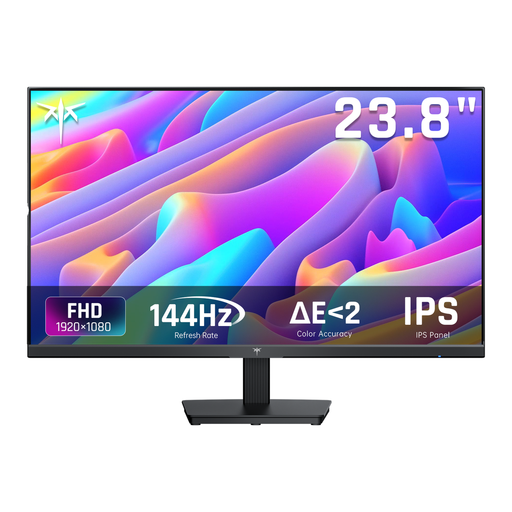
Why it suits this user: This 24-inch Full HD model combines a 144Hz refresh rate with an IPS panel, HDMI, DisplayPort and a headphone socket. It’s a good first monitor for PC gaming, studying and office work.
The specifications clearly state 144Hz, 5ms MPRT and Adaptive Sync. Just check the maximum speed supported by your cable and graphics card.
24-inch size, IPS panel, 144Hz and 99% sRGB, according to the product information.
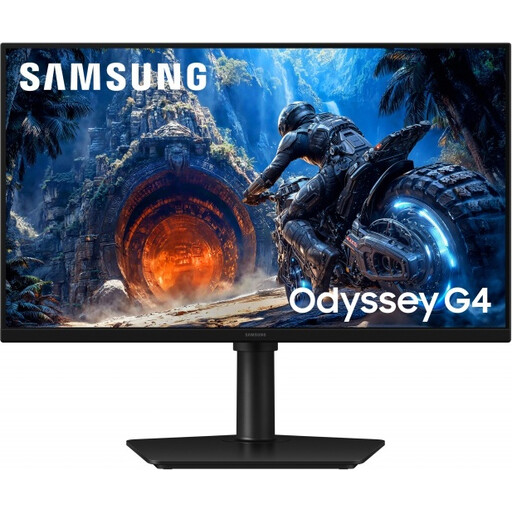
Why it suits this user: This flat 25-inch screen combines Fast IPS, Full HD, an adjustable stand and high refresh rates. It’s a good choice for gamers who also value ergonomics and a tidy workspace.
The product information spells out the difference between DisplayPort and HDMI: up to 300Hz via DisplayPort and up to 240Hz via HDMI.
Fast IPS, 1ms GtG in Extreme Mode, FreeSync Premium, G-SYNC Compatible, plus height, swivel and pivot adjustment.

Why it suits this user: For competitive gaming on a powerful PC, this esports model offers 320Hz, a Fast IPS panel and an adjustable ergonomic stand.
The connections are clearly specified as DisplayPort 1.4 and HDMI 2.1. The maximum refresh rate still depends on the source device, cable and settings.
320Hz, 0.5ms GtG according to the product information, 400 cd/m² brightness, plus height, swivel and pivot adjustment.
We’ve put together a complete, up-to-date list of products that meet these strict selection criteria and the applicable European safety regulations.
For many players, yes. A 144Hz gaming monitor displays movement more smoothly than a 60Hz one and works with a wide range of graphics cards. If you mainly play competitive shooters and can achieve a high frame rate, you could consider 240Hz or higher.
Lifespan depends on daily use, heat, transport and the quality of the power supply. Turn the screen off when you’re not using it for a long time, keep the vents clear and clean it with a soft, dry cloth. When buying, also check the stated warranty and your statutory rights regarding goods that don’t conform to the contract.
Power consumption varies by size, brightness, HDR setting and energy rating. Check the stated SDR consumption per 1,000 hours on the energy label. A higher refresh rate combined with higher brightness can use more energy, especially during long sessions.
