
Zoo builder with a home-working desk
You’re looking for one screen where you can view building details and your everyday work windows. Screen size, resolution and a practical desk setup all matter.


For a virtual zoo on a home-working desk, a 27-inch QHD LCD is a sensible starting point if your PC can handle your chosen resolution and refresh rate. An ultrawide gives you more horizontal space, while 4K offers more pixels, but both call for extra checks on your PC, connections and desk. Consider OLED separately if you use lots of static work windows.
You’re looking for one screen where you can view building details and your everyday work windows. Screen size, resolution and a practical desk setup all matter.
You want more room alongside your zoo or work windows, and want to check whether a wider screen will fit on your desk and display your game properly.
You prioritise high resolution or OLED picture quality, and want to weigh up your PC’s performance and your use of static work images separately.
First, compare the screen space and resolution with your desk and PC. Then check the achievable refresh rate for each selected mode and connection, and factor in how you use the screen for everyday work when choosing between LCD and OLED.
| What to consider | What to look for when buying | Who is this important for? |
|---|---|---|
| Sharp building details | Compare the resolution with your PC’s performance in your game; also check the supported resolution and refresh rate for the input you’ll use. | If I want to make out building details and work text clearly, I compare the resolution with what my PC can handle. Around 37% of consumers give sharpness and readability their highest priority. |
| Work and gaming | Consider LCD and OLED in light of how you use your screen; for OLED, check the care instructions and warranty terms for the exact model. | If you use the same screen for work and gaming every day, consider how much you use static windows when choosing. Around 27% of consumers prioritise this combination. |
| More horizontal space | Measure the space available for the screen and stand on your desk, and check whether your game supports the aspect ratio you want. | If I want more room alongside my game and work windows, I first check the available desk width. Around 18% of consumers give extra horizontal space their highest priority. |
| Features you can use | For each resolution, check your PC’s output, cable and input; compare the EU energy label for the exact model. | If you want to choose features your PC and connection can actually make use of, check that combination in advance. Around 18% of consumers prioritise specifications they can use. |
The maximum refresh rate can vary by resolution and input, and doesn’t by itself tell you what frame rate your game will achieve.
Check how your PC, game, resolution, cable and input work together before giving a higher refresh rate greater weight in your decision.
One 34-inch model we looked at is physically wider and uses 3440 × 1440 pixels, compared with 2560 × 1440 for the QHD option we assessed.
Measure the available space, including the stand, and check how your game displays the aspect ratio.
Information about image retention and care can vary by model. Philips states that Smart MBR on the 27M2N3500NF/00 limits brightness control and can cause visible flickering.
Read the instructions and warranty terms for the exact OLED model. Consider motion settings such as Smart MBR separately from your usual work mode.
The Dutch models we looked at include 27-inch QHD IPS monitors with 144 Hz and 180 Hz refresh rates, for anyone comparing screens for work and gaming.
The models we looked at include a 34-inch ultrawide and a 27-inch model with 4K and Full HD modes.
The 32GX870B-B we looked at offers a 32-inch 4K OLED option for anyone comparing high resolution and gaming picture quality.
According to AOC’s product specifications, the Q27G4XF is another 27-inch QHD IPS option, with a 180 Hz refresh rate.
This selection includes QHD, ultrawide and 4K gaming monitors to compare for a mix of gaming and work.
 No image available
A QHD screen for combining gaming and work windows on one monitor.
32-inch, IPS, 2560 × 1440 and 180 Hz.
The description lists a height-adjustable, tiltable and swivel stand.
 No image available
A 27-inch QHD option to compare if you want to combine gaming and work on one screen.
2K WQHD, Rapid IPS and 200 Hz.
Check that your PC and the connection you’re using can deliver your chosen resolution and refresh rate.
 No image available
A 4K option for anyone who values fine detail and can check their PC’s graphics capabilities in advance.
4K UHD, IPS and up to 180 Hz in 4K mode; the description lists a Full HD mode of up to 360 Hz.
4K requires more graphics processing than QHD. The stated refresh rate won’t necessarily apply to every resolution or connection.
 No image available
An ultrawide option for anyone looking for extra horizontal space and with room to spare on their desk.
3440 × 1440, Fast VA and 21:9.
According to the product specifications, the maximum refresh rate is 180 Hz via DisplayPort and 100 Hz via HDMI. Check the aspect ratio in your game.
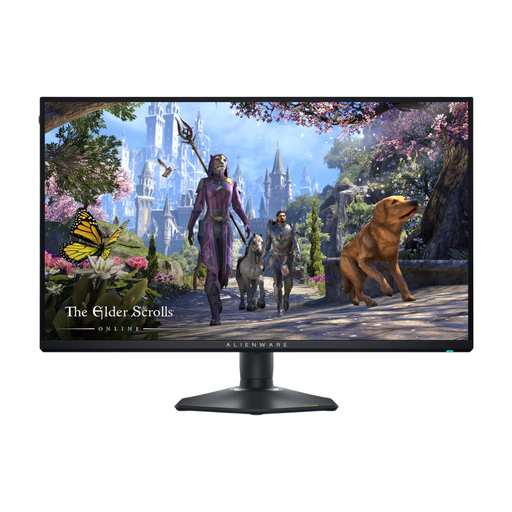 No image available
A 4K monitor to consider if your PC can handle your chosen game and resolution.
4K Ultra HD and IPS; the product description lists up to 180 Hz at 4K and up to 360 Hz at Full HD.
The maximum resolution and refresh rate vary by mode and input. 4K requires more graphics processing than QHD.
Frontier Developments announced the release of Planet Zoo 2 on 13 October 2026. The game is a useful example, but your choice doesn’t need to depend on one particular title: compare the resolution and refresh rate with what your PC can handle in your game.
The refresh rate you can achieve may depend on the resolution, input, cable and PC output. Dell lists different maximums for each mode and connection on the AW2725QF, so check the combination you plan to use.
Only if you’re happy with the effects: Philips says that brightness can’t be adjusted on the 27M2N3500NF/00 when Smart MBR is on, and that visible flickering may occur. This warning applies to this feature on this model.
Compare the EU energy label for the exact model. The European Commission explains the energy efficiency classes for displays and notes that separate information about HDR use may also be included.
For an online consumer purchase, you’re generally entitled to a 14-day cooling-off period after delivery, subject to applicable exceptions, as explained by ACM ConsuWijzer. You’re also covered by the statutory guarantee: according to the Dutch government, the seller is responsible for providing a product that works properly; an additional manufacturer’s warranty doesn’t replace this right.