
Vandaag of morgen in huis

Kwaliteit gegarandeerd

Welkomstaanbiedingen ontgrendelen: GRATIS bezorging | Tot 80% korting | Gratis 30 dagen JoyPlus-proefperiode
Download de app
Buying a gaming monitor might seem straightforward: pick a large screen, a high refresh rate and a low response time. In reality, marketing claims and incomplete specifications can lead to a purchase that doesn’t suit your PC, console or workspace. Use these checkpoints to compare models on the features that actually make a difference.
A 240Hz monitor or 320Hz monitor sounds appealing, but your computer also needs to deliver enough frames per second. If your graphics card hovers around 100 fps in your favourite game, you won’t be using a large part of that high refresh rate. For many players, a 144Hz monitor, 165Hz monitor or 180Hz monitor offers a practical balance between smooth visuals and system load.
Also pay attention to the connection. Check whether the combination of resolution and refresh rate is supported via HDMI or DisplayPort. The Alienware AW2525HM, for example, lists HDMI 2.1 and DisplayPort 1.4, while other models use HDMI 2.0.
A stated response time of 0.5 or 1 millisecond can depend on the measurement method, such as MPRT or GtG, according to the product specification. These values are therefore not always directly comparable. Alongside the response time, look at the panel type, the refresh rate and any overdrive settings.
A 27 inch gaming monitor with Full HD offers a lower pixel density than a 24 inch gaming monitor with the same resolution. Text and fine details can therefore look less sharp up close. A QHD gaming monitor with 2560 × 1440 pixels typically gives you more workspace and detail on a 27 inch screen, but also demands more graphics performance.
A Full HD gaming monitor with 1920 × 1080 pixels is often sufficient for a mid-range computer or console. QHD is more interesting when you want more detail and your hardware can handle it. For creative applications and compatible consoles, 4K models also exist, but a higher resolution demands more from your graphics card.
The refresh rate is expressed in hertz. A 180Hz screen can display up to 180 image refreshes per second. This helps especially in fast games when your computer also produces a similar frame rate.
FreeSync monitors adjust the refresh rate to the frame output of a compatible AMD graphics card, according to the product specification. With a G-SYNC monitor, this happens with compatible NVIDIA hardware. Always check whether the desired combination is officially supported. The LG 34WR50QK lists FreeSync; the product information also states that G-SYNC may work, but is not officially marked as compatible.
Features such as HDR10 are no guarantee of the same picture quality on every screen. Check brightness, contrast, panel type and any certification together. According to the product information, the LG 27U411A-B supports HDR10 and has a brightness of 250 cd/m². That is relevant, verifiable information alongside the feature name.
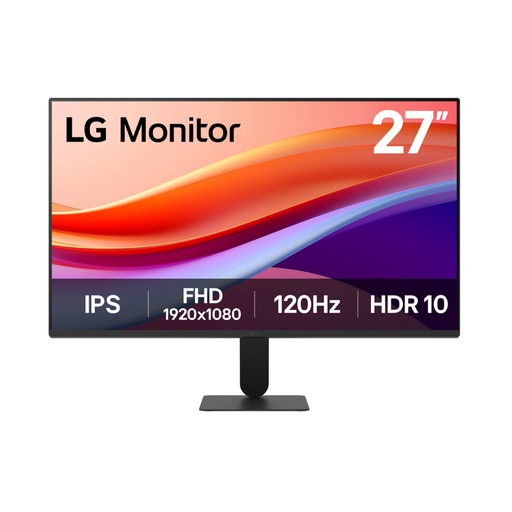
Why this fits the profile: The 27-inch size, Full HD resolution and 120Hz refresh rate suit daily use, casual gaming and working from home without needing a QHD graphics card straight away.
The product specification concretely lists IPS, 120Hz, HDMI, VGA, VESA 100 × 100 mm and a tiltable stand, so you don’t have to rely on a marketing term alone.
27 inch, Full HD, IPS, 120Hz, HDR10 support and VESA mounting.
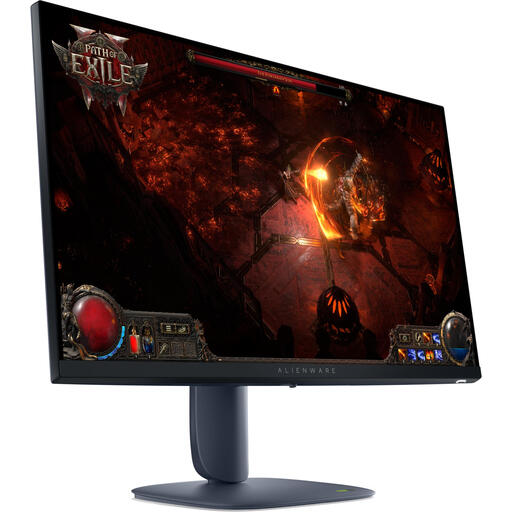
Why this fits the profile: The combination of 27 inch, QHD, IPS and 180Hz is aimed at players who want to combine detail and speed with a wide viewing angle.
The specifications separately list QHD 2560 × 1440, IPS, 180Hz, 4ms and support for G-SYNC and FreeSync Premium Pro. Do check compatibility with your own hardware.
QHD resolution, IPS panel, 180Hz, DisplayHDR 600 according to the product information and an adjustable stand.
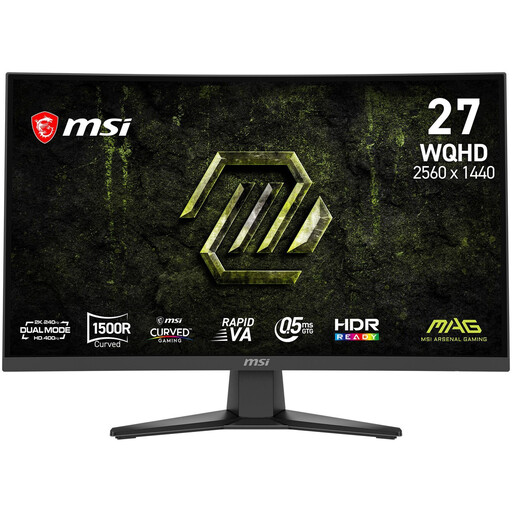
Why this fits the profile: This model is aimed at competitive PC games with a 240Hz refresh rate, QHD resolution and a 1500R curved VA panel.
The key values are specified: 2560 × 1440, Rapid VA, 240Hz, 0.5ms GtG, FreeSync Premium, DisplayPort 1.4a and HDMI 2.0b.
QHD, 240Hz, 1500R curve, FreeSync Premium and VESA 100 × 100 mm.
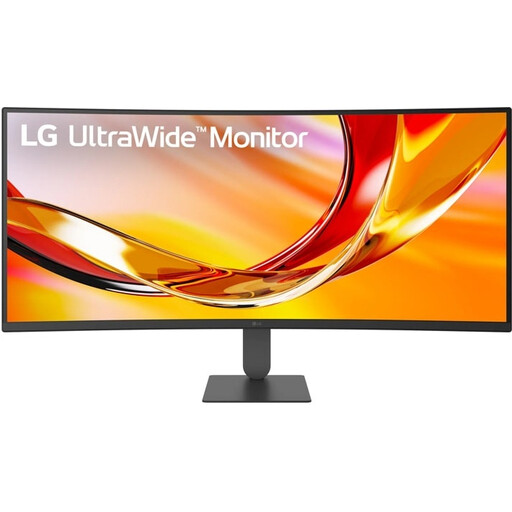
Why this fits the profile: The 21:9 ratio and 3440 × 1440 pixels offer space for multiple windows, content creation and gaming from one desk.
According to the product information, the monitor has height and tilt adjustment, VESA 100 × 100 mm, USB-C with 65W Power Delivery and PIP/PBP functions. Check whether your laptop supports USB-C video.
34 inch, WQHD, 144Hz, VA, HDR10, FreeSync Premium and USB-C charging up to 65W.
We have put together a full, up-to-date list of products that fully meet these strict selection criteria and current European safety regulations.
For many PC games, a 144Hz monitor is a practical choice. You benefit from smoother motion than at 60Hz, as long as your computer produces enough fps. For competitive games, 180Hz, 240Hz or 320Hz can be interesting, but the difference depends on your hardware, game and personal preference.
It can be, but check the resolution, HDMI version and console support. A curved screen like the MSI MAG 275CQDF X24 uses 16:9 and has HDMI connections. An ultrawide monitor can be less practical with consoles when games don’t support a 21:9 aspect ratio.
Consumption varies per model, brightness, HDR setting and usage time. Check the energy label and the stated power rating. A higher refresh rate or brightness can affect consumption. Turn the screen off when not in use and use automatic sleep mode for longer work or gaming sessions.
