
Vandaag of morgen in huis

Kwaliteit gegarandeerd

Welkomstaanbiedingen ontgrendelen: GRATIS bezorging | Tot 80% korting | Gratis 30 dagen JoyPlus-proefperiode
Download de app
Buying a gaming monitor seems straightforward until you start comparing specifications. A screen with “1 ms”, HDR and a high refresh rate sounds appealing, but those terms don’t always tell the whole story. For smooth PC gaming, a great console experience or productivity, it’s the combination of features that matters most.
Also look out for hidden limitations. A high refresh rate is of little use if your graphics card or console can’t deliver that frame rate. A QHD gaming monitor needs more graphics processing power than a Full HD gaming monitor. And a monitor with an impressive HDR claim may perform differently in practice when it comes to brightness and contrast.
A monitor with a 1 ms response time sounds like a clear choice, but manufacturers use different measurements, including GTG and MPRT. GTG measures the transition between shades of grey. MPRT is more closely linked to motion clarity and may be associated with a backlight or strobing mode.
So always check:
A “monitor with a 1 ms response time” isn’t automatically just as fast or clear at every setting.
A 240Hz or 180Hz gaming monitor can display motion more smoothly than a 60Hz screen, but the difference depends on the frame rate. If your PC only manages 100 frames per second in a game, you won’t make full use of a 240Hz panel.
Also consider:
For consoles, the maximum refresh rate also depends on the system and the connection you use.
HDR10 or DisplayHDR means a screen can process HDR signals. It doesn’t, on its own, tell you how bright the panel gets or how much contrast you’ll see in dark scenes. So check the stated brightness, panel type and HDR certification.
Some product listings may mention different HDR levels in the marketing copy and technical table. For example, if the specifications list HDR400 but the description refers to a higher HDR level, check which version and certification you’ll actually receive before buying.
A Full HD gaming monitor with 1920 × 1080 pixels places relatively little demand on your graphics card. This makes Full HD a practical choice for esports, entry-level PCs and high frame rates. At 24 or 24.5 inches, the pixel density is generally well suited to gaming.
A QHD gaming monitor with 2560 × 1440 pixels offers more detail and room to work. At 27 inches, QHD is a practical choice for gaming, streaming and office work. At 32 inches, you get a larger picture, but bear in mind your viewing distance and pixel density.
An ultrawide such as the Alienware AW3425DWM uses 3440 × 1440 pixels and a 21:9 aspect ratio. It’s a good option for simulators, RPGs, films and multitasking, but not every game supports ultrawide without adjustments.
A curved gaming monitor can make the picture wrap further around your field of view. A 1500R curve works particularly well with larger screens or a short viewing distance. For productivity involving straight lines, a flat panel may be simpler to work with.
A monitor with a high refresh rate is especially useful for fast-paced shooters, racing games and esports. 180Hz, 200Hz, 240Hz and 320Hz are all worth considering, but always check that DisplayPort or HDMI supports the setting you want.
FreeSync monitors synchronise the refresh rate with compatible AMD hardware. A G-SYNC monitor or G-SYNC Compatible model is designed for NVIDIA systems. Check official compatibility: a product that hasn’t been officially tested as G-SYNC Compatible may work, but this isn’t guaranteed.
Also check:
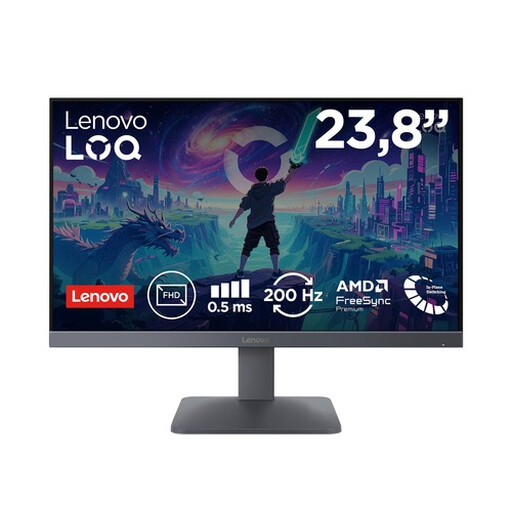
Why it suits this profile: The combination of a 23.8-inch screen, Full HD and 200Hz is well suited to a compact PC or console setup. The stated support for PS5, Xbox Series X/S and Nintendo Switch makes this a versatile option.
The product details list both 0.5 ms MPRT and 1 ms GTG, making the measurement method clearer than a standalone “1 ms” claim.
23.8 inches, Full HD, 200Hz, Fast IPS, FreeSync Premium and two HDMI 2.1 ports, according to the product information.
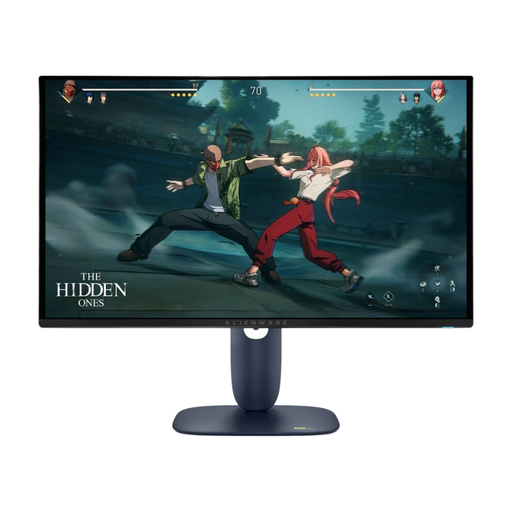
Why it suits this profile: This model is aimed at gamers and creators looking for QHD detail, OLED contrast and high speed in a single 27-inch screen.
The table lists QD-OLED, 0.03 ms, HDR10 and 280Hz separately, so you can assess the panel type, speed and HDR independently.
2560 × 1440 pixels, 280Hz, HDMI 2.1, DisplayPort 1.4, USB hub and support for FreeSync Premium Pro and G-SYNC Compatible.
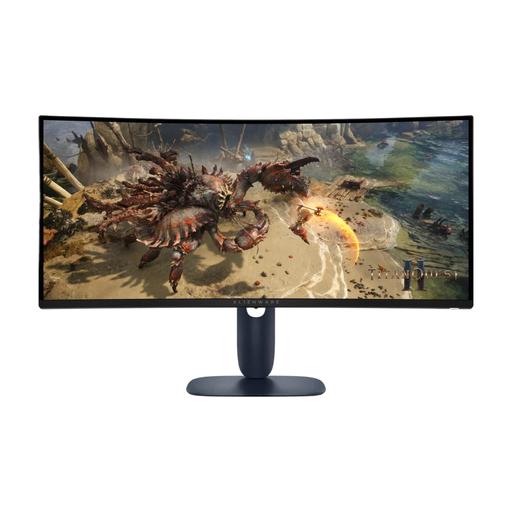
Why it suits this profile: The 21:9 aspect ratio and 1500R curve are a good match for sim racing, RPGs, films and multitasking across multiple windows.
The resolution, aspect ratio, connections and refresh rate are listed separately. However, the product information contains different HDR references, so check these before buying.
34 inches, 3440 × 1440 pixels, VA panel, 180Hz, two HDMI ports, DisplayPort 1.4 and 110 mm height adjustment.

Why it suits this profile: The compact Full HD size and 320Hz refresh rate are aimed at players who prioritise high frame rates and rapid on-screen action.
The product details quote both 0.5 ms and 1 ms, with different GTG labels. HDMI 2.1 and DisplayPort 1.4 are also listed for the high refresh rate.
24.5 inches, Full HD, 320Hz, IPS panel, 400 cd/m² brightness and compatibility with FreeSync Premium and G-SYNC Compatible, according to the specifications.
We’ve put together a full, up-to-date list of products that meet these strict selection criteria and the applicable European safety regulations.
For most PC gamers, 180Hz is a generous refresh rate, particularly for shooters and racing games. The screen can display up to 180 updates per second, but your PC also needs to deliver a similar frame rate. If you play esports at very high frame rates, 240Hz or 320Hz may be worth considering.
First, check your console’s maximum resolution and refresh rate. Then look at the HDMI version, VRR support, HDR and the screen size you want. A model with HDMI 2.1 can be a practical choice for modern consoles, but always check your console’s exact output settings.
Lifespan depends on use, heat, settings and build quality. Place the screen on a stable surface, keep the ventilation openings clear and use suitable cables. For OLED models, it’s a good idea to follow the manufacturer’s instructions and recommendations for image retention. Also keep your proof of purchase and warranty details; in the Netherlands, statutory consumer rights apply alongside any manufacturer’s warranty.
