
Vandaag of morgen in huis

Kwaliteit gegarandeerd

Welkomstaanbiedingen ontgrendelen: GRATIS bezorging | Tot 80% korting | Gratis 30 dagen JoyPlus-proefperiode
Download de app
Buying a gaming monitor seems straightforward until you have to choose between terms such as 240Hz, HDR10, Adaptive Sync and 1ms. A high refresh rate sounds appealing, but it isn’t automatically the right choice for your computer, desk or games. A large screen can also be impractical if its resolution isn’t suited to its size.
The most common pitfalls are:
A 24-inch gaming monitor with Full HD is practical for a compact desk and puts relatively little strain on your graphics card. A 27-inch gaming monitor can look sharper with QHD, or 2560 × 1440 pixels, than with Full HD. QHD is also an option at 32 inches, but viewing distance and pixel density become more important.
A 34-inch ultrawide monitor usually has a 21:9 aspect ratio. This gives you extra horizontal screen space and can work well for simulation games, multitasking and wide timelines. Check the width of your desk first: an ultrawide screen takes up considerably more space than a standard 16:9 monitor.
Common combinations include:
Refresh rate is measured in hertz. A 144Hz, 180Hz, 200Hz or 240Hz monitor can display more frames per second than a 60Hz screen. The difference matters most in fast-paced shooters, racing games and competitive titles.
Consider how your hardware matches the monitor:
A quoted response time of, for example, 0.5ms MPRT or 1ms MPRT is not the same as GtG. MPRT is often linked to motion clarity settings, while GtG measures the transition between shades of grey. So don’t compare figures without checking the measurement method.
An IPS monitor usually offers wide viewing angles and consistent colour reproduction in its product specifications. A VA monitor is often chosen for its quoted contrast ratio. The overall picture also depends on brightness, factory settings and your surroundings.
A FreeSync monitor can match its refresh rate to the frame rate of a compatible AMD graphics card. Check whether FreeSync, Adaptive Sync or G-SYNC Compatible is officially listed for the model and the connection you’re using. Some screens may support a feature technically without official certification; this is not the same as certified compatibility.
Also check:
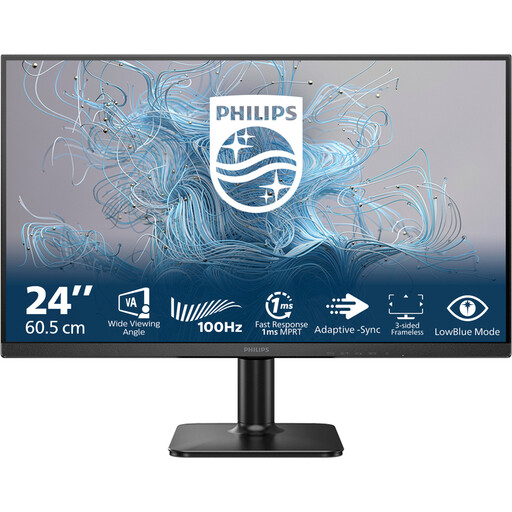
Why it suits this user: This 24-inch Full HD monitor takes up little space and combines everyday computer use with a 100Hz refresh rate. It’s a good fit for students, people working from home and casual gamers.
The specifications are straightforward: 24 inches, Full HD, a VA panel, 100Hz and 4ms. That means you don’t pay for features you may not use.
24-inch size, 1920 × 1080 resolution, VA panel and 100Hz refresh rate.
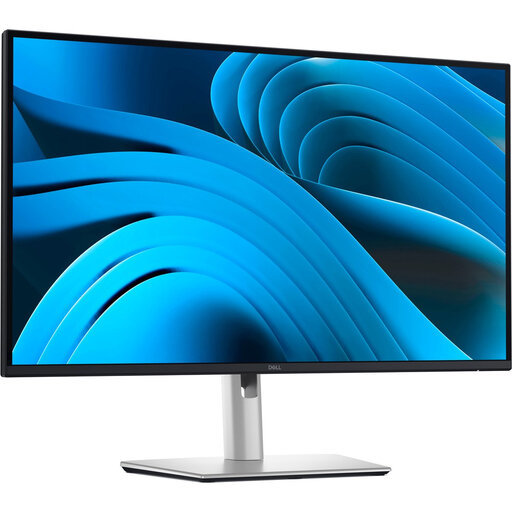
Why it suits this user: This 27-inch QHD IPS screen is designed for a tidy workspace, with USB-C, 90W Power Delivery, a USB hub and an RJ45 connection. It’s a good fit for people working from home and creative users.
The connections and ergonomic features are clearly specified. However, check that your laptop supports USB-C video and the stated charging capacity.
27-inch QHD IPS panel, 100Hz, USB-C with up to 90W Power Delivery and an adjustable stand.
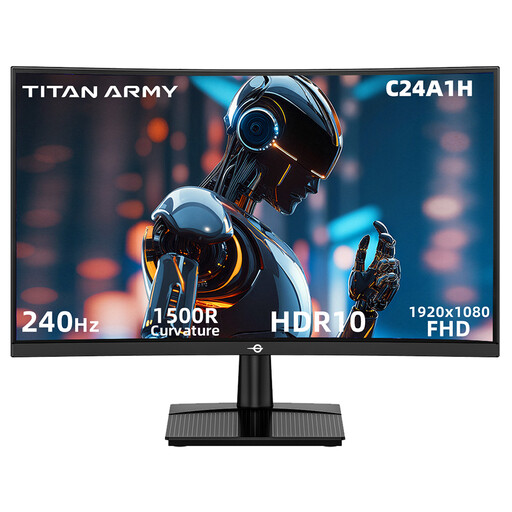
Why it suits this user: This 23.6-inch curved monitor is aimed at players looking for a high refresh rate for fast-paced games. It features Full HD, 240Hz, VA technology and a 1500R curve.
The HDMI and DisplayPort specifications state 1920 × 1080 at 240Hz. This lets you check the connection you need, rather than relying solely on the 240Hz marketing claim.
240Hz, 1ms MPRT, VA panel, FreeSync support, HDR10 and VESA 100 × 100 mm.
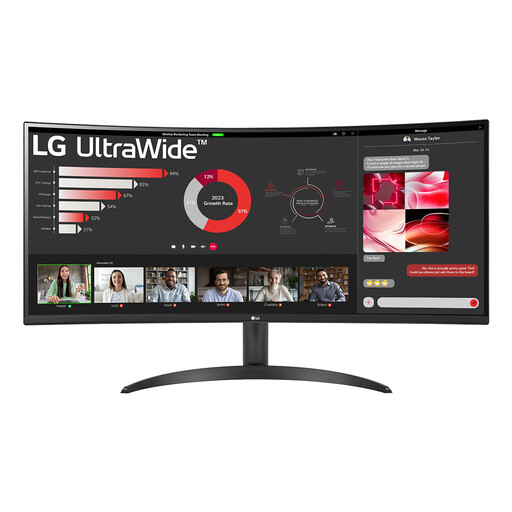
Why it suits this user: This 34-inch 21:9 monitor offers 3440 × 1440 pixels, an 1800R curve and Picture-by-Picture. It’s well suited to multitasking, spreadsheets and games with a wide field of view.
The size, resolution and connections are all clearly specified. Bear in mind that it is 809mm wide and check that your desk can accommodate it.
34 inches, 3440 × 1440, 100Hz, VA panel, HDR10, FreeSync and Picture-by-Picture.
We’ve put together a complete, up-to-date list of products that meet these strict selection criteria and the applicable European safety regulations.
For many PC gamers, a 144Hz monitor is a practical choice. The screen can display up to 144 frames per second, but the benefit you actually get depends on your computer’s frame rate and whether the connection you’re using supports it. For highly competitive games, 180Hz, 200Hz or 240Hz may be worth considering.
Its lifespan depends on how it’s used, heat, transport and the quality of the power supply. Place the screen securely, keep the ventilation openings clear and use a soft, dry cloth to clean the surface. Check the warranty and your statutory rights relating to conformity when you buy. The product specifications often include power consumption too, so you can estimate how much electricity it will use day to day.
Yes, depending on its size and connections. A 24-inch Full HD monitor fits on a small desk. A 27-inch QHD monitor gives you more room for documents and windows. USB-C with Power Delivery can be useful for laptops, while a 34-inch ultrawide monitor can make it easier to have several windows open side by side. As well as gaming features, look for height adjustment, tilt, a matt finish and the connections you need.
