
Adventure gamer who also works from home
You use the same screen for games and work, and want a combination of sharp images and a practical screen position.


For historical adventure games on a desk that also doubles as a home-working space, an adjustable 4K IPS monitor is a sensible choice if your system can handle that resolution and sharpness matters to you. Consider a QD-OLED model instead if contrast in dark scenes is your priority. Be sure to check the resolution, maintenance requirements and warranty terms for the exact model, too.
You use the same screen for games and work, and want a combination of sharp images and a practical screen position.
You want to consider panel types and contrast when viewing dark scenes, without losing sight of the resolution you choose.
You want to check which resolution and refresh rate suit your existing PC or console first.
Start by considering the screen’s size and adjustability on your desk. Then compare its resolution, panel type and refresh rate with what your PC or console can support.
| What to consider | What should you check? | Who should consider this? |
|---|---|---|
| Sharpness of game worlds and text | Compare the resolution and screen size with your hardware, and check that the connection can support the combination you want. | If I want landscapes and work text to look sharp, I consider the resolution in relation to my system. Around 31% of consumers say sharpness is their top purchase priority. |
| Setting up your workspace | Measure your desk, check how much space the screen and stand take up, and see which adjustments are available. | If I use the same desk for work and gaming, I want to be able to position the screen to suit me. Around 31% of consumers prioritise their workspace setup. |
| Contrast in dark scenes | Compare the panel type and resolution. For OLED, also check the maintenance features and terms for the exact model being sold. | If dark scenes are my main concern, I weigh up the panel type alongside the resolution and how I’ll use the monitor. Around 23% of consumers prioritise contrast. |
| Smooth visuals and connections | Check the video output, cable and screen mode. The maximum refresh rate in Hz does not guarantee that your system can deliver that many frames. | If I mainly want to know whether my PC or console can handle the screen mode I want, I check the connection and system performance first. Around 15% of consumers prioritise smoothness and connectivity. |
The stated refresh rate describes a screen mode. Your PC or console also needs to deliver enough frames through the connection you choose.
Check your system, connection and preferred resolution before comparing refresh rates.
Resolution doesn’t tell you how much space the screen and stand will take up, or how far the screen can be adjusted.
Measure your desk and check the dimensions and adjustability of the exact model.
Terms can depend on the specific model and market. A general product page may not make the applicable terms clear.
Ask the seller which terms apply, and distinguish your statutory rights with the seller from any additional manufacturer’s warranty.
The UltraGear 27G810A-B is a 27-inch IPS model for anyone looking for 4K and a high stated refresh rate.
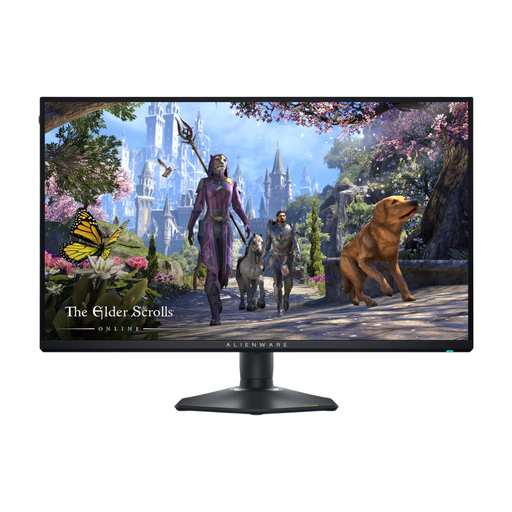
The AW2725QF is a 27-inch IPS model with separate 4K and Full HD modes.
The MO27Q2A is a QHD QD-OLED model for anyone weighing up panel type and contrast alongside resolution.
This selection includes gaming monitors for both gaming and work, with 4K and QHD models and a range of panel types.
 No image available
A 27-inch IPS model for anyone looking to combine 4K with an adjustable setup for gaming and work.
The product details list a resolution of 3840 × 2160 pixels, a maximum refresh rate of 180 Hz and HDMI 2.1. According to the product description, the stand is height-adjustable, tiltable, swivelling and can rotate into portrait orientation.
 No image available
A QD-OLED model to include in your comparison if you’re looking for this panel type and 4K for gaming and work.
The product details list a 27-inch screen, a resolution of 3840 × 2160 pixels and a refresh rate of 120 Hz. Check the applicable OLED maintenance and warranty terms for the model being sold.
 No image available
A 32-inch model to consider if you have room on your desk for a larger screen and want to compare 4K with OLED.
The product details list a resolution of 3840 × 2160 pixels, QD-OLED and a refresh rate of 165 Hz. Check that the screen and stand dimensions suit your workspace, and review the terms for the exact OLED model.
 No image available
A QHD option to compare if you’re not specifically looking for 4K and an adjustable stand matters to you.
The product details list a resolution of 2560 × 1440 pixels, a maximum refresh rate of 275 Hz and height adjustment. QHD has fewer pixels than 4K, so weigh up the difference against the resolution you’re looking for.
 No image available
An IPS model to compare if you want a 4K mode and are also considering a separate Full HD mode.
The product details list a resolution of 3840 × 2160 pixels and an adjustable stand. The listed modes are 4K at up to 180 Hz and Full HD at up to 360 Hz, so the higher refresh rate isn’t available at 4K.
No, don’t choose based on the maximum refresh rate alone. Compare the resolution and panel, too, and check what your system can deliver through the connection you want to use.
Check the space on your desk, how adjustable the monitor is and whether it may reflect light. Arboportaal’s information on screen-based work is aimed at employees and employers; the workplace requirements it mentions do not automatically apply as a uniform product specification for every individual user.
For distance purchases, you generally have 14 days to change your mind, according to the Dutch government. You’re also entitled to a product that works as it should. In the Netherlands, there is no fixed statutory warranty period for every product, and the seller is your point of contact if there’s a problem.
EU energy labelling rules cover electronic displays, including computer monitors. The European rules for electronic displays are set out in Delegated Regulation (EU) 2019/2013. Compare the label for the exact model, and don’t infer its energy class from the panel type alone.