
Vandaag of morgen in huis

Kwaliteit gegarandeerd

Welkomstaanbiedingen ontgrendelen: GRATIS bezorging | Tot 80% korting | Gratis 30 dagen JoyPlus-proefperiode
Download de app
Buying a gaming monitor seems simple, until you have to compare refresh rates, resolution, panel types, connections and synchronisation technology. A screen with impressive specifications isn’t automatically right for your PC, games or workspace.
The three most common buying mistakes:
A 24-inch Full HD gaming monitor typically puts less demand on your graphics card than a 27-inch QHD gaming monitor. Full HD, or 1920 × 1080 pixels, is a good fit for affordable PCs and high refresh rates. QHD, at 2560 × 1440 pixels, gives you more detail and workspace, but requires more graphics processing power.
For a desk, 24 to 27 inches is a practical size. An ultrawide monitor of 34 inches or more gives you extra room for two windows side by side and a wider view in compatible games. Check in advance:
A 100Hz or 144Hz monitor refreshes the image more often than a standard 60Hz screen. For competitive gaming, a 165Hz monitor, 180Hz monitor, 240Hz or 320Hz model may be worth considering. You can see the difference between 144Hz and 165Hz during fast movement, but the benefit diminishes if your hardware can’t deliver a high frame rate.
It’s also worth understanding the difference between:
A high Hz rating is most useful for fast-paced shooters, racing games and esports. For office work, films and more relaxed gaming, 100Hz to 180Hz can offer a good balance.
In product specifications, an IPS monitor usually means wide viewing angles and consistent colour reproduction. This makes it a good choice for gaming, photo editing and content creation. A VA monitor generally offers a higher static contrast ratio and deeper blacks, but check reviews and specifications for any potential motion blur.
An OLED gaming monitor uses self-illuminating pixels. This gives it strong black levels and contrast in the stated product specifications. If you’ll be viewing static images for long periods, follow the manufacturer’s specific usage guidance.
FreeSync, FreeSync Premium and G-SYNC Compatible can synchronise the monitor’s refresh rate with your graphics card. According to product descriptions, this can help reduce tearing and stuttering. Always check that your graphics card, cable and chosen port support the feature. If a monitor isn’t officially listed as G-SYNC compatible, the product information can’t guarantee that it will work.
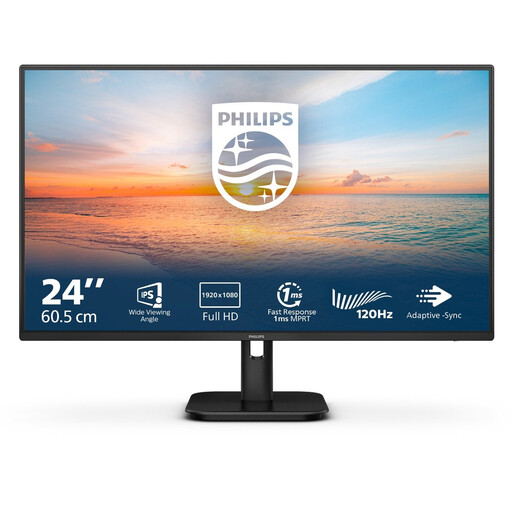
Why it suits this profile: This 23.8-inch Full HD IPS monitor combines 100Hz with HDMI, VGA and built-in speakers. That makes it a practical choice for everyday work, streaming and casual gaming.
The specifications clearly state the resolution, refresh rate and connections. So you won’t be paying for a high Hz rating that your system may not be able to make use of.
Full HD, IPS panel, 100Hz, 4 ms and built-in speakers, according to the product information.
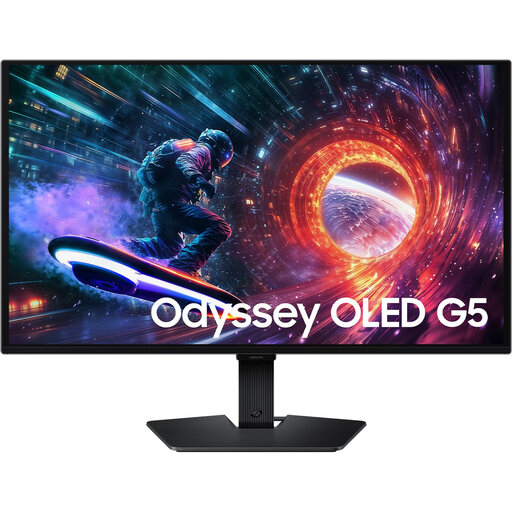
Why it suits this profile: This 27-inch QHD screen is designed for users who want to combine sharp image quality and OLED contrast with 180Hz for fast-paced games.
The product information lists both QHD and 180Hz, as well as HDMI 2.0 and DisplayPort 1.2. Check in advance that your hardware supports this combination.
OLED panel, 2560 × 1440 pixels, 180Hz, HDR10 and support for FreeSync and G-SYNC Compatible, according to the listed specifications.

Why it suits this profile: This 24.5-inch Full HD Fast IPS monitor is aimed at esports and fast-paced PC games, where a high frame rate can matter more than a higher resolution.
Choosing Full HD puts less strain on your graphics card than QHD or ultrawide. The stated 320Hz is most useful with a PC that can achieve a high fps.
320Hz, Fast IPS, 400 cd/m², HDMI 2.1, DisplayPort 1.4 and support for FreeSync Premium and G-SYNC Compatible, according to the product details.
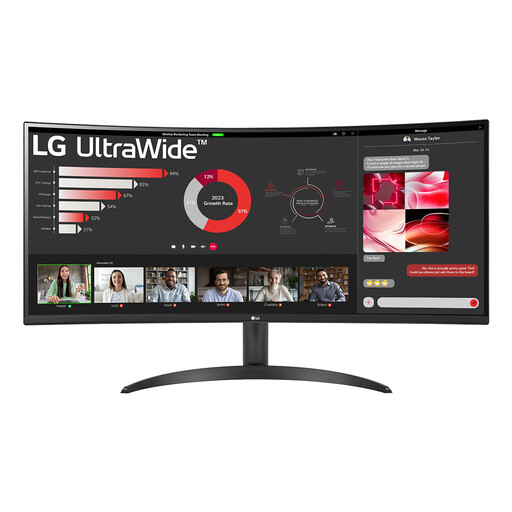
Why it suits this profile: The 21:9 format and 3440 × 1440 resolution leave room for multiple windows, video editing, spreadsheets and a wider view in games.
The fixed 1800R curve and 34-inch width are clearly stated. Measure your desk in advance and check that your PC supports ultrawide resolution.
3440 × 1440 pixels, 100Hz, VA panel, HDR10, FreeSync, Picture-by-Picture and DisplayPort 1.4, according to the product information.
We’ve put together a complete, up-to-date list of products that meet these strict selection criteria and current European safety requirements.
For many players, a 144Hz monitor is a practical choice. It delivers smoother motion than 60Hz without requiring your hardware to produce the same frame rate as it would for 240Hz or 320Hz. A higher refresh rate may be worthwhile for competitive gaming, provided your PC can reach that fps.
Lifespan depends on how you use the monitor, heat, transport and build quality. Check the warranty terms, make sure there’s enough ventilation and use the right cables. If you have an OLED gaming monitor, it’s a good idea to follow the manufacturer’s care and usage instructions, especially when displaying static elements such as taskbars or game interfaces for long periods.
Power consumption varies by screen size, panel type, brightness and HDR use. A large ultrawide or OLED screen may use a different amount of power from a compact Full HD monitor. Check the stated power consumption in watts and the energy rating, and use sleep mode when you don’t need the screen.
