
Vandaag of morgen in huis

Kwaliteit gegarandeerd

Welkomstaanbiedingen ontgrendelen: GRATIS bezorging | Tot 80% korting | Gratis 30 dagen JoyPlus-proefperiode
Download de app
Buying a gaming monitor seems straightforward until you start comparing the specifications. 180Hz, 200Hz, 240Hz, HDR10, FreeSync, G-SYNC and response times of less than 1 millisecond all sound appealing, but they only matter if they suit your PC, games and setup.
Most disappointing purchases come down to three common pitfalls:
A Full HD gaming monitor with 1920 × 1080 pixels puts less strain on your graphics card. This makes Full HD a practical choice for competitive games and budget-friendly systems. At 23.8 or 24.5 inches, the pixel density is also fairly manageable.
A QHD gaming monitor with 2560 × 1440 pixels shows more detail. At 27 inches, it’s a popular choice for both shooters and single-player games. You’ll need a more powerful graphics card to run QHD at high frame rates.
An ultrawide monitor, such as a 34-inch screen with 3440 × 1440 pixels, gives you extra horizontal workspace. That’s useful for simulation games, multitasking and video editing. Check in advance that your desk is wide enough and that your game supports the 21:9 aspect ratio properly.
The refresh rate tells you how many times per second the image is refreshed:
Pay attention to the connection, too. A monitor might support 240Hz via DisplayPort, while HDMI has a lower maximum refresh rate. So always check the combination of resolution, refresh rate and HDMI or DisplayPort version.
An IPS gaming monitor generally offers wide viewing angles and consistent colours. That’s useful for gaming, streaming and light creative work. A VA gaming monitor often has a higher stated static contrast ratio, which affects how dark scenes appear. An OLED gaming monitor uses self-lit pixels and can display very deep blacks, but you should check the usage conditions and manufacturer’s warranty.
A monitor with FreeSync works with compatible AMD graphics cards and can support variable refresh rates. A monitor with G-SYNC or G-SYNC Compatible is designed for NVIDIA systems. Always check that your graphics card, cable and monitor are officially compatible. For example, the LG 34WR50QK-B is listed as potentially working with G-SYNC, but it hasn’t been officially tested for compatibility.
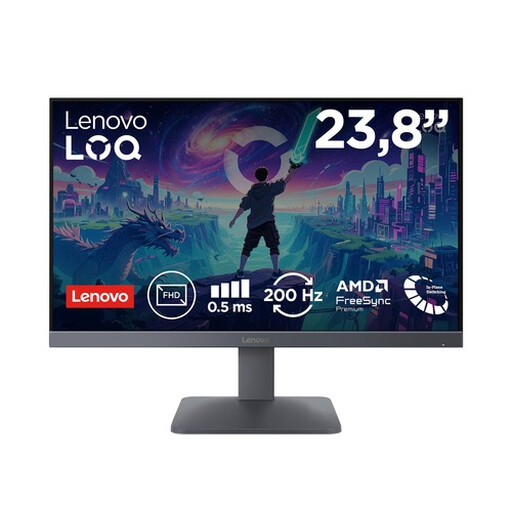
Why it suits this type of user: Full HD resolution and a compact screen size keep the demands on your graphics card manageable, while 200Hz gives you room to enjoy fast-paced games.
The specifications list both 200Hz and 1ms GTG and 0.5ms MPRT. This makes it clear which measurements are being used, rather than giving you just one response time.
23.8 inches, Full HD, Fast IPS, AMD FreeSync Premium, HDMI 2.1 and DisplayPort 1.4 connections.
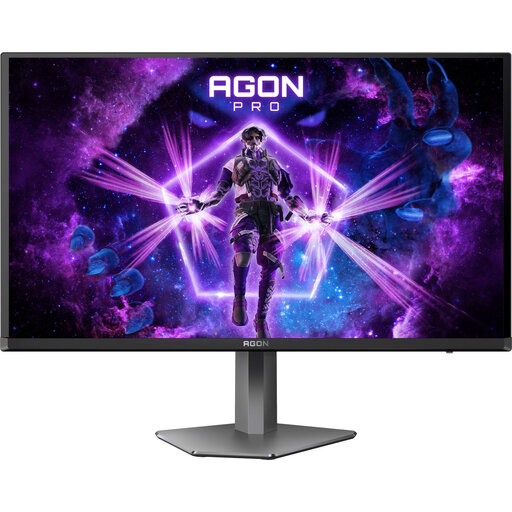
Why it suits this type of user: This screen combines QHD resolution with a QD-OLED panel and 240Hz, making it a good choice if you want both high contrast and speed.
The product information lists the panel technology, HDR 400, FreeSync and G-SYNC Compatible separately. Check that the stated 240Hz is available through the connection you want to use.
2560 × 1440 pixels, 240Hz, quoted response time of 0.03ms, 99% DCI-P3 and a fully adjustable stand.
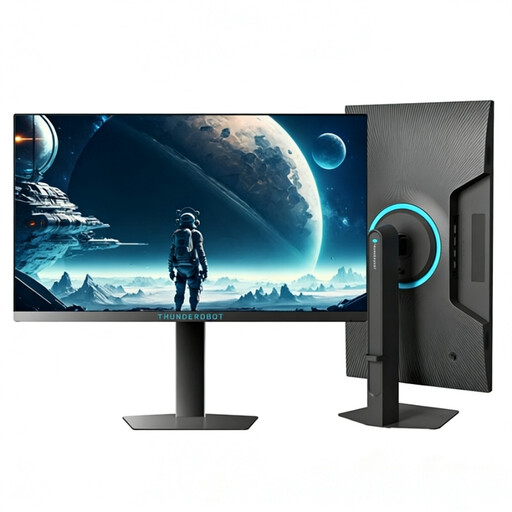
Why it suits this type of user: The 320Hz refresh rate is aimed at players who mainly play competitive Full HD games and want their PC to deliver high frame rates.
The resolution stays at Full HD, so the graphics card has fewer pixels to render than with QHD. That makes it a more logical match for a very high refresh rate.
24.5 inches, Full HD and 320Hz. This monitor is designed for a fast esports setup and supports VESA 100 × 100 mm mounting.
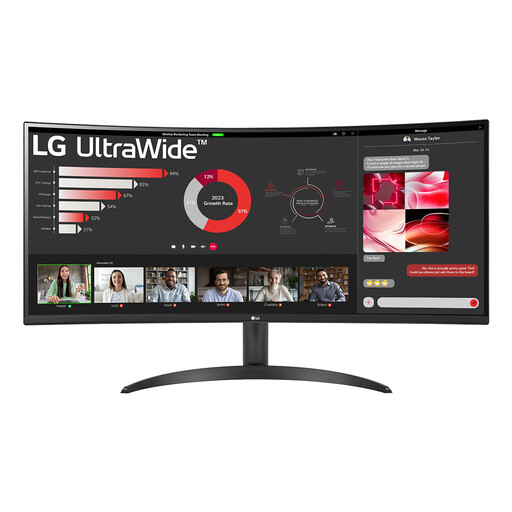
Why it suits this type of user: The 21:9 screen gives you room for multiple windows, streaming and gaming without needing two separate monitors.
The product details list 3440 × 1440 pixels, 100Hz, DisplayPort 1.4, two HDMI 2.0 ports and PBP. This lets you check in advance whether your devices and workspace are suitable.
34 inches, 1800R curved VA panel, WQHD resolution, HDR10, FreeSync and a tilt-adjustable stand.
We’ve put together a complete, up-to-date list of products that meet these strict selection criteria and current European safety regulations.
You may notice a difference in fast-paced PC games, but the benefit depends on your frame rate, graphics card and viewing habits. If your system usually stays around 120 fps, you won’t be making full use of a 240Hz monitor.
Lifespan depends on usage, heat, power supply and panel type. A monitor can remain technically usable for several years, but its connections, standards and refresh rate may become outdated sooner. Keep your proof of purchase and check the statutory and any manufacturer’s warranty.
Power consumption varies depending on screen size, brightness, panel type and refresh rate. A large OLED or ultrawide screen may use a different amount of power from a compact Full HD gaming monitor. Check the stated typical power consumption and switch the screen off when you’re not using it.
