
Map and text reader
You often read small labels, menus and documents. So compare resolution, screen size and text clarity before focusing mainly on refresh rate.


Start by considering how easy maps, menus and work documents are to read from your usual viewing distance. A 27-inch QHD monitor with an IPS panel is a useful benchmark, not a must-have. A higher resolution or OLED may suit you if image quality matters more, but check that your PC and connection can support it, and consider how often you’ll have static windows on screen.
You often read small labels, menus and documents. So compare resolution, screen size and text clarity before focusing mainly on refresh rate.
You use the same desk for work and historical strategy games. Adjustability, connectivity and the choice between IPS and OLED are all worth considering.
Contrast and detail matter particularly to you. Check in advance whether 4K is right for your PC and whether OLED suits the way you use static on-screen elements.
A good fit if: you want one screen for maps, text, work and games.
Consider: QHD has fewer pixels than 4K, so check how easy it is to read from your usual viewing distance.
A good fit if: high pixel density and an immersive picture are priorities, and your PC can handle the resolution you want.
Consider: RTINGS.com describes a risk of burn-in on OLED screens if the same static elements remain on screen for long periods.
A good fit if: more room for work windows or game maps is your main reason for upgrading, and the screen will fit on your desk.
Consider: check the aspect ratio and interface for each game; ultrawide support isn’t confirmed for every title.
| What to consider | What to look for | Most relevant to |
|---|---|---|
| Readable maps and text | Compare screen size and resolution together. RTINGS.com notes that text clarity also depends on pixel density and individual perception. | I want to read small game menus and work documents clearly from my usual viewing distance; readability is the top priority for around 36% of consumers. |
| Shared workspace | Check the stand’s adjustability, the ports and which cable or adapter will work with your PC. | If I use the same desk for work and gaming, I want a monitor that suits my equipment and workspace; around 29% of consumers prioritise a shared workspace. |
| Motion and connectivity | Check the supported resolution and refresh rate for each port. Dell lists different maximums for the G2725D over DisplayPort and HDMI; for motion performance, compare independent tests of the exact model. | I want my PC to deliver the picture I expect through the connection I use; smooth performance and suitable connectivity are the main priority for around 21% of consumers. |
| Contrast and static use | Weigh OLED picture quality against prolonged use with fixed game interfaces or office windows. RTINGS.com describes burn-in as a risk with continuously displayed static images. | Contrast and picture quality matter most to me, but I also want to consider fixed on-screen elements; around 14% of consumers put image quality first. |
A single manufacturer figure doesn’t fully show what motion blur and overshoot look like at the setting you use.
Where available, compare independent tests of the exact model and check its performance at the refresh rate you’ll actually use.
For the Dell G2725D, Dell lists different maximum QHD refresh rates over DisplayPort and HDMI.
Before buying, check the monitor port, PC output and cable as a complete setup.
RTINGS.com describes a risk of burn-in if the same on-screen elements remain visible for long periods. This matters with fixed game interfaces and office windows.
Consider how you use your screen day to day, as well as its picture characteristics, and read the terms for the exact model.
The AOC Q27G4XF is a 27-inch QHD model worth comparing if you’re looking for an IPS panel and an adjustable stand.
The Evnia 27M2N5500/01 is a QHD model with a setting that Philips describes as being for real-time strategy games.
The Dell G2725D shows why it’s important to check the maximum refresh rate for each connection on a QHD monitor.
The PG27UCDM is a 4K QD-OLED model for anyone who puts image quality high on their list.
This selection includes 27-inch QHD models and larger ultrawide screens for gaming and working from home. For ultrawide models, check that your own games support the format and display their interfaces correctly.
 No image available
A 27-inch QHD screen to compare for maps, menus and work documents.
The product name lists 2560 × 1440, Rapid IPS and 200 Hz.
 No image available
A larger screen to consider if you’re prioritising more room for work or maps; check that each game supports the aspect ratio.
The product information lists 3440 × 1440, 144 Hz, 1500R and a Fast VA panel.
 No image available
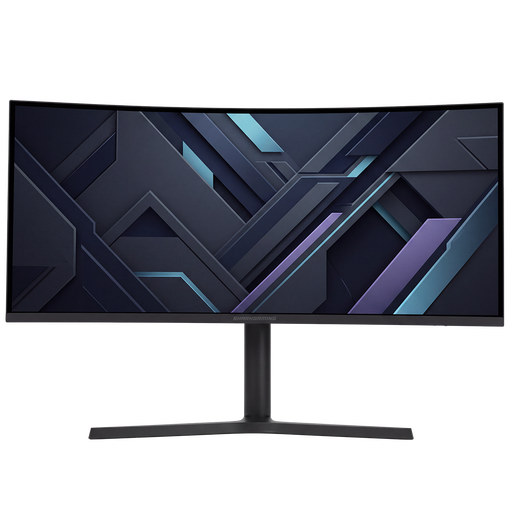
A 34-inch screen for anyone looking for a wider workspace; check in advance whether your games support the display format you want.
The product description lists 3440 × 1440, a 21:9 aspect ratio, 180 Hz, a VA panel and an adjustable stand.
 No image available
A 27-inch QHD model to compare for a shared work and gaming desk.
The product name lists IPS, 144 Hz and Adaptive Sync.
 No image available
A larger screen to compare if you want extra room for work windows; also check which connections are available on your PC.
The product information lists 3440 × 1440 and a Fast VA panel. The maximum refresh rate varies by connection: 180 Hz over DisplayPort and 100 Hz over HDMI.
No, 180 Hz isn’t automatically essential for this kind of gaming. First check that maps and menus are easy to read, then see which resolution and refresh rate your PC can run through the connection you use.
Choose a resolution and scaling that make your work documents and game menus easy to read, and check the refresh rate for the connection you use. An adjustable stand lets you change the screen height, although the range of adjustment varies by model.
Consider prolonged use with fixed on-screen elements and read the care and warranty terms for the exact model. RTINGS.com describes burn-in as a risk with continuously displayed static images; a feature described by the manufacturer doesn’t guarantee that the risk will disappear.
According to ACM ConsuWijzer, most standard online purchases come with a statutory cooling-off period of up to 14 days after delivery, subject to exceptions that you should check for your specific purchase. Your statutory guarantee is separate from any manufacturer’s warranty; if a product is faulty, contact the seller.
The European Commission describes the energy labelling scheme for electronic displays, including computer monitors. Compare the energy label and model-specific information in EPREL; the label also includes information about HDR power consumption, screen diagonal and resolution.