
Student with limited desk space
You want to play strategy games and study at the same desk. It’s not just the screen size that matters; the space taken up by the stand does too.


Start by measuring your space: a compact Full HD monitor is more likely to suit a desk that you also use for studying, while a 27-inch QHD monitor offers more pixels for map details and text. Choose QHD only if you have enough room and your PC and connection can handle your desired resolution and refresh rate. A higher Hz figure alone won’t determine which monitor is right for you.
You want to play strategy games and study at the same desk. It’s not just the screen size that matters; the space taken up by the stand does too.
You prioritise easy-to-read game interfaces and study text, and can make room for a larger QHD screen.
You pay attention to the refresh rate and variable refresh rate, and want to check that your PC and connection support your desired setting.
First, measure the space available for the screen and stand. Then compare Full HD and QHD for readability, and check that your PC and the connection you’ll use can handle your desired display setting.
| What to consider | What should you look for? | Who is this important for? |
|---|---|---|
| Screen and stand on your desk | Measure the available width and depth, then compare them with the monitor’s dimensions, including the stand. Also check which adjustment options you need. | If I use the same desk for studying and gaming, I want to know whether the stand will fit too. Desk space is the top priority for around 29% of consumers. |
| Map details and study text | Compare Full HD, such as 1920 × 1080, with QHD, such as 2560 × 1440. Assess the interface and text from the viewing distance you actually use. | I want small map details and study text to be easy to read. Readability is the main priority for around 29% of consumers. |
| Smooth visuals | Check the maximum refresh rate for your chosen resolution and connection. Compare it with what your PC can deliver in the game you play. | If fast camera movements matter to me, I look at both the monitor setting and my PC’s frame rate. Around 21% of consumers prioritise smooth visuals. |
| Connections and energy use | Check your PC’s available outputs, and the connections and cables required for the exact model. Use the European energy label to compare monitors’ energy information. | I want to know whether the monitor will connect to my PC and how to factor in energy information. Connections and running costs are top priorities for around 21% of consumers. |
The setting you can use depends in part on the resolution, connection and PC output. The monitor’s refresh rate is not the same as the number of frames per second the game delivers.
For the exact model, check the maximum resolution and refresh rate for each input.
The screen’s diagonal measurement doesn’t tell you how much width and depth the monitor and stand will take up on your desk.
Measure the available space and compare it with the manufacturer’s dimensions, including the stand, before you order.
In the Netherlands, the statutory guarantee does not have a fixed two-year term. ACM ConsuWijzer distinguishes between the statutory guarantee and an additional manufacturer’s warranty.
Keep your proof of purchase and contact the retailer if a product is faulty. Consider any additional warranty separately.
The models mentioned illustrate different screen sizes and specifications; a brand mention alone doesn’t indicate availability.
The TUF Gaming VG249QL3A is a compact Full HD option for a desk that’s also used for studying.
The MAG 272QPF E20 is a 27-inch QHD model to consider if you have enough desk space.
The AGON Q27G4XF is another 27-inch QHD model with an adjustable stand.
This selection includes compact Full HD monitors and 27-inch QHD models for anyone who wants to view map details and study text while gaming.
 No image available
Suited to anyone who wants more pixels for map details and study text, and has room for a 27-inch screen.
2560 × 1440 pixels; MSI specifies up to 144 Hz via HDMI and 200 Hz via DisplayPort at QHD. The Joybuy product description also includes different figures; check the model specifications and connection before ordering.
 No image available
Suited to anyone looking for a 27-inch QHD screen with enough desk space.
The product name lists 2560 × 1440 pixels and 180 Hz. Measure the space for the screen and stand before choosing a size.
 No image available
Suited to anyone considering a 27-inch QHD screen who wants to see map details at a higher resolution.
The product name lists 2560 × 1440 pixels, Wide Quad HD and an LCD screen. Check that the size fits your desk.
 No image available
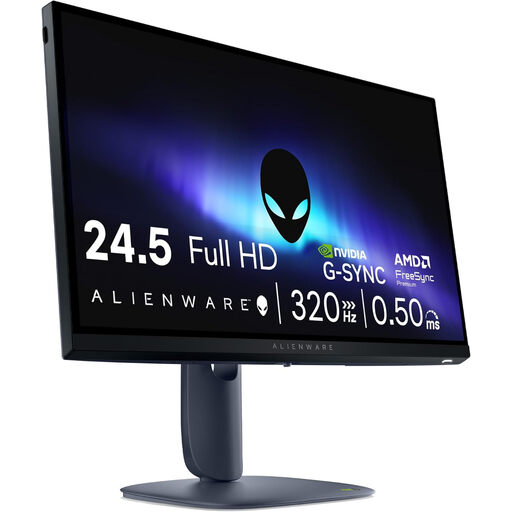
Suited to anyone considering a smaller screen for a desk with limited space.
The product name lists 1920 × 1080 pixels, Full HD and an LCD screen. Full HD has fewer pixels than QHD for map details and study text.
 No image available
Suited to anyone looking for a compact Full HD screen for a desk that’s also used for studying.
The product name lists 23.8 inches, 1920 × 1080 pixels, Full HD and an LCD screen. Measure the stand and decide whether Full HD offers enough detail for your needs.
Check your PC output, the monitor connection, the cable you’re using and the resolution selected. For the MSI MAG 272QPF E20, MSI specifies up to 144 Hz via HDMI and 200 Hz via DisplayPort at QHD. The game’s frames per second are not the same as the screen’s refresh rate.
Measure the available space for the monitor, including its stand, and check that its adjustment options suit your setup. Then adjust the screen for your usual viewing distance and see whether text and the interface are comfortable to read.
No, the statutory guarantee in the Netherlands does not have a fixed two-year term. ACM ConsuWijzer explains that, with normal use, a product must meet what you can reasonably expect of it; the retailer is responsible for providing a solution if the product is faulty. Any additional manufacturer’s warranty is separate.
For online purchases from a business in the Netherlands, you usually have a 14-day cooling-off period. Check the returns information that applies to your purchase. Buying from a physical shop doesn’t automatically give you the same right to return a monitor because you’ve changed your mind.
For computer monitors on the EU market, you can check the European energy label. The European Commission states that the label shows, among other things, the energy efficiency class; additional model information is available in EPREL via the QR code. Compare models on the same basis of use.