What should you look for in a gaming monitor for football games?
Panel type, motion handling and the output of your PC or console together determine which monitor settings you can use during matches.
| What to consider |
What to look for |
Who is this most important to? |
| Contrast and black levels |
Compare the measured contrast and black levels of the exact model; don’t rely on the panel type alone. |
If I mainly play in the evening, I want to make out details in dark scenes; around 33% of consumers rank contrast and black levels as their top priority. |
| Motion clarity |
Check both response time and overshoot at the refresh rate you play at, not just the lowest quoted millisecond figure. |
When I follow fast passes and camera movements, I mainly want a sharp picture in motion; around 27% of consumers rank motion clarity as their top priority. |
| Usable picture mode |
Check the resolution, Hz, VRR, connection and cable for your device, as well as whether the specific game supports them. |
If I connect a PC or console, I want to know which picture mode my own setup actually supports; around 20% of consumers put compatibility first. |
| Static images over long periods |
Consider OLED care features and the terms for the exact model; reducing the risk is not a guarantee against burn-in. |
During long sessions with a fixed scoreboard or menu, I want to take that risk into account; around 20% of consumers say prolonged static images are their main concern. |
Gaming monitors at Joybuy
This selection includes VA and IPS gaming monitors in different screen sizes, resolutions and quoted refresh rates. Compare their features with the output capabilities of your own PC or console and the game you play.
 No image available
LG UltraWide 34U601B-B, 34-inch, WQHD VA, 120 Hz
A VA model to include when comparing black levels and refresh rate for football games in a dark room.
WQHD, 120 Hz and a curved 1800R screen.
View at Joybuy
 No image available
MSI MAG 272F X24, 27-inch, Full HD, 240 Hz
The quoted 240 Hz makes this model worth comparing if fast-paced match action matters to you; check which refresh rate your device and game support.
The product name lists 1920 × 1080, AMD Adaptive Sync and HDR Ready.
View at Joybuy
 No image available
Samsung Odyssey G4 G40H, 25-inch, Full HD, Fast IPS
A Fast IPS model to compare if fast action matters to you; the maximum quoted refresh rate varies by connection.
Up to 300 Hz via DisplayPort and 240 Hz via HDMI.
View at Joybuy
 No image available
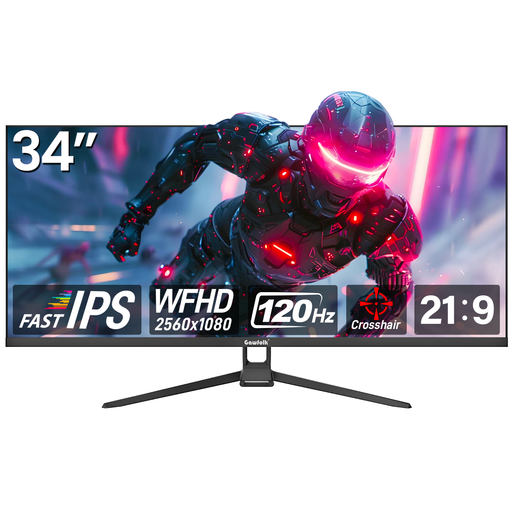
Gawfolk flat gaming monitor, 34-inch, WFHD, 120 Hz
The 34-inch screen is an option to include when comparing screen size and quoted refresh rate for gaming.
WFHD 2560 × 1080 and a flat screen.
View at Joybuy
 No image available
Gawfolk GF340C-H, curved VA monitor, 34-inch, UWQHD, 165 Hz
The VA version is an option to consider when comparing panel type and quoted refresh rate for gaming.
3440 × 1440, 165 Hz and a curved 1500R screen.
View at Joybuy
Frequently asked questions
Does a PS5 automatically benefit from a 240 Hz monitor?
No. PlayStation describes 120 Hz output for games that support a 120 Hz frame rate. For 1440p, check which 60 Hz, 120 Hz and VRR modes are available and whether the connected monitor supports them.
What should I check if the picture mode I want doesn’t appear?
First, check your monitor connection, cable and device video output. On PS5, the resolution, information about the connected HDMI device, VRR and 120 Hz output can be found under Settings > Screen and Video > Video Output. The game also needs to support the refresh rate you want.
How should I account for a fixed scoreboard when using OLED?
Avoid leaving a static image on screen for longer than necessary, and check the care features and manual for the exact model. ASUS says the PG32UCDM3’s presence detection can switch to a black screen to reduce the risk of burn-in; this doesn’t eliminate the risk.
Should I buy an extended warranty in the Netherlands?
Not to get statutory protection: according to the Dutch government, you already have a legal guarantee when you buy a product, and the seller must provide a solution if it is faulty. There is no fixed statutory warranty period in the Netherlands. Before buying, check what additional rights a paid warranty actually provides.
Do energy labelling rules apply to gaming monitors?
Yes. EU rules for electronic displays include computer monitors and use a scale from A to G for the energy label. For the models you’re considering, also compare the energy information provided for HDR use.


