What should you look for in a gaming monitor for farming simulations?
First, choose a resolution that suits your PC. Then check the audio connection and the settings for the video input you’ll use. Adjustability and energy information can help you compare your options further.
| What to consider |
What should you check? |
Who is this important for? |
| Headphones and audio |
Check whether the exact model has a headphone output and whether the microphone needs to be connected separately to your PC or console. |
If I want to connect my headphones to the monitor, I also want to know how my microphone will work. Around 36% of consumers put monitor audio at the top of their list when buying. |
| Picture detail |
Compare the resolution and screen size with what your PC can handle for the simulation you’ve chosen. |
If I want to see landscapes, vehicles and menus more clearly, I compare Full HD and QHD with what my PC can handle. Around 29% of consumers put picture sharpness first. |
| Smooth visuals |
Check the maximum refresh rate for each port and your source settings. A stated maximum doesn’t guarantee the game’s frame rate. |
If smooth visuals are my main priority, I want to know what my PC and the connection I’m using can actually deliver. Around 21% of consumers put smoothness first. |
| Comfort and energy use |
Check how the stand can be adjusted, and look at the energy label and product information for the exact model. |
If I play for long periods, I consider the screen position and energy information. Around 14% of consumers put comfort or energy use first. |
Joybuy monitors for farming simulations
This selection includes Full HD and QHD monitors whose product information mentions a headphone output. For the exact version, also check the applicable conformity information and energy label alongside the product details: Business.gov.nl explains the safety requirements for electrical equipment, while the European Commission outlines the label information for displays covered by EU rules.
 No image available
AOC G4 Q27G4ZR, 27-inch QHD
A good fit if you’re looking for a QHD screen with a headphone output on the monitor.
- 27 inches
- 2560 × 1440 pixels, Quad HD
- LED
View at Joybuy
No image available
AOC G4 C27G42ZE, curved 27-inch Full HD
A good fit if you’re considering a curved Full HD monitor with a headphone output on the screen.
- 27 inches
- 1920 × 1080 pixels, Full HD
- LCD
View at Joybuy
 No image available
AOC GAMING Q27G4ZDR, 26.5-inch QHD QD-OLED
A good fit if you’re looking for QHD resolution and a headphone output on the monitor.
- 26.5 inches
- 2560 × 1440 pixels, QHD
- QD-OLED
- 240 Hz
View at Joybuy
 No image available
LG UltraGear 27GX704A-B.AEU, 27-inch OLED QHD
A good fit if you’re looking for a QHD screen with an OLED panel and an audio output.
- 27 inches
- 2560 × 1440 pixels, QHD
- OLED
- 240 Hz
View at Joybuy
 No image available
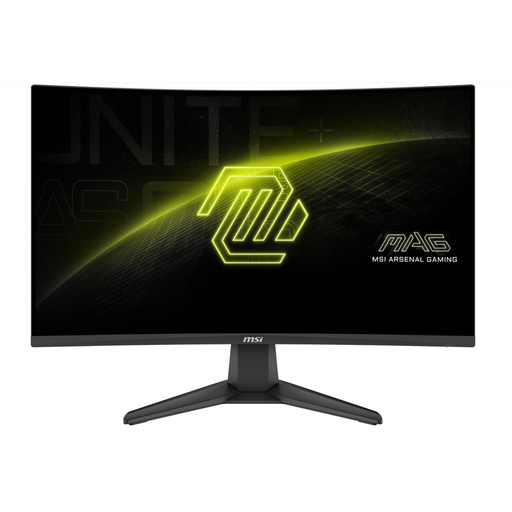
MSI MAG 276CF E20 (MAG276CFE20), curved 27-inch Full HD
A good fit if you’re looking for a curved Full HD monitor with an audio connection.
- 27 inches
- 1920 × 1080 pixels, Full HD
- VA panel
- 200 Hz
- The product information states that the stand is not height-adjustable.
View at Joybuy
Frequently asked questions
Do you need a monitor with a refresh rate of 180 Hz or higher for Farming Simulator 25?
No. GIANTS Software’s published minimum requirements don’t specify a mandatory monitor refresh rate. Choose a Hz specification that suits your PC and the connection you’ll use, as well as how smooth you want the picture to look. The minimum requirements don’t predict a specific frame rate.
Will your headset microphone work through the monitor’s headphone output?
A headphone output alone doesn’t confirm microphone support. LG describes the output on the 27GQ50F-B as a 3-pole, audio-only connection. For your microphone, check that you have a suitable connection on your PC or console.
What should you check if the stated maximum Hz isn’t available?
Check the video input, cable, source settings and the maximum specification for each port. For the MAG 274QRF QD E2 at QHD, MSI lists a maximum of 144 Hz via HDMI and up to 180 Hz via DisplayPort or the specified USB-C video mode.
What are your rights when buying online or if a product is faulty?
When you buy online from a business in the Netherlands, you generally have 14 days to change your mind, although some legal exceptions may apply. You’re also entitled to a product that is fit for purpose. A manufacturer’s warranty or additional package doesn’t replace your legal rights. The Dutch government explains these consumer rights.
What safety and energy information should you check for a monitor?
For the exact version, check the applicable conformity information and the energy label alongside the product information. Business.gov.nl explains the European safety requirements for electrical and electronic equipment, while the European Commission outlines the energy label and product information requirements for displays covered by EU rules.


