
Fantasy-world explorer at a shared desk
You want to see landscapes and small details clearly, while leaving space for someone else. A 27-inch QHD screen with an adjustable stand is one option to consider; LG lists these features for the 27GS75Q-B.


Start with the desk space available and your PC or console. An adjustable 27-inch QHD monitor is a practical starting point if you want detail without immediately opting for an ultrawide screen. A larger screen or OLED may suit you if the space, equipment and your roommate’s preferences allow; also check the brightness controls, headphone connection and supported display modes.
You want to see landscapes and small details clearly, while leaving space for someone else. A 27-inch QHD screen with an adjustable stand is one option to consider; LG lists these features for the 27GS75Q-B.
You play while someone else in the room is resting. So look at the brightness controls, reflections and headphone connection. Built-in speakers aren’t necessarily suitable for shared use.
You want to know which resolution, refresh rate and any VRR feature will actually work through the right input. Check what the exact monitor supports alongside your device and cable.
A good fit when: detail, a manageable size and an adaptable setup are important at a shared desk.
Trade-off: the maximum stated refresh rate doesn’t guarantee that every PC or game can reach it; also check how much room the stand and screen need.
A good fit when: you sometimes want sound through the screen but can also connect headphones.
Trade-off: built-in speakers can be disruptive if your roommate is resting. A manufacturer’s claims about picture enhancements don’t tell you how a setting will work in your game.
A good fit when: you mainly play in a darkened room and deep blacks are a priority.
Trade-off: RTINGS reported a limitation with black levels in a bright room on the ASUS PG27UCDM it tested; that result doesn’t automatically apply to every OLED screen.
A good fit when: your desk is spacious enough and a wider gaming view matters more to you than keeping the screen size modest.
Trade-off: a 34-inch screen takes up more space than the 27-inch models reviewed; also check that your game and device support the aspect ratio you want.
| What to consider | What should you check? | Who is this important for? |
|---|---|---|
| Detail in fantasy worlds | Compare screen size, native resolution and panel type with what your PC or console can handle. HDR support alone doesn’t show how impressive HDR images will look. | If I prioritise landscapes and small details, I want to match the resolution to my device. Around 36% of consumers in this situation put picture detail at the top of their list when buying. |
| Space at a shared desk | Measure the available width and depth, and check the exact model’s dimensions with its stand, adjustment range and any VESA compatibility. | If I share a desk, the screen needs to fit without taking up unnecessary space for the other person. Around 29% of consumers prioritise positioning and adjustability. |
| Quiet use in the bedroom | Check whether you can adjust the brightness, whether the screen surface reduces reflections and how to connect headphones to your device. | If someone else in the room is resting, I want to be able to adjust the light and sound accordingly. Around 21% of consumers make quiet shared use their main buying concern. |
| Connections and display modes | Check the resolution and Hz combination for each input, as well as your device’s cable and output. On a PS5, test 1440p, 120Hz and VRR separately. | If I switch between console and PC, I want the mode I need to work with my main device. Around 14% of consumers prioritise this compatibility. |
Figures may use different measurement methods and settings. Philips links 0.5 ms to Smart MBR and warns that this mode limits brightness control and can cause visible flickering. LG lists 1 ms GtG in ‘Faster’ mode.
Compare the measurement method and active display mode, not just the lowest millisecond figure.
PlayStation distinguishes between 120Hz output in compatible games and VRR on HDMI 2.1 VRR-compatible screens.
Check the console, input, resolution and mode you want to use with the exact model.
The stand also takes up depth on the desk. So two screens with the same diagonal measurement may still fit differently, depending on their dimensions with the stand.
Measure both the available width and depth, and check that any monitor arm will fit the screen and desk.
A product page alone doesn’t confirm that the exact version will be available when you place your order.
Check the exact model and current product details page before ordering.
The UltraGear 27GS75Q-B is a 27-inch QHD IPS option to consider if adjustability and an anti-glare surface matter to you.
The MOBIUZ EX2710Q is a 27-inch QHD option if you’re also considering built-in audio and adjustable picture features.
The Evnia 27M2N3500NF/00 is a 27-inch QHD IPS option if you’re considering a conventional gaming monitor.
The Q27G4XF is a QHD IPS option with an adjustable stand; the manufacturer page cited isn’t specific to the Netherlands.
The TUF Gaming VG27AQ3A is a 27-inch QHD IPS option with adaptive sync; the separate ROG OLED is a different product range.
This Joybuy selection consists mainly of 27-inch QHD gaming monitors. The models differ in features such as their stated panel type and refresh rate; check which display mode works with your PC or console for each model.
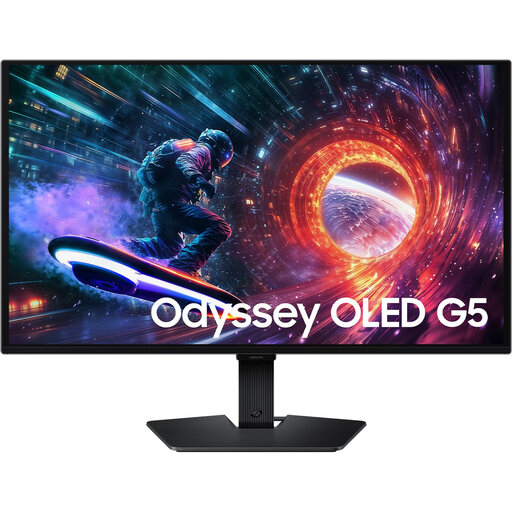 No image available
An option to consider if you’re looking for a 27-inch QHD gaming monitor with an OLED panel; the title lists 180 Hz.
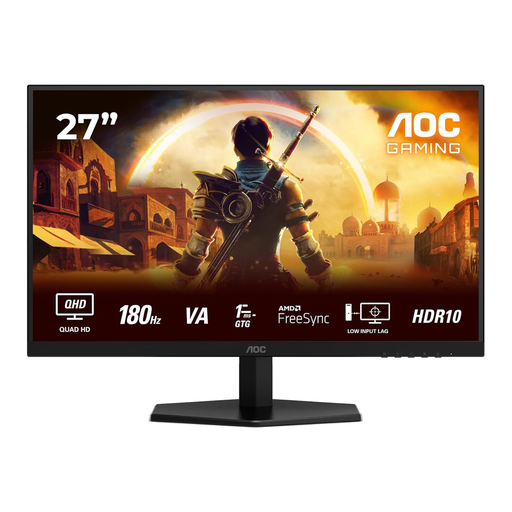 No image available
An option if you’re looking for a 27-inch QHD screen for fantasy games and want to compare its stated refresh rate with your equipment.
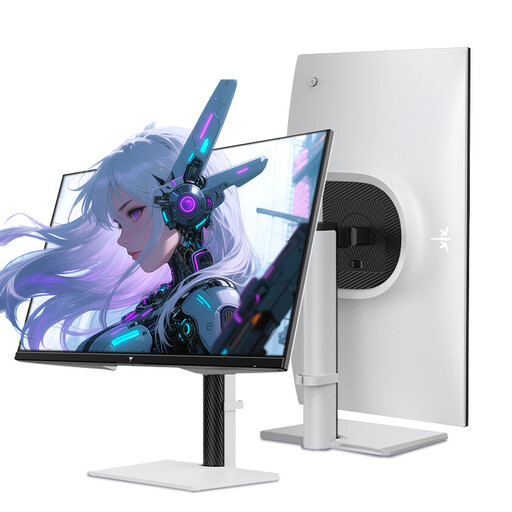 No image available
An option if you’re looking for a 27-inch QHD screen with a height-adjustable stand; check that the refresh mode you choose suits your device.
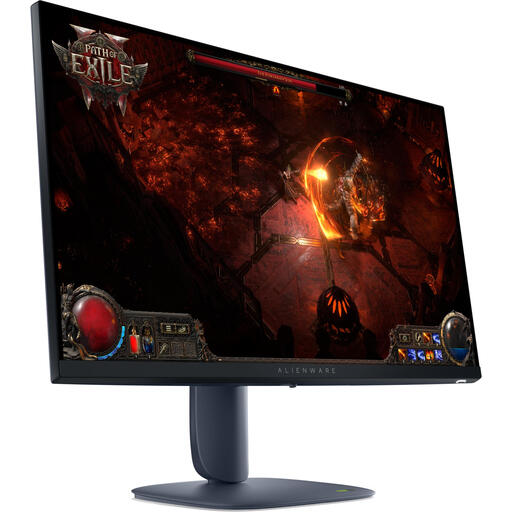 No image available
An option if you’re looking for a 27-inch screen with 2560 × 1440 pixels; match your preferred display mode to the device you connect.
 No image available
An option if you’re looking for a 27-inch Quad HD monitor; check the refresh mode and adjustability of the exact version you’re considering.
No, not automatically. Check that your PC, game, chosen resolution, input and cable support that mode. Philips also points out that your graphics card needs to be able to handle the chosen resolution and refresh rate on its QHD monitor.
Position the screen securely and adjust its height and brightness to suit the situation. If the other person is resting, you can use a suitable headphone connection for sound. Also check whether a motion-reduction mode limits brightness or can cause flickering.
Not automatically. PlayStation describes PS5 VRR for HDMI 2.1 VRR-compatible screens. So check the exact model’s HDMI and PS5 compatibility; the game must also support 120Hz output for that mode to work.
According to the Dutch government, when you buy at a distance you have a 14-day cooling-off period in many cases; check the terms of the specific purchase. You’re also entitled to a product that meets reasonable expectations, and the seller must provide a solution if something is faulty. An additional warranty doesn’t replace this statutory right.
Milieu Centraal describes the old-for-new scheme: when you buy a similar new electrical appliance, you can return the old one to the retailer free of charge. You can also ask your local council about options at its household waste recycling centre.