What should you look for when choosing?
Start with your gaming platform and preferred aspect ratio, then consider resolution, panel type and the space available on your desk. A high maximum refresh rate alone doesn’t tell you how many frames per second a game will actually display.
| What to consider |
What to look for |
Who should pay particular attention? |
| Sharpness on a large screen |
Compare screen size and resolution, and check what your PC, console and connection can output. AOC lists the AG326UD as 31.5 inches with a resolution of 3840 × 2160 pixels. |
If you want to take in environments and clues on a large screen at your own pace, detail is key; around 33% of consumers give sharpness top priority. |
| Dark scenes and OLED care |
Compare the panel type with the lighting in your room. If you choose OLED, read the guidance on static images and the cover terms; AOC’s cover for the AG326UD depends on following its care guide. |
If atmosphere and visibility in dark scenes are your main concerns, you’ll want to know what care your usage requires; around 25% of consumers put this first. |
| Wide PC view |
Check 21:9 support for each game and measure the available space. MSI lists the MAG 341CQP QD-OLED as a 34-inch screen with a resolution of 3440 × 1440 pixels. |
If you’re specifically after a wider view on PC and check that your games support it, ultrawide is worth considering; around 17% of consumers give this top priority. |
| Console modes |
Check the HDMI specifications and the output modes available on your console and in your games. Sony notes that 120Hz output depends on the game supporting it. |
If you mainly want to know which picture modes your console can use with the screen, check the combination of device, connection and game; around 17% of consumers start with compatibility. |
| Desk space and usage |
Measure the available space, including the monitor stand. Also compare the EU energy label and read the warranty terms for the exact model. |
If available space, power consumption and aftercare all affect your choice, practical considerations may matter more than extra screen space; around 8% of consumers put this trade-off first. |
Joybuy monitors for large detective games
This Joybuy selection includes large 4K monitors for a detailed picture and a 34-inch ultrawide for PC games with suitable 21:9 support. The models also differ in panel type and listed features, so check the specifications and usage terms for the version you’re considering.
 No image available
MSI MAG 322UP QD-OLED E16 31.5-inch 4K UHD
A good option to compare if you’re looking for a large 4K picture and QD-OLED for adventure games.
31.5-inch 4K UHD; QD-OLED; 165 Hz; USB-C.
The product description advises against displaying a static image at high brightness for extended periods and recommends using the OLED care features.
View at Joybuy
 No image available
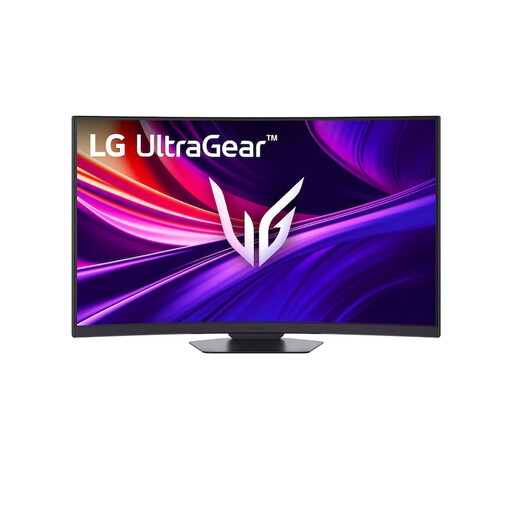
LG UltraGear 37G800A-B 37-inch 4K UHD Curved VA
An option to compare if you’re looking for a large 4K screen with a VA panel.
37-inch; 3840 × 2160 pixels; VA panel; 165 Hz; DisplayHDR 600; 4000:1 contrast ratio.
The listed specifications describe the screen, but don’t by themselves tell you what frame rate a game will reach.
View at Joybuy
 No image available
AOC AGON PRO AG326UD 31.5-inch 4K
A good option to consider if you’re looking for a large 4K picture and QD-OLED for dark scenes.
31.5-inch; 3840 × 2160 pixels; QD-OLED; 165 Hz; HDMI 2.1; DisplayHDR True Black 400.
AOC recommends avoiding static images for extended periods and makes its OLED cover conditional on following the care guide.
View at Joybuy
 No image available
Gigabyte AORUS FO32U 31.5-inch 4K
An option to compare if you’re looking for a 31.5-inch 4K screen with QD-OLED.
31.5-inch; 3840 × 2160 pixels; QD-OLED; 165 Hz.
View at Joybuy
 No image available
MSI MAG 341CQP QD-OLED 34-inch Ultrawide
A good fit for PC players looking for a wider view who check in advance whether their games support 21:9.
34-inch; 3440 × 1440 pixels; 21:9; QD-OLED; 175 Hz; HDMI 2.1.
The usefulness of the 21:9 format depends on game support; ultrawide isn’t necessarily suitable for console use.
View at Joybuy
Frequently asked questions
Do I need a 240Hz monitor for detective games on PS5?
No. Don’t assume you need a particular refresh rate just because it’s the highest figure on the box. Sony notes that 120Hz output must be enabled for games that support a 120 Hz frame rate; also check the video output information for the connected HDMI screen.
How can I check which picture mode my PS5 is using with a monitor?
On your PS5, go to Settings > Screen and Video > Video Output to check the current signal and information about the connected HDMI device. Make sure the resolution, VRR and HDR settings you want are compatible with your screen and game.
What care does an OLED monitor need over extended use?
Follow the care guide for your chosen model. For the AOC AG326UD, AOC recommends avoiding static images for more than 4 hours and makes its three-year OLED cover conditional on following the guide. Don’t automatically apply this model-specific advice to other monitors.
How can I compare monitors’ power consumption?
Compare the EU energy label and product information for the exact models. The European Commission says electronic displays, including computer monitors, are rated on a scale from A to G. To work out your personal costs, you’ll also need to know how long you use the monitor and your electricity tariff.
What are my rights in the Netherlands if a monitor I bought online doesn’t work properly?
According to the Dutch government, you’re entitled to a product that works properly, and Dutch statutory guarantee rights have no fixed time limit. If a product is faulty, the seller must provide a solution. ACM ConsuWijzer also says that online purchases usually come with a cooling-off period of up to 14 days after delivery. A manufacturer’s warranty doesn’t replace your statutory rights.


