
Atmosphere seeker
You mainly play story-led detective games in a darkened room and want convincing blacks, without basing your choice on speed alone. RTINGS.com’s panel tests compare OLED blacks with the contrast characteristics of LCD panels.


For detective games in a dark room, OLED is a natural choice if deep blacks are your priority and you’re mindful of static images; mini-LED VA offers an LCD alternative with local dimming. IPS may be a better fit if viewing angles and mixed use matter more, but a gaming mode won’t automatically improve native contrast. Focus on comparing shadow detail on the exact model, and check the connections and terms of use too.
You mainly play story-led detective games in a darkened room and want convincing blacks, without basing your choice on speed alone. RTINGS.com’s panel tests compare OLED blacks with the contrast characteristics of LCD panels.
You want to make out text and subtle details in dark scenes. Pay attention to shadow settings and check that image processing doesn’t make details harder to see. RTINGS.com outlines things to consider with local dimming, while Philips lists a mode for adjusting dark scenes on the Evnia 27M2N5500/00.
You also regularly keep static windows, menus or text on screen when you’re not gaming, and are weighing picture quality against maintenance and viewing angles. LG explains how to maintain OLED monitors; RTINGS.com also compares the viewing angles of IPS with the contrast of VA.
| What to consider | What should you check? | Who should give this more weight? |
|---|---|---|
| Black levels and contrast | View dark scenes on the exact model. For LCD, check whether it has local dimming and how it works. | If I mainly play in a dark room, I want blacks to look convincing without choosing on speed alone; around 36% of consumers prioritise black levels and contrast in this setting. |
| Clue visibility | Compare shadow detail with and without shadow mode or local dimming; also look out for halos and lost detail. | If subtle clues in shadows matter, I want to be able to make them out without unintentionally changing the atmosphere; around 29% of consumers give shadow detail visibility top priority. |
| Static images and mixed use | Check the care instructions and written warranty terms for the exact OLED model. | If menus, subtitles or other static content are often on screen, I want to know what maintenance is needed and which terms apply; around 21% of consumers prioritise extended mixed use. |
| Motion and connectivity | Check which resolution and refresh rate your device supports through the connection you plan to use. Also read a model-specific test of motion and VRR. | If I use variable frame rates or a particular connection, I want suitable settings and smooth-looking motion; around 14% of consumers make smoothness and compatibility their top priorities when choosing. |
The maximum refresh rate doesn’t automatically tell you which display mode you can use with your device and connection. Variable frame rates can also cause visible VRR flicker; RTINGS.com reports this on the AOC Q27G3XMN it tested.
For detective games, start by focusing on dark scenes and shadow detail. Then check the resolution and port you need, and look for a motion test of the exact model.
A mode that adjusts dark areas can change how the picture looks without changing the IPS panel’s native contrast. Philips describes the Evnia 27M2N5500/00’s FPS mode as a feature for dark scenes; that doesn’t prove clues will be easier to see in every game.
Compare the clues and atmosphere with the mode switched on and off. If in doubt, consult a test of the exact model.
Static elements left on screen for long periods remain a consideration with OLED. Care features and manufacturer terms are not the same as a guarantee that every type of burn-in will be covered.
Read the written terms for the exact model and follow the recommended care instructions. Don’t assume that pixel cleaning can fix permanent burn-in.
LG marks the 27GS95QE-B as discontinued and has a separate product page for the 27GX704A-B. Similar model names don’t mean that product status or specifications are interchangeable.
Check the full model code and current product information before comparing specifications or availability.
The UltraGear OLED range includes models for anyone who values deep blacks; the 27GX704A-B is a specific QHD example.
The European Q27G3XMN/BK is a mini-LED VA LCD option for anyone who wants to assess dark scenes without choosing OLED.
The Evnia 27M2N5500/00 is an IPS model to consider when weighing up QHD, mixed use and an adjustable gaming mode.
The ROG Swift OLED PG32UCDM Gen3 (PG32UCDM3) is a 32-inch 4K QD-OLED model for anyone who values screen space and detail.
The Odyssey OLED G6 G60SD is a QHD OLED model to consider if a matte finish and its stated maximum refresh rate suit your needs.
These Joybuy products include gaming monitors for dark games, with QHD and OLED options as well as models with local dimming.
 No image available
Worth considering if you’re looking for a QHD monitor with a high stated refresh rate for gaming.
27 inches; Quad HD (2560 × 1440); 180 Hz; 1 ms; FreeSync Premium; HDR10; 2× HDMI 2.0 and 1× DisplayPort 1.4.
 No image available
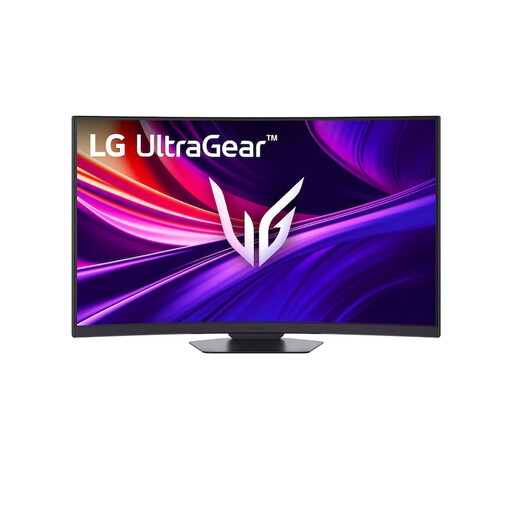
Worth considering if you’re looking for a curved VA screen with 4K resolution for gaming.
37 inches; 4K UHD; curved VA panel; 165 Hz.
 No image available
Worth considering if deep blacks are your priority and you’re looking for a QHD OLED model; if you often have static elements on screen, bear the care instructions in mind.
27 inches; OLED; QHD (2560 × 1440); 240 Hz; DisplayHDR True Black 400; 2× HDMI 2.1 and 1× DisplayPort 1.4.
 No image available
Worth considering if you’re looking for QD-OLED and WQHD; take the need to be mindful of static screen elements into account when choosing.
26.5 inches; WQHD; 16:9; QD-OLED; 240 Hz; 400 cd/m²; 0.03 ms; 2× HDMI, DisplayPort and USB Type-C.
 No image available
Worth considering if you want to weigh up local dimming and an IPS panel; check how dimming and shadow detail work together in dark scenes.
27 inches; Fast IPS; MiniLED; UHD 160 Hz or FHD 320 Hz; HDR1400; USB Type-C 65 W; KVM.
Only if the game and your entire display chain support HDR and you like the result. An HDR label alone doesn’t predict how visible shadow detail will be, so compare HDR and SDR on the exact screen. VESA uses different performance criteria for DisplayHDR and True Black.
Avoid leaving unchanged images on screen for long periods and follow the care instructions for the exact model. LG describes automatic and manual pixel cleaning for OLED monitors, though the menus may vary by model. Pixel cleaning doesn’t guarantee protection against permanent burn-in.
No. Your device, connection, cable and selected resolution all need to support the display mode you want. Check that combination, and read a test of the exact model for VRR flicker if the frame rate varies in dark scenes.
Compare the EU energy label and product information sheet for the specific models. The European Commission says the label provides information on consumption in SDR and HDR. Check the need for accessories or extended warranties separately, and don’t assume in advance that you’ll need them.
For a consumer purchase from a business, the product must meet what you can reasonably expect; the seller is your point of contact if there’s a problem. According to the Dutch government, there is no fixed statutory warranty period in the Netherlands. For distance purchases, you usually have 14 days to change your mind, with some exceptions. Check which terms apply to your purchase; a manufacturer’s warranty doesn’t replace your statutory rights.