Choose a monitor based on what you do most: inspect details, use design windows side by side, or view and play fast-moving scenes. Then compare the resolution and aspect ratio with your software and PC, check the refresh rate for each connection, consider how the monitor will fit on your desk, and, for OLED, bear in mind the considerations around displaying static images for long periods.
Who is this choice for?
Designer focused on fine details
If you spend a lot of time looking at text, lines and parts of a virtual spacecraft, compare QHD and 4K options with the resolutions your PC and software can support. ASUS Netherlands and Dell Netherlands describe models with these resolution options.
Designer who works with lots of windows
If you want to keep design windows and references side by side, check whether an ultrawide screen works with your software and leaves enough room on your desk. Dell Netherlands lists a resolution of 3440 × 1440 for the Alienware AW3425DWM.
Designer who also games
If you switch between design work and fast-moving scenes or games, check the refresh rate the monitor supports through your PC’s connection. ASUS Netherlands and AOC list models with different connection and speed options.
What should you look for when choosing?
Start with the task that matters most to you, then check that the screen, connection and desk setup are a good fit.
| Consideration |
What should you check? |
Who is this important for? |
| Clarity for design details |
Compare the native resolution and screen size with your software, PC and preferred design mode. |
If I want to inspect fine lines and text clearly, details come first. Around 33% of consumers put clarity for design details at the top of their list. |
| Space for design windows |
Measure the space available on your desk and check that your software and PC support the wide resolution. |
If I want to use design windows and references side by side, the extra horizontal space matters. Around 27% of consumers give this window space top priority. |
| Smooth motion |
Check the maximum refresh rate for the resolution, input and cable you’ll use. |
If I often watch fast-moving scenes or play games, the speed supported by that specific connection matters most to me. Around 20% of consumers choose smooth motion as their main consideration. |
| Long-term home use |
Check the adjustment options or mounting method and, for OLED, the maintenance features and terms for the exact model. |
If I want to use the screen for design work over long periods, I consider how it will be positioned and any issues with static interface elements. Around 20% of consumers prioritise their workspace and long-term use. |
Common pitfalls
-
Assuming the highest Hz figure applies to every input
The available refresh rate can vary by input and resolution mode. For example, ASUS Netherlands lists different maximum rates for HDMI and DisplayPort on the VG27AQ3A.
Before you buy, note the resolution, input and refresh rate you want to use together, then compare them with your PC’s connections.
-
Choosing an ultrawide screen without checking your workspace and software
An ultrawide model can offer plenty of horizontal pixels without adding vertical space; you’ll also need to make sure the screen and stand fit on your desk.
Measure the available space, including the stand, and check that your design software supports the wide resolution you’re considering.
-
Choosing an OLED screen based on picture specifications alone
ASUS warns that displaying high-contrast static images on an OLED screen for long periods can cause image retention or burn-in.
Compare the maintenance features and warranty terms for the exact model with how long fixed interface elements remain on screen.
-
Mistaking a commercial warranty period for the full statutory guarantee
ACM ConsuWijzer explains that the statutory guarantee is separate from a manufacturer’s or seller’s warranty, and that there is no general fixed two-year period in the Netherlands.
Check any additional warranty terms, but if a fault occurs during normal use, also consider your statutory rights against the seller.
Brands to consider
ASUS
The TUF Gaming VG27AQ3A is an example of a flat QHD IPS monitor for design and gaming.
- ASUS Netherlands lists this model as 27 inches, 2560 × 1440 and up to 180 Hz via DisplayPort.
- The maximum via HDMI is 144 Hz, and the stand supplied with it isn’t height-adjustable. Check that it suits your connection and workspace.
AOC
The Q27G3XMN/BK is a QHD Fast VA mini-LED option for anyone looking to assess high-contrast scenes.
- AOC lists 336 dimming zones, 180 Hz and a height-adjustable stand for this model.
- Consider whether the screen’s display suits your own scenes and design work; the number of dimming zones alone doesn’t determine which monitor is right for you.
Samsung
The Odyssey G5 G55C LS27CG552EUXEN is a curved QHD alternative.
- Samsung Netherlands lists this model as 27 inches, 165 Hz, with 1000R curvature and FreeSync.
- Consider whether the curve suits your design work and desk setup.
Dell Alienware
The models reviewed range from ultrawide to 4K IPS and 4K QD-OLED, with different features for each model.
- Dell Netherlands lists 3440 × 1440 at 180 Hz for the AW3425DWM, and a 4K mode up to 180 Hz alongside a Full HD mode up to 360 Hz for the AW2725QF.
- The higher Full HD speed of the AW2725QF isn’t available in 4K. ASUS also notes image retention or burn-in as a consideration when displaying high-contrast static images on OLED for long periods.
MSI
The MAG 274QRF QD E2 is another QHD Rapid IPS example for design and gaming.
- MSI lists this model as 27 inches, 2560 × 1440 and 180 Hz.
- Check the listing to see which version and support options come with the model.
Monitors at Joybuy
This selection of Joybuy products includes ultrawide monitors and models for QHD or 4K design work, with separate gaming features.
 No image available
Philips Evnia 3000 34M2C3500L
An ultrawide option if you want to use design windows side by side.
34 inches, Fast VA and WQHD 3440 × 1440. The title lists up to 180 Hz via DisplayPort and 100 Hz via HDMI.
The title also lists 300 cd/m², 2× HDMI, DisplayPort and tilt adjustment.
View at Joybuy
 No image available
INNOCN 2751S PLUS
A flat QHD option for anyone who wants to inspect design details and play games too.
27 inches, IPS, Mini LED with 1152 zones and QHD 2560 × 1440. The title lists 275 Hz and 1 ms.
Also listed: Adobe RGB 99% (1931), sRGB 99%, FreeSync, HDMI, DisplayPort, built-in speaker and a height-adjustable stand.
View at Joybuy
 No image available
KTC M27P6
A 4K option for design details, with a separate Full HD mode for a higher listed gaming refresh rate.
27 inches, Mini LED and Fast IPS. The title lists 4K at 160 Hz and Full HD at 320 Hz, so the higher speed is available in Full HD.
The title also lists HDR1400, USB-C 65 W, KVM, VESA and a stand with tilt, swivel and height adjustment.
View at Joybuy
 No image available
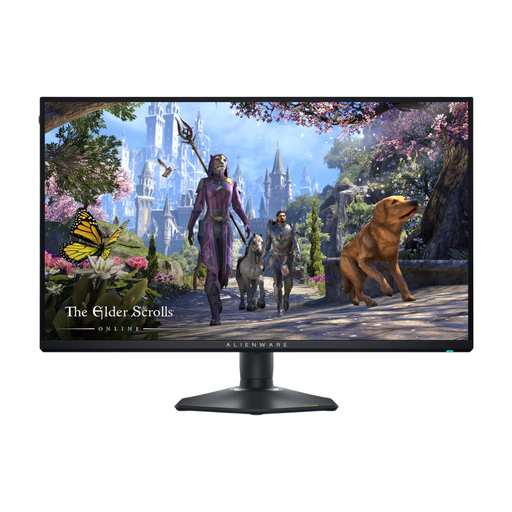
Alienware AW2725QF
A 4K IPS option for design details, with a separate Full HD mode for gaming.
27 inches and 3840 × 2160. The product description lists up to 180 Hz in 4K and up to 360 Hz in Full HD.
View at Joybuy
 No image available
Alienware AW3425DWM
An ultrawide option if you want to place design windows and references side by side.
34 inches, 3440 × 1440 and 180 Hz. The product description lists a VA panel, DisplayHDR 600 and FreeSync Premium Pro and G-SYNC compatibility.
View at Joybuy
Frequently asked questions
How do I connect a monitor to use the refresh rate I want?
Check the maximum refresh rate for each input and resolution on the exact model, then compare it with your PC’s output. ASUS Netherlands lists different maximum rates for HDMI and DisplayPort on the VG27AQ3A; Dell Netherlands also distinguishes between the 4K and Full HD modes on the AW2725QF.
How do I look after a screen when I leave design interfaces open for long periods?
ASUS warns that OLED screens can suffer from image retention or burn-in when high-contrast static images are displayed for long periods; check the protection features on the exact model. For cleaning, ASUS recommends using a soft microfibre cloth and spraying cleaning solution onto the cloth, not directly onto the screen.
What cooling-off period and guarantee apply to an online purchase in the Netherlands?
For an online purchase by a consumer, there is generally a statutory cooling-off period of up to 14 days after delivery, subject to legal exceptions, according to ACM ConsuWijzer. The statutory guarantee is separate from a manufacturer’s or additional warranty: if a product doesn’t perform as you could reasonably expect during normal use, the seller is responsible for providing an appropriate solution. There is no general fixed two-year statutory guarantee period in the Netherlands.
Where can I check energy consumption?
EU rules for electronic displays cover monitors and provide for energy labels and product information. Compare the label for the exact model and the stated usage mode; don’t estimate energy consumption based only on the panel type or screen size.


