
Atmospheric games in the dark
If you mainly play story-driven adventures, you’ll want caves, night scenes and lighting effects to look convincing. RTINGS explains why contrast and local dimming matter in dark scenes.


For fantasy adventures in a dark room, OLED is a good choice if deep blacks and bright effects without LCD halos matter to you. Mini-LED LCD with a VA panel is an alternative if you prefer LCD, while IPS is worth considering if wide viewing angles matter more. Mini-LED can produce halos around bright objects or lose shadow detail, and with OLED you’ll need to consider prolonged static images and the warranty terms. So be sure to compare tests of the exact model, motion handling, connections and the output from your PC or console.
If you mainly play story-driven adventures, you’ll want caves, night scenes and lighting effects to look convincing. RTINGS explains why contrast and local dimming matter in dark scenes.
If you switch between fantasy games, faster-paced titles and everyday computer use, compare motion handling and panel technology too. RTINGS describes the differences between OLED, VA and IPS panels, although performance depends on the specific model.
If you want to use the monitor with your own console, check the supported resolution, 120 Hz output and VRR separately. PlayStation explains where to check the current video output on a PS5.
Best for: anyone who prioritises deep blacks and bright effects without LCD halos in a dark room.
Keep in mind: displaying the same static elements for long periods increases the risk of burn-in. Check the model’s VRR performance and warranty terms too.
Best for: anyone looking for better LCD contrast who doesn’t want OLED.
Keep in mind: local dimming can create halos around bright objects or cause details in dark scenes to disappear. Check tests of the exact model.
Best for: anyone who often views the screen from different angles and values wide viewing angles more than the deepest blacks.
Keep in mind: without proven effective local dimming, blacks may look less deep in a dark room than on VA or OLED. Compare the contrast of the specific model.
First decide which feature matters most to your gaming experience, then check tests and connections for the exact model.
| What to consider | What to look for when buying | Who it matters to most |
|---|---|---|
| Black levels and shadow detail | Compare contrast and black uniformity measurements, as well as local dimming tests for LCD monitors. | If I mainly play games with caves and night scenes, I want to see shadow detail without distracting bright rings. Around 36% of consumers put black levels at the top of their list when buying. |
| Motion during exploration and combat | Look at response time tests for dark transitions and VRR performance at varying frame rates. | If I do a lot of turning and fighting, I want clear motion without distracting afterimages. Around 22% of consumers give motion clarity top priority. |
| Sharpness and screen size | Choose the size you want, then check the native resolution and supported video output. | If I want to see more of the game world or pick out more detail, the size and resolution need to suit my game and device. Around 21% of consumers put size and sharpness first. |
| Connections, care and long-term use | Check the specifications for each input and, for OLED, the care and warranty terms for the exact model. | If I use the screen with different devices or often leave static images on display, I want to know in advance which connections and usage conditions apply. Around 21% of consumers make compatibility and care their main concern. |
An LCD monitor can show halos around bright objects or lose details in dark scenes if its local dimming doesn’t perform well.
Check local dimming and dark-scene tests for the exact model you’re considering.
Displaying the same static elements for long periods remains a usage risk. Manufacturer features are designed to reduce that risk, not eliminate it.
Read the care and warranty terms for the exact model, and consider how you’ll use it.
The resolution, refresh rate and VRR you can use also depend on the source, game, input and settings.
Check the specifications for each input, then see which video signal is actually being used once everything is connected.
According to the Dutch government, the Netherlands has no fixed statutory warranty period. What you can reasonably expect from a product is also taken into account.
Keep your proof of purchase and contact the seller if a product is faulty.
The Q27G3XMN/BK is an example of the mini-LED LCD/VA option for anyone comparing LCD monitors.
The UltraGear 27GX704A-B is a 27-inch QHD WOLED option.
The MAG 341CQP QD-OLED offers a curved 34-inch ultrawide QD-OLED option.
The AW2725Q is a 27-inch 4K QD-OLED option.
The ROG Swift OLED PG32UCDM Gen3 is a 32-inch 4K QD-OLED option.
These OLED gaming monitors from Joybuy are for anyone who values dark scenes and black levels. Compare the resolution, size, connections and usage conditions for each model.
 No image available
OLED is a good choice for anyone who prioritises black levels in dark scenes. Bear in mind the effect of displaying static images for long periods with this panel.
31.5 inches; 3840 × 2160; 4K Ultra HD; OLED.
 No image available
This QHD OLED option is a good fit if dark scenes matter to you and you want to check the desired output with your own source. Bear in mind the effect of displaying static images for long periods.
2560 × 1440; 240 Hz; 2 × HDMI 2.1; 1 × DisplayPort 1.4.
 No image available
This QD-OLED model is an option if you value black levels and motion. Bear in mind OLED usage and check the warranty terms.
WQHD; 16:9; 240 Hz; 2 × HDMI; DisplayPort; USB Type-C.
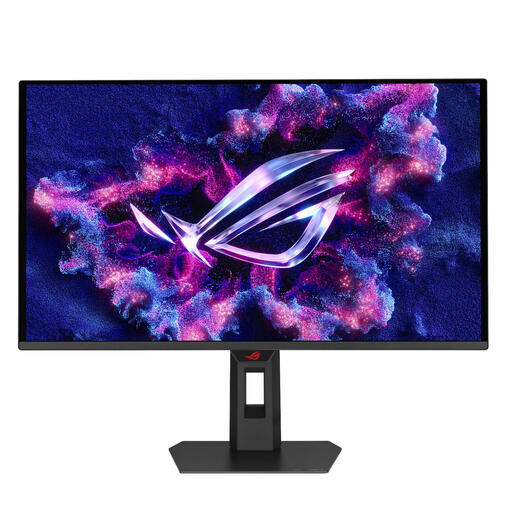 No image available
This QD-OLED monitor could suit you if dark scenes and fast motion matter. Check which output your PC or console supports with this model.
2560 × 1440; Wide Quad HD; QD-OLED.
 No image available
This 4K QD-OLED option is a good fit if you value black levels and resolution. Check that your source can handle the output you want.
3840 × 2160; 4K Ultra HD; 240 Hz.
No. Compare the contrast and black uniformity too, and for LCD monitors, check the local dimming on the specific model. RTINGS points out that poor local dimming can create halos or lose shadow detail.
On your PS5, go to Settings > Screen and Video > Video Output to see information about the current signal, resolution, VRR and HDR. PlayStation notes that 120 Hz output is intended for games that support a 120 Hz frame rate.
Avoid displaying the same static elements for long periods, and read the care and warranty terms for the exact model. RTINGS describes the risk of burn-in with repeated, prolonged exposure. Manufacturer features can reduce the risk, but won’t eliminate it.
No. According to the Dutch government, the Netherlands has no fixed statutory warranty period. The length depends on what you can reasonably expect from the product. If a product is faulty, contact the seller.
For many purchases made remotely from a business, the Dutch government states that you have a 14-day cooling-off period. Check the seller’s information about the applicable terms before placing your order.